Hello,
At the top of the page edit screen, open “Screen Options.”
Is “Sidebar Options” checked?
-Kevin
Thread Starter
 Swampman
(@marshall-beck)
Thanks for the reply!
I looked there, in “Screen options,” but no “Sidebar options” appear there for me to select…
Odd, I’m not sure why that may be happening. It’s possible that you have a plugin conflict on your site.
I suggest deactivating each plugin individually, and testing the sidebar options when each plugin is OFF.
Be sure to clear your cache each time.
let me know if you find any conflicting plugins.
-Kevin
Thread Starter
Swampman
(@marshall-beck)
Thanks again!
Actually, I previously did that: I deactivated all the plugins to test for a conflict, but even with them all deactivated the sidebar options still did not appear. I did not know about the need to clear the cache, however, so I just tried that: deactivating all plugins, then clearing the cache before trying to edit the page again – but even still, the sidebar options are not available.
Thanks again for your efforts to help.
hmm can’t seem to recreate.
When you create a page and select the template are you saving and reloading the page?
The options should appear by the featured image section.
can you tell me what version of the toolkit you have? and theme?
Ben
Thread Starter
Swampman
(@marshall-beck)
Yes – I am saving and reloading.
Tookit: 4.9.0
Virtue theme: 3.2.7
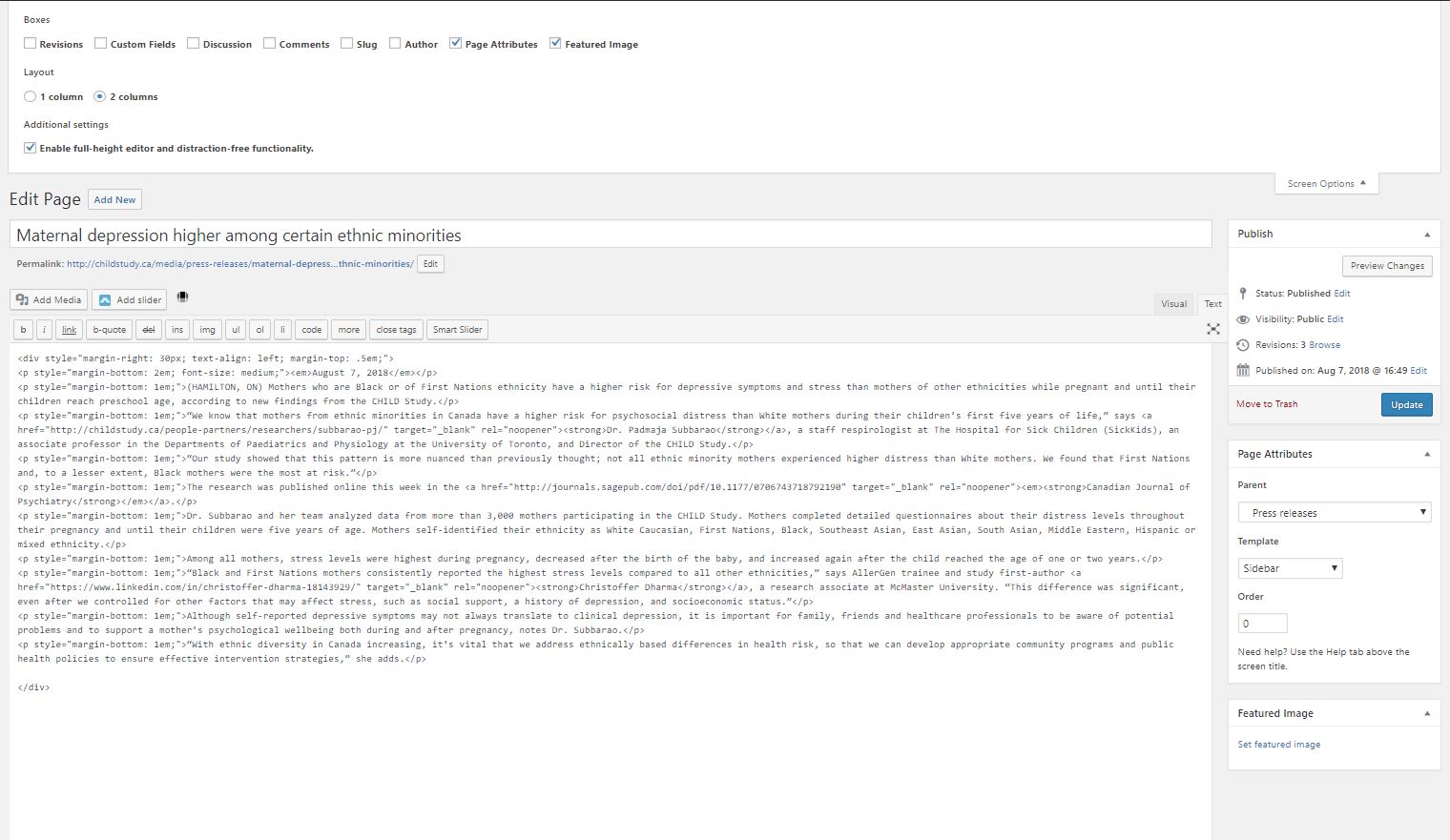
Sidebar options still not appearing – here is a screenshot of what I see; nothing appears below what is visible in this snip:
http://childstudy.ca/wp-content/uploads/2018/08/Capture.jpg
Thanks again…
Hmm, odd I can’t recreate so would it be possible for you to tell me what plugins you are using. Also what version of PHP is loaded on your server. Your screen shot is missing all the page options so something is off.
Thread Starter
Swampman
(@marshall-beck)
PHP 7.0.8
Plug-ins (though the problem persists even when they are all deactivated):
3D FlipBook – Light Edition
Draw Attention
Easy WP SMTP
Google Analytics Dashboard for WP (GADWP)
Kadence Toolkit
MetaSlider
Outerbridge Nested Shortcodes
Parallax Scroll by Adamrob.co.uk
Participants Database
Popup Maker
Redirection
Scroll to Anchor
Smart Slider 3
Toggles Shortcode And Widgets
WP Colorbox
WP Flow Plus
When you deactivated all did you make sure to leave the toolkit active?
Thread Starter
Swampman
(@marshall-beck)
Hello again –
I just discovered that it is, in fact, a plugin conflict! I did not test them one by one before; I just de-activated them all at once to see if the problem would resolve… now I realize I was also deactivating the toolkit when I did that. Just now, I deactivated all plugins EXCEPT the toolkit, and the sidebar editing option re-appeared! So, one of the plugins has a conflict. I am sorry to have put you though all this trouble!
Thanks again for your help.
Thread Starter
Swampman
(@marshall-beck)
Our messages just crossed – you identified the problem at the same time I did!
ok, were you able to fine which plugin. I can run some test to revolve a conflict.
Thread Starter
Swampman
(@marshall-beck)
Looks like it is this plugin: Draw Attention
ok, looks like they are embedding an older version of CMB2 and it’s loading before the toolkit so it’s overriding. An easy fix would be to install CMB2 yourself:
https://ww.wp.xz.cn/support/plugin/cmb2/
Then that would take over.
Ben
Curious, what is this toolkit? If it’s loading CMB2 correctly, it should always load the newest version.