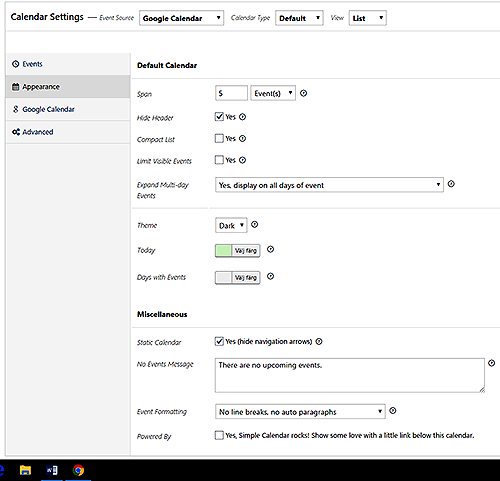
You could try using CSS to fix that, or you can try using the “Compact List” option to see if that helps.
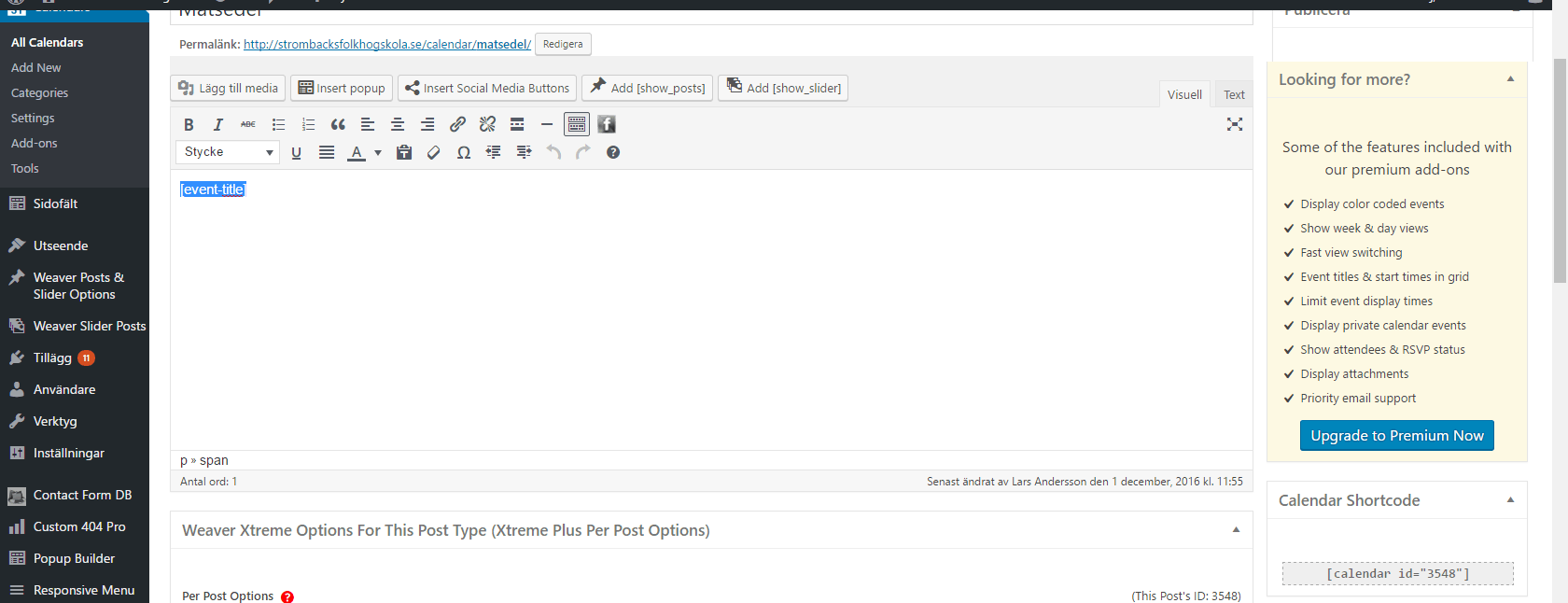
What is your event template set to? (textarea above the calendar settings) I just want to see if maybe it could be coming from there also.
Please can you show me some example there the list is exactly during each other?
I have tested everything.
That last version i removed the space by editing the plug in but in update and this new version i can not.
When I tried Compact list it helped byt then the date above disappeared.
Please help me.
What is in your event template?
I was wondering what is in your event template settings – the textarea right above all the calendar settings.
Textarea on the right??? I have nothing there. Textarea above, possibly this:
http://strombacksfolkhogskola.se/wp-content/uploads/2016/12/calendar4.gif
Big trouble… I can not understand what you mean.
Can you just show me somewhere there you have the list without indent in line 2.
I have not seen it somewhere, please show me, or show me class for that.
If you are sure that we can change this I could not understand why it is so hard.
In the editor above I just have this: [event-title].
The textarea you asking abbout I can not understand. Perhaps it is my bad english.
The image you posted is exactly what I was referring to. I wanted to see what you had there in case the spacing was coming from there.
Run through this and let me know if it helps with the issue at all: http://docs.simplecalendar.io/troubleshooting-theme-plugin-widget-conflicts/