Site Map
-
Hi
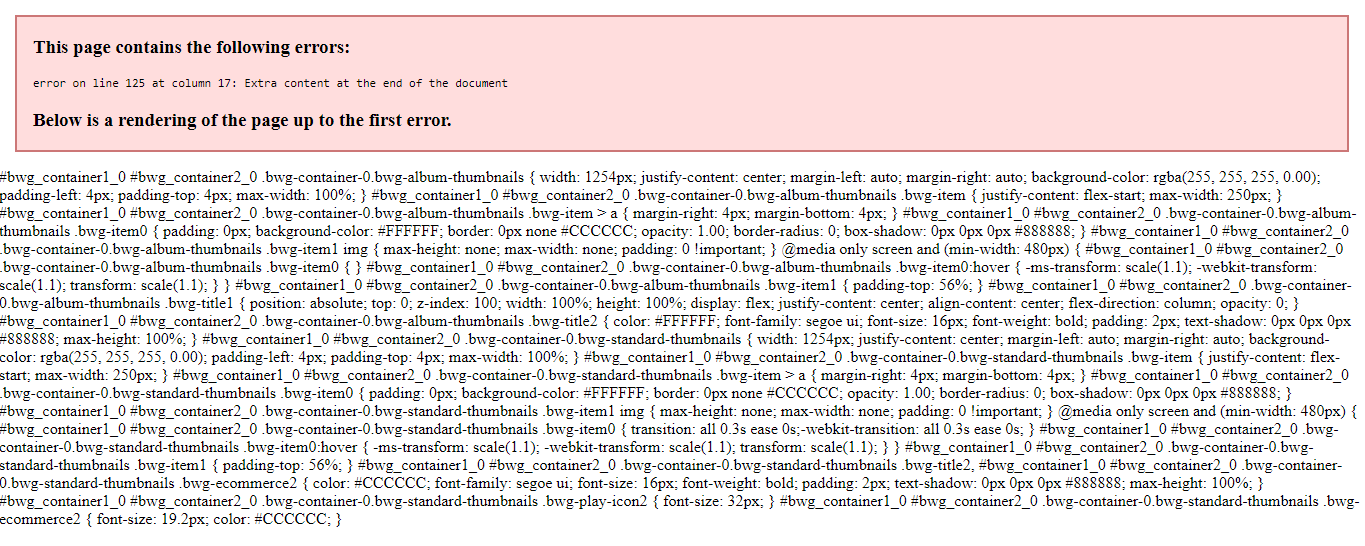
I hope you can help, I have checked with YoastVersion 12.1 before I came to this forum, and the Yoast Plugin is fine.I am trying to get my Pages crawled by Google, however when I click on the Link abouve I am getting a lot of text which looks very like it’s being generated by the Photo Gallery Version 1.5.36
I also looked on the webmaster tools and found this:
/bwg_gallery-sitemap.xml/bwg_tag-sitemap.xml Sitemap 16 Sep 2019 1 error
/bwg_album-sitemap.xml Sitemap 18 Sep 2019 1 error
/bwg_gallery-sitemap.xml Sitemap 16 Sep 2019 1 errorAny help would be appreciate
TobyThe page I need help with: [log in to see the link]
-
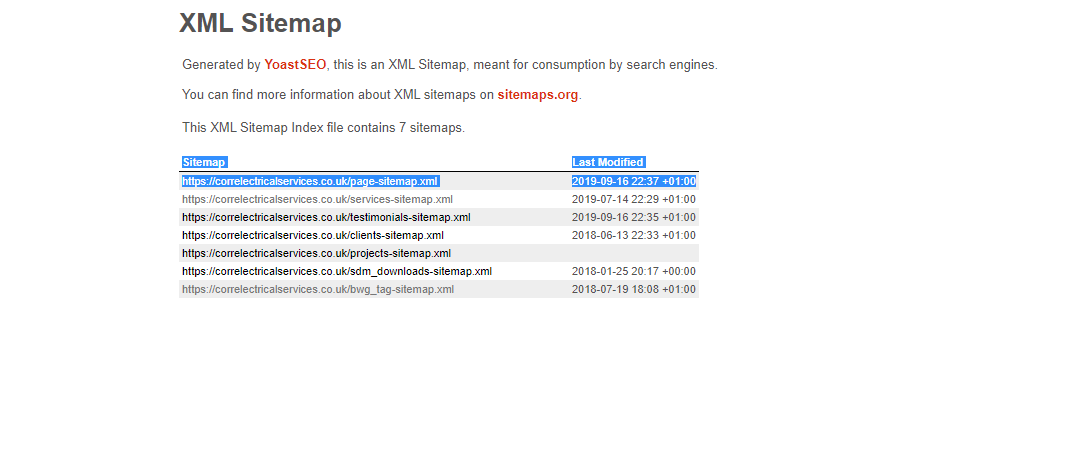
I am trying to get my Website Pages crawled by Google, however when I click on the SEO to generate a Site Map which is a Yoast Plugin (the Link below) I am getting a lot of text which looks very like it’s being generated by the Photo Gallery Version 1.5.36.
I have checked with Yoast who looked at the link below and informed me that there plugin was OK.
I also looked on the webmaster tools and found the following, which looks like it’s being generated by Photo Gallery:
/bwg_gallery-sitemap.xml
/bwg_tag-sitemap.xml Sitemap 16 Sep 2019 1 error
/bwg_album-sitemap.xml Sitemap 18 Sep 2019 1 error
/bwg_gallery-sitemap.xml Sitemap 16 Sep 2019 1 errorThe page I need help with: https://correlectricalservices.co.uk/page-sitemap.xml
Any help would be appreciate
TobyHi
I am still waiting on someone to come in and hopfully point me in the correct
direction on how to fix this problem myself.
If I discover how to fix it I will let you know.
Anyone know how do this!!!Thanks Inadvance
TobyHi,
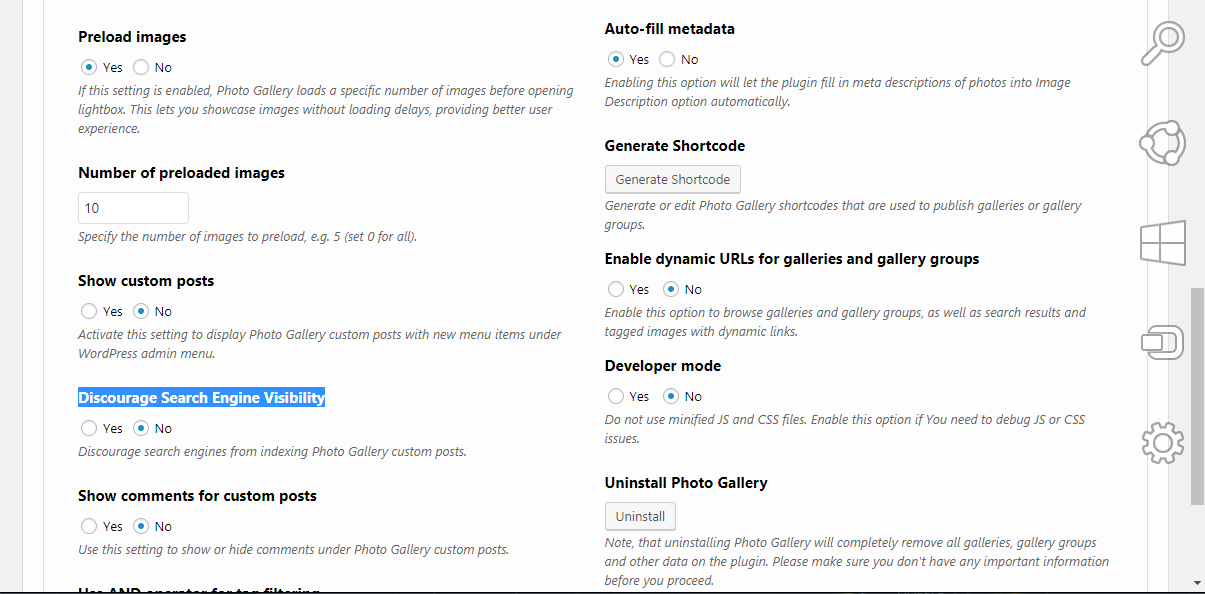
Please navigate to Photo gallery->Options->Discourage search engines and check “No“. Please see the screeenshot.
Thank you!
Have a nice day!
I tried your suggestion, however I am still seeing the same error?
I carried out the task last night, flushed all Cache on the website
and allowed 24 hours for it to propagate through the system, however it still
shows: https://correlectricalservices.co.uk/page-sitemap.xml
Any other suggestions would be gratefully appreciated.
Best Regards
Toby
Dear @toby963,
Sorry for the belated response.
Please try to go to Photo gallery->Options->Discourage search engines and check “No“.
Then you should generate XML again.Sincerely,
Hi Asya (@asyag)
I have carried out your reply Plus there was an Update for the PlugIn, which I have installed and tried again, with no joy.
As I said, I checked with Yoast before I came in here and it’s sill th same, see the links below:
https://i.gyazo.com/1eb6eff3ec884d25d86be4aa7b6c7000.png
https://i.gyazo.com/ef9da60d7306998ba1840874169fcd40.png
https://i.gyazo.com/4caa7a565398f5a3d658743fd6a9a390.png
Best Regards
TobyHi
Sorry if I sound desperate, but I am, does anyone have any ideas of
How I can fix this?
I don’t want to use another plugin as Photo Gallery provides great Galleries and looks great on my site, but if I can’t get this sorted soon I may have to go look somewhere else and I really don’t want to do that.
Anyone any idea’sThank’s in advance
TobyHi Asya (@asyag)
Thank you for getting back to me.
and thank you for looking into this for me, I look forward
to seeing what the problem is.
Best Regards
TobyHi
I know that you are looking into this problem, and there are others who have problems and this is the is the free version.In saying that I have had this problem for a Month and as much as it hurts,
I will have to look for another photo gallery as this problem is affecting my web site’s ranking as I can’t generate xml site maps for Google.I had a quick look and can’t see anything but I assume that to remove the plugin, it’s just a matter of Deactivate then Delete the plugin then flush the websites Cache
Toby
Similar issue is Unexpected output breaks page/post sitemaps #12302. Based on my experience, I think that following code breaks sitemaps (file framework/WDWSitemap.php):
$controller = new BWGControllerSite( ucfirst( $params[ 'gallery_type' ] ) );
I think that it should be wrapped by output buffers (as quick workaround). Something like this:ob_start(); $controller = new BWGControllerSite( ucfirst( $params[ 'gallery_type' ] ) ); ob_end_clean();I didn’t test it, but someone could test it. As Yoast contributor, I’ve found few cases when this approach was fixed similar issues.
Hello,
I thank Saša for writing a message here, this is the person who analyzed my issue on the Yoast plugin forum and managed to find the source of the issue.
I noticed the issue on my sitemap ( https://karnoden.fr/page-sitemap.xml ) only yesterday on a routine check, I notice that in fact it appeared a while ago.
I hope that Saša’s analysis will help Photo Gallery’s coders to solve the issue.
Best regards,
Kévin CAROL
Hi Saša
Thank you for your input to this problem.
I hope that this helps the Photo Gallery codes find a fix for this problem.
I have had this issue for over 5 week’s now and love this plugin.
So hopefully in another few days this problem should be fixed
and I will not have to hunt to find something as good as this plugin.
TobyHi
Can I ask “How is this resolved” ?
no one has said that there has been a fix to this problem.I for one have been trying to find a solution to this problem
which I still have, it has not been resolved, come on!
Toby
Hi
Could someone please explain how this problem was Resolved?I have been having this problem for arounf 6 Weeks
I have been trying to see if I could find a fix to this problemI was told that the Coders of this Plugin were working on it.
“We are extremely sorry for making you wait this long.
Please allow some time to work on the case.
Thank you for your patience.
Sincerely,” by Asya (@asyag)
It is then Marked As Resolved?
What Was The Resolution please
Toby
The topic ‘Site Map’ is closed to new replies.