I understand that the .mo and .po files should be in the wp-content folder:
The full path is:
/home2/martin18/public_html/martinezbande.es/wp-content/plugins/simple-ebook-viewer/languages
However, only the it_IT files are there.
There’s another folder:
/home2/martin18/public_html/martinezbande.es/wp-content/languages/plugins
This folder contains the .mo and .po files for Spanish (es_ES) from all installed plugins, including simple-ebook-viewer. But:
— They are significantly smaller than the it_IT files.
— I made a copy of them in the wp-content/plugins/simple-ebook-viewer/languages directory, but it didn’t work.
I have a feeling these files were saved here from the very beginning (I didn’t copy them manually) and haven’t been updated since.
Let’s wait for update 2.0. Hopefully, the problem will resolve itself. Otherwise, we’ll have to investigate where the problem lies. Let’s hope that won’t be necessary.
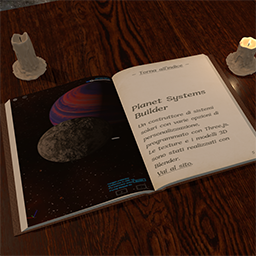
If you want to check how the plugin works, you can find it under Obras->Divulgación, Libro en línea tab. There are four books that can be read in ePub format. Here’s the direct URL to one of them: https://martinezbande.es/pqf-epub/#
In the folder
$HOME/public_html/martinezbande.es/wp-content/languages/plugins
is there also the file simple-ebook-viewer-es_ES-8ea62ac67c59323d2f8a1367744dc934.json?
On another note, you might want to add real-fullscreen=”true” to the Viewer’s shortcodes in your site, I noticed that some elements of the page stay on top of it when in full viewport.
I uploaded the version 2 of the plugin; although the new language pack is not yet downloadable as I write this, I guess it will be within the next few hours. Let me know if you find any issues.
With version 2, the problem with the fullscreen that I wrote you about should be fixed, so setting real-fullscreen=”true” should not be necessary anymore.
I’ve already installed version 2.0.0 of the plugin. I’m testing it. But it’s still only showing up in English. The Languages folder only shows the it_IT files. Hopefully, the Spanish translation files will be updated; I don’t know if it happens automatically or if they have to be installed manually.
Update:
What was happening was so strange that I finally decided to deactivate and completely delete the plugin. After reinstalling it, everything worked perfectly.
Who knows what could have happened, or what state the plugin was in after all the testing.
Interestingly, the previous it_IT and es_ES files are still in their respective folders. Nothing has changed there.
Well, I think we can close this thread now. I’ll start a new one for any further updates, suggestions, or issues that may arise.
Thanks for everything. See you in the new thread.
I’m glad it all worked out in the end.
Is there a way I can contact you to announce new versions that might require new translated strings (other than this thread)? Just in case you’re interested and don’t want to write here, you can find my contacts on https://portfolio3d.francescomartini.it/.