Thread Starter
 JRMora
(@jrmora)
Hi, I’ve already fixed it by re-installing the plugin and reconfiguring the rules.
Solved.
-
This reply was modified 5 years, 5 months ago by
 JRMora. Reason: Solved
Thread Starter
JRMora
(@jrmora)
Plugin Contributor
 iSaumya
(@isaumya)
Hi @jrmora,
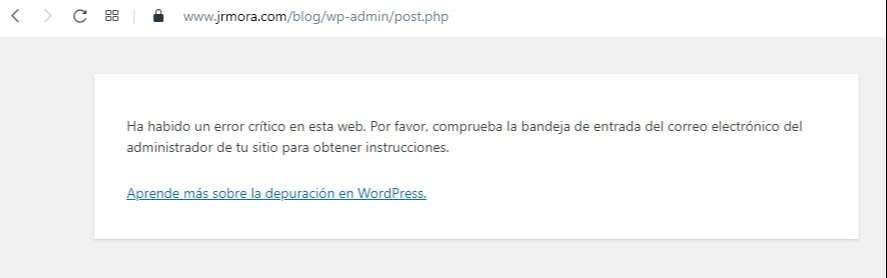
When I checked the screenshot you have provided here: https://www.jrmora.com/blog/wp-content/uploads/2020/12/error.jpg it looks like an internal error, i.e. an error thrown by PHP. The only way to know what’s causing this is by checking the PHP error log just after you see this error page. Also now WordPress send these errors over an automated email when things like this happen. Have you received any automated email from your website? As in the email the logs are generally also mentioned showing what’s causing this. Without looking at the PHP error logs it is impossible to say what’s causing the issue. If you don’t know where to find the PHP error log, ask you host about it.
When I activate in Thirth Party: “Automatically flush the cache when Autoptimize flushes its cache” doesn’t work.
– Can you please explain what is not working? I didn’t understand your question clearly.
I have also found that some old post image urls with http do not show in editor if I don’t manually edit them to https, however they look good in post.
– This is called a mixed content issue. This does not cause by our plugin but maybe the browser or cloudflare is restricting contents over insecure HTTP. You don’t need to manually change all the links to HTTPS. If you have a good host, you can contact them and they can run an search in the database and update all HTTP only links to HTTPS very easily.
Thread Starter
JRMora
(@jrmora)
Hi (@isaumya,
Tnx.
Everything is fixed except for the error when updating one post, the critical error mail does not arrive and I am trying to reproduce the PHP error to find out why, possibly something is in conflict here but is new and it did not happen before.
– Can you please explain what is not working? I didn’t understand your question clearly.
Does not clean the cache
The mixed content issue was a redirect error on my part, I already fixed it
Plugin Contributor
iSaumya
(@isaumya)
Hi @jrmora,
Regarding the update page, please check your PHP error log (ask your host about it) you will see the errors there.
Regarding Autoptimize thing, please check the log that is created by the plugin (if you enable the log mode in the plugin settings). Then clear the autoptimize log, wait for a minute and check the log, you will see each step the plugin took.
Thread Starter
JRMora
(@jrmora)
Thanks, @isaumya I will do it
And I will also look for why wordpress does not send the error mail. If I find the source of the problem I will leave a note here in case someone has a similar problem.