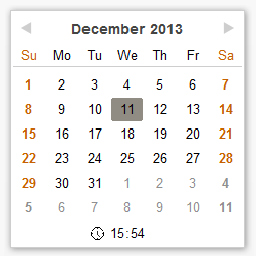
You can change the start of the week in the options page.
Translating the calendar control is a little trickier as it is JavaScript based, but I’ve been thinking about how to do it and might have a solution shortly.
Thread Starter
 Li-An
Li-An
(@li-an)
Thanks for the answer. Sorry I did not find the option before.
Thread Starter
Li-An
(@li-an)
Thanks for the update… but it does not seem to work on my site. The options shows all date… already in french (see capture here: http://tof.canardpc.com/view/0f477ab8-96e0-4a08-bd2d-0a894f840839.jpg) but the calendar itself is not translated 🙁
If you disabled the “override” option what happens?
Can you go to the edit posts page, view the source of the page and find a snipit of code in the html header like:
<script type="text/javascript">
function SchedulePostsCalenderLang() {
    var langs = { Today:"Today", Cancel:"Cancel", Update:"Update", OK:"OK"};
    return langs;
    }
</script>
Yours should like a little more complex. Copy and paste it here so I can see what’s going on.
Thanks.
Thread Starter
Li-An
(@li-an)
Well, here it is. I did test with “override” disabled.
<script type=”text/javascript”>
function SchedulePostsCalenderLang() {
var langs = { Today:”Today”, Cancel:”Cancel”, Update:”Update”, OK:”OK”};
return langs;
}
</script>`
Found the problem, inverted logic test. I’ll put up a fixed shortly.
Ok, 4.1 is up, which should fix the problem.
Thread Starter
Li-An
(@li-an)
Can you take a look at the html source again and send the script source?
And try the override setting.
Found the issue, new version on the way.
Here’s a question for you… In your opinion, in the WordPress settings menu, should “Schedule Posts Calendar” be translated to the local language or left as english?
Thread Starter
Li-An
(@li-an)
It’s better in english because when you search for options, you search the name of the plugin. But it’s only my opinion 🙂
Thanks, that’s what I was thinking as well 🙂