Hi @berams,
Thank you for reaching out!
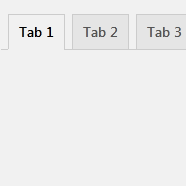
If your custom tab is appearing first instead of last (despite the correct settings), there are a couple of possible causes:
- Misconfiguration of Tab Settings – Please ensure that the tab order is set correctly. You can refer to our documentation here for detailed guidance on how to rearrange tab positions: https://webbuilder143.com/how-to-arrange-woocommerce-custom-product-tabs/
- Conflicting Plugins or Custom Code – Sometimes, other plugins or custom code snippets (e.g., functions added via
functions.php or a custom plugin) may be modifying the WooCommerce tab order, overriding our plugin’s settings.
To help troubleshoot further:
- Double-check the tab order in our plugin’s settings.
- Temporarily disable other plugins (especially those related to WooCommerce or product display) to see if the tab order corrects itself.
- Check for any code snippets that hook into
woocommerce_product_tabs or similar filters, which may be affecting the tab order.
Let us know what you find, and we’ll be happy to assist further!
As we haven’t received a response from you, we are assuming your issue is resolved. This thread will now be closed. If you require further assistance, please feel free to reopen it.