Hi,
Apologies for the delay.
Please could you set up a logging destination in the Settings tab (email is usually the most convenient). Then, please could you run the optimisations again and send us a copy of the log.
You can post the log using a service such as Pastebin, and posting the link here.
Here it is: https://pastebin.com/DTYTDeTh
But it doesn’t look like much. Did it work right?
Hi,
The optimisation does not appear to have encountered an error, simply that there is nothing further to optimise.
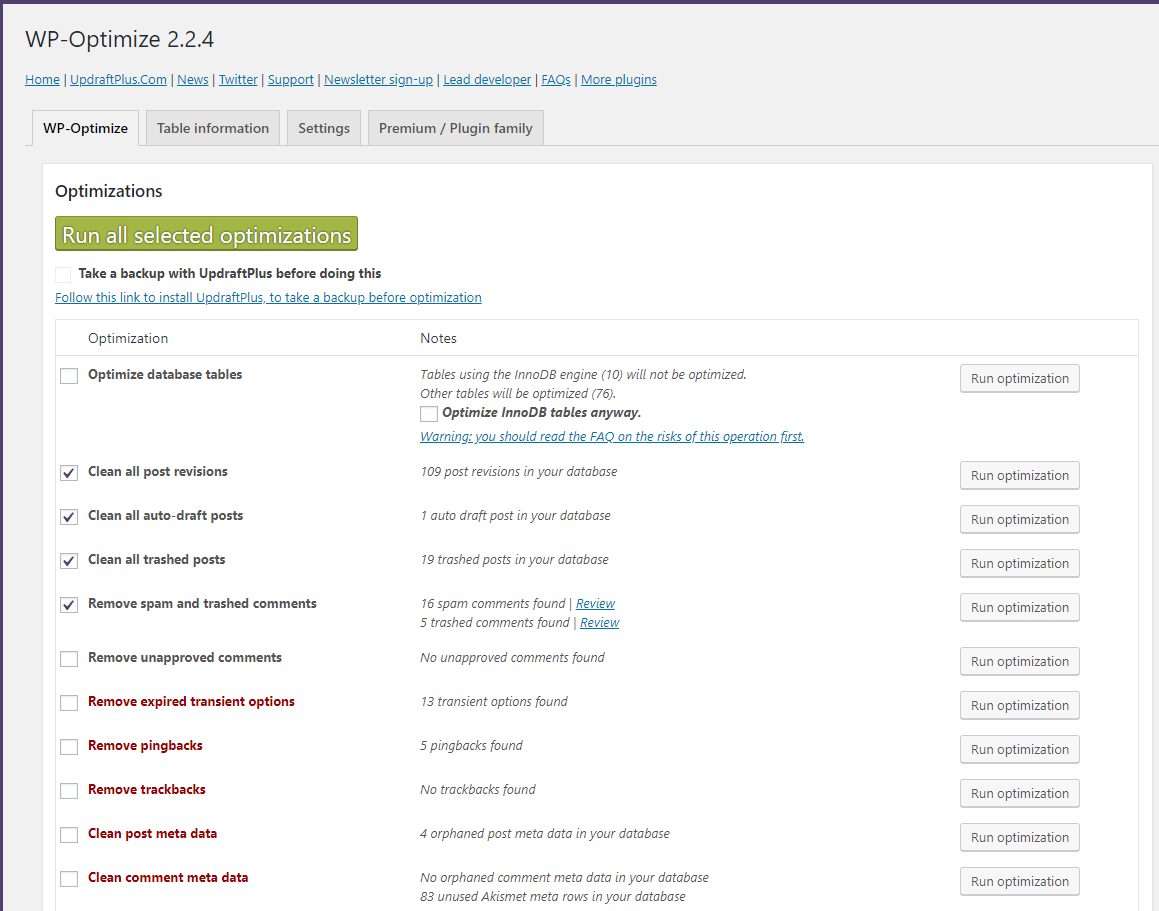
In the ‘Notes’ column for each optimisation, does the plugin show that it can find posts/data that need cleaning?
Yes it does. Here is what I see:
Before clicking “Run all selected optimizations”: https://snag.gy/JfUDtN.jpg
After: https://snag.gy/QKjNIl.jpg
After refreshing the page: https://snag.gy/gcl1kX.jpg
You can see it deleted some but not all. I also got new errors running this test: https://pastebin.com/4cXVym7G
On the second run I deactivated the plugin AutoListings and tried to re-optimize, no luck. Then on the third run, I deleted the AutoListings plugin entirely and custom functions I added to the functions.php file. But I got the same results both times. It still deleted 0 items and showed another clean error log:
[INFO] : 0 post revisions deleted
[INFO] : 0 auto drafts deleted
[INFO] : 0 posts removed from Trash
[INFO] : 0 spam comments deleted
[INFO] : 0 comments removed from Trash
Refreshing the page shows all the items are still there.
Hi,
Apologies for the delay.
Our developer is currently looking into the issue, and should reply here soon.
Is there an update on this? I could provide you with my sandbox website if that will help troubleshoot this issue.
Here’s another error log: https://pastebin.com/AwPgHhuD
It deleted 13 items but left over 200 undeleted.
Hi,
Apologies for the delay. Our developer has been unexpectedly out of the office.
They will be working on the issue tomorrow.
Hi,
I’m afraid that our developer has not been able to reproduce the issue on our test site.
Would it be possible to allow us access to your sandbox site?
If so, please could you send the details via our support form here:
https://getwpo.com/premium-support/
You can enter a dummy order number, and please ask for the ticket to be assigned to DN.
I can then forward the details to the dev.
I submitted a ticket. Thank you!
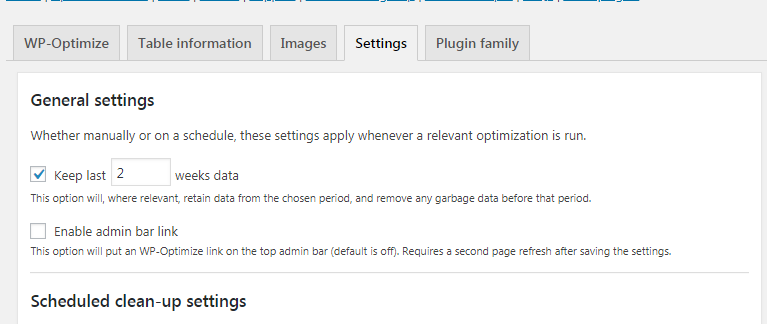
@bernadettetp Thank you! It happens because you have enabled Keep last X weeks data in the Settings tab. I.e. revisions older than 2 weeks will deleted.
… that’s it… That’s it!?
*facepalm*
Thank you very much for checking it out!