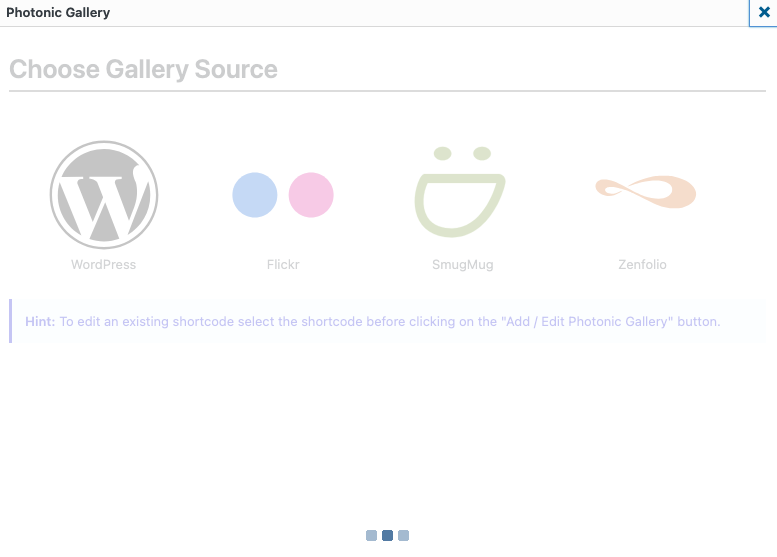
Stuck on “Choose gallery source”
-
Hi
I’m using version 3.3.0 of your plugin. I didn’t add any others plugins. But it do not work anymore, i’m stuck on the screen “Choose gallery source”, there are only the three blue dots… : https://i.postimg.cc/K8nWMYHZ/Capture-d-e-cran-2026-04-08-a-09-12-07.png
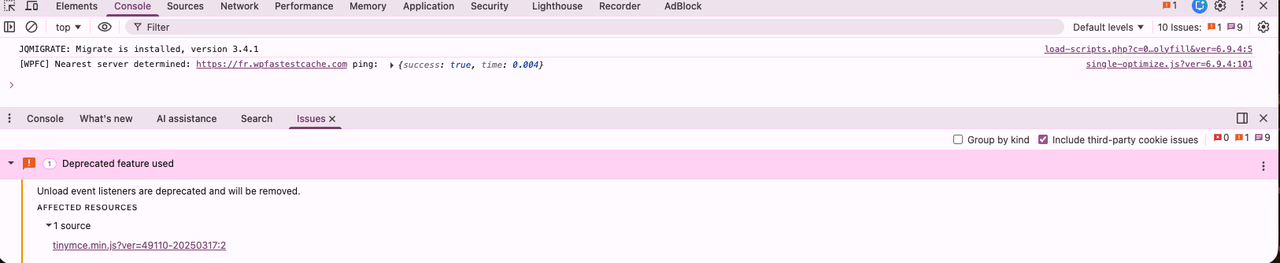
I only have one error in the console : https://i.postimg.cc/s2x00J2X/Capture-d-e-cran-2026-04-11-a-11-12-24.png
thanks

-
An update has fixed the screen loading issue but when I try to add a flickr gallery, I get “Invalid screen value: 6”
Any idea for a fix?
Thanks
-
This reply was modified 5 days, 3 hours ago by
callumgilhooly. Reason: Problem solved
-
This reply was modified 5 days, 3 hours ago by
@callumgilhooly – Is this happening when you select “Flickr” and then click on “Next”? Or is this happening right when the first screen is showing up, before you click on “Flickr”?
Please try this and let me know if this helps:
- From your WP dashboard, go to the plugin editor. If you have a theme that supports FSE, this is going to be under Tools → Plugin File Editor. If you have a theme that does not support FSE, this is going to be under Plugins → Plugin File Editor.
- From the dropdown for the plugins to edit, pick Photonic.
- Navigate to the file
include→css→admin→admin-flow.css. - Near the top of the file, you have this line:
.photonic-flow-screen { margin-bottom: 120px; position: relative; } - Change it to this:
.photonic-flow-screen { margin-bottom: 120px; position: relative; display: none; } - Save the file.
Retry the gallery creation and let me know if this works.
Hi Sayontan,
Many thanks for your reply. It happens when I select Flickr and then click Next.
I tried your css fix and that just meant that I couldn’t select any of the options (i.e. WordPress / Flickr / SmugMug / Zenfolio) and when I press next, nothing happens
This “Invalid screen value: 6” error happens whichever gallery source I choose.
Thanks
I have also discovered this error in the google console:
Uncaught TypeError: $(…).pointer is not a function
at admin.php?action=photonic_wizard&class=photonic-flow&post_id=12695&nonce=000b8a95a1:1359:43Not sure if that helps?
I should also say that this error doesn’t appear if editing an existing gallery
-
This reply was modified 4 days, 21 hours ago by
Thank you for the details. These give me some information, but not enough to identify the issue.
The “Uncaught TypeError” is not coming from Photonic (there is no call to a jQuery function called
pointerin all of Photonic), but it indicates that there is a conflict being caused with another plugin, and that conflict might be causing the issue. What is the source file for the conflict? You can find that by hovering over the file name on the right side of the console.What are your environment settings? Are you using the Block Editor or the regular editor? Is this on a page or a post? Which theme is this in?
The errors showing in the console are:
Uncaught TypeError: $(…).pointer is not a function
at post-new.php?post_type=page:5070:43and
VM5049 admin.php
VM5361 admin.php
Thanks – can you please let me know of the responses to the other questions about the environment etc.?
Hi, Sorry for delay.
This is happening in pages and posts. I’m using the classic editor but they’re also using an elementor theme (rife free)
Thanks
In the Classic Editor, are you using the “Visual” mode or the “Code” mode? Can you switch to the “Code” mode and let me know if that works for you?
Hi Sayontan, That seems to work in ‘Code’ mode…
I’ll just use that for now. It seems that obviously something in the classic editor is causing a conflict.
Many, many thanks for your help.
I tried to use your “buy me a coffee” link in the plugin but I get this response “This organisation’s page is broken.” You might want to look into that
Cheers
Hi @sayontan Excuse I’m now using the version 3.3.1 and if I choose the WordPress the click on the Next button I get this error : Invalid screen value: 6
I try with the Code Mode withe the Classic Editor and it works alslo for me.
A fix will be very apreciate 🙂
Thanks
Hi @sayontan
There is another issue, yes it works in code mode for one gallery but if you try to insert another gallery shortcode in the same post it do not work, it do nothing!
Thanks
@pako69 – Are you seeing any errors in the console when you do this? Are you able to edit an existing shortcode by selecting it? Are you able to copy-paste an existing shortcode and then edit it?
Are you seeing any errors in the console when you do this? > No
Are you able to edit an existing shortcode by selecting it? > Yes
Are you able to copy-paste an existing shortcode and then edit it? > Yes
-
This reply was modified 5 days, 3 hours ago by


You must be logged in to reply to this topic.