Andrew Nevins
(@anevins)
WCLDN 2018 Contributor | Volunteer support
Use a plugin that provides Custom CSS functionality to hold your CSS modifications.
http://ww.wp.xz.cn/extend/plugins/custom-css-manager-plugin/
You shouldn’t edit the theme’s files because you’ll lose those modifications when the theme updates.
ok thank you, ill let you know if this works for me!
in this style sheet where would i change the light gray background that appears on the sides of the pages? i cannot find it.. TY!
[Code moderated – sorry that’s too many lines to post here – use http://PasteBin.com to share your code]
Andrew Nevins
(@anevins)
WCLDN 2018 Contributor | Volunteer support
in this style sheet
The idea of the Custom CSS Manager plugin is to create new styles, rather than modify old styles in the theme’s stylesheet.
The light grey background that appears on the home page of the slider?
Sorry, can’t see what you mean. I can see a grey border around it though.
i understand the custom manager, so i can save templates so after updating the theme i can keep the look right? Yes i want to change the gray border that surrounds the white background of the page.
Andrew Nevins
(@anevins)
WCLDN 2018 Contributor | Volunteer support
so i can save templates so after updating the theme i can keep the look right
Yes so your changes don’t erase when the theme updates.
May you open your webpage in Google Chrome?
yes? is there a way to check the css on the page through chrome?
Andrew Nevins
(@anevins)
WCLDN 2018 Contributor | Volunteer support
Yes.
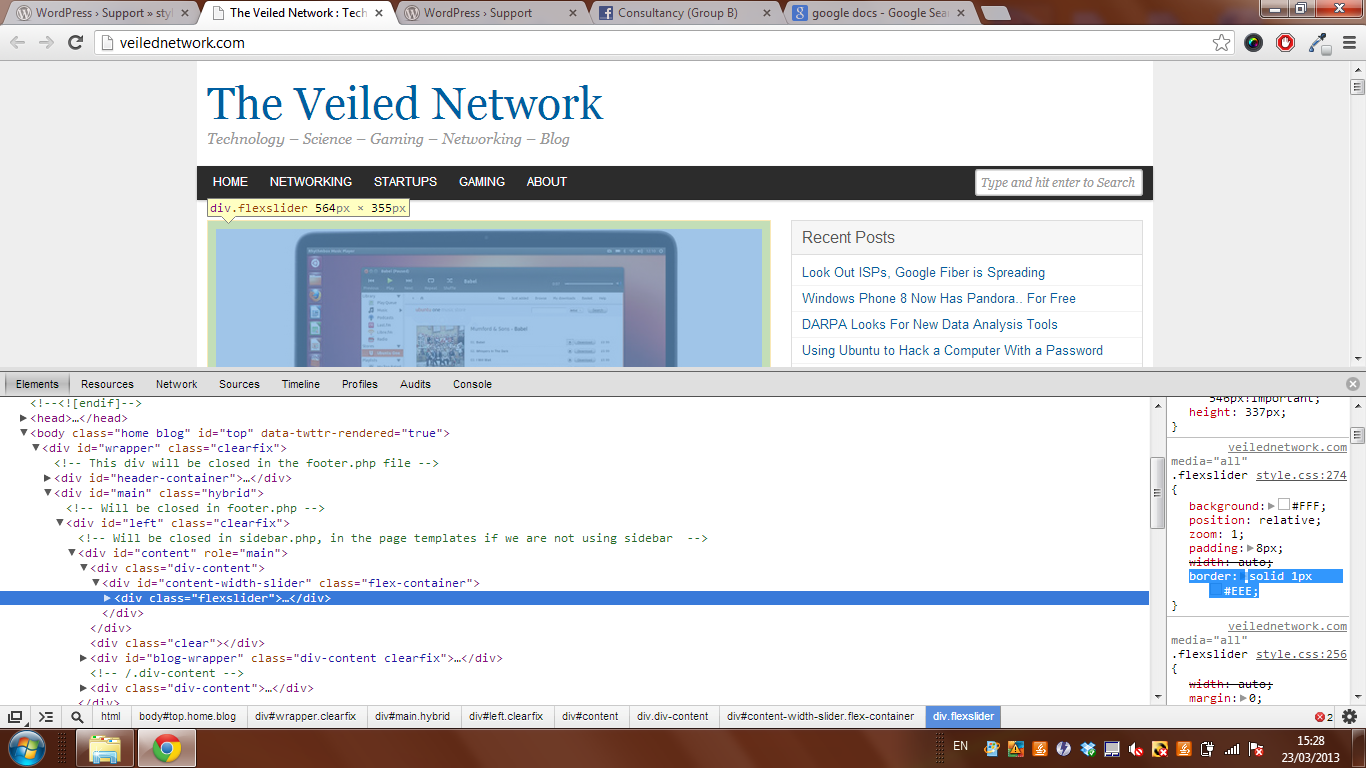
In Google chrome;
– Right click on that grey border.
– Select ‘Inspect element’.
– A new toolbar appears.
– Look at the right side of the toolbar.
– Scroll down until you find a border style.
ok ill try this later when i get home from dinner, ill let you know. Thanks!!
i did what you said but im not seeing what i need to change. Inspecting th whole element wich includes the side gray bars i see,
<body class=”home blog” id=”top” data-twttr-rendered=”true”>
If i inspect the next element it selects the inner background ignoring the outer sidebars.
Andrew Nevins
(@anevins)
WCLDN 2018 Contributor | Volunteer support
yes i know that is the slider, i want to change the gray side region next to that. http://snag.gy/rcvaS.jpg ughh i’m frustrating myself looking for this lol. TY for your help btw.