• Resolved porseshgar

    (@porseshgar)


    Hi.
    I have example for my issue:

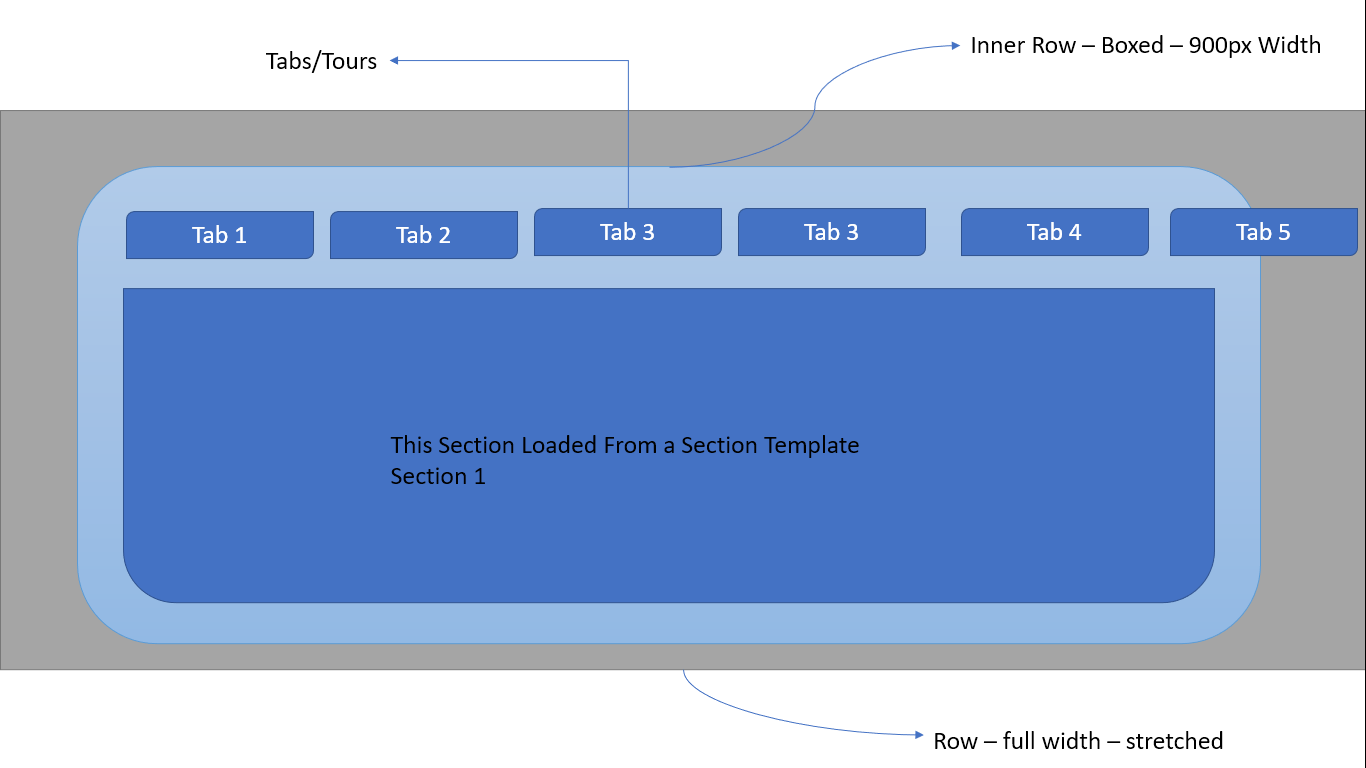
    1. I have a Row ==> full widthstretched
    2. I have an Inner row ==> Boxed , 900px width in it.
    3. I have a Tabs/Tours widget ==> Swiper Effect is ON .
    4. For the first tab I’ve created a section template:
    4.A. I have a Row ==> full widthstretched
    4.B I have a text widget in this row.

    The problem is :
    I see the section is boxed with 900px and it’s not Full width!!!
    How can I make a section of template when it loads with tabs full width?
    For more info please check this screenshots:
    The First Template: https://snipboard.io/2A7BUq.jpg
    Tab 1 Template : https://snipboard.io/CQxqPM.jpg
    What I see as a result: https://snipboard.io/njCdxm.jpg
    What I want to see: https://snipboard.io/4cPRbq.jpg

Viewing 2 replies - 1 through 2 (of 2 total)
  • Hello @porseshgar

    Thanks for writing to us with comprehensive explanations.

    However, I’m incredibly sorry that HA Advanced Tabs is our premium widget. So, according to the wp.org forum rules, I’m unable to answer your queries.

    Apart from this, in summaries:
    I am assuming you are referring to the column by ROW, and you want to overflow the inside-content of the Tabs above the tab-holding column.

    I would request you to please contact our technical support team from our site contact page to get further support regarding this technical premium query.
    Regards.

    Hello @porseshgar
    Due to the inactivity of the thread. I’m marking this as resolved.

    Feel free to create a new ticket/thread. We would be glad to assist.

    Thanks.

Viewing 2 replies - 1 through 2 (of 2 total)

The topic ‘Tabs Issue’ is closed to new replies.