• Resolved wildlife77

    (@wildlife77)


    I’m having the same problem as you solved in this ticket:

    Testimonials display bug | ww.wp.xz.cn

    I’m not seeing any way to control the width of the individual slides or the spacing between the slides. It might be a good idea to add that level of control. If I’m missing seeing those settings, please advise.

    No matter how many slides I set it to display, it’s cutting them off. Every slide that displays should display in full at any screen width. There shouldn’t be slides that are showing cut off.

    The way the slides show cut off is very visually unappealing. Otherwise this is a fantastic plugin. Hopefully you’ll be able to provide a fix for what I’m seeing. Thanks in advance for any assistance you can provide.

    The page I need help with: [log in to see the link]

Viewing 5 replies - 1 through 5 (of 5 total)
  • Plugin Support Vitalii

    (@uappsk)

    Hello!

    Could you please advise what widget are you reffering to? And if you have an opportunity, please attach the screensgots of the problem, as the page provided isn’t working.

    Thank you.

    Thread Starter wildlife77

    (@wildlife77)

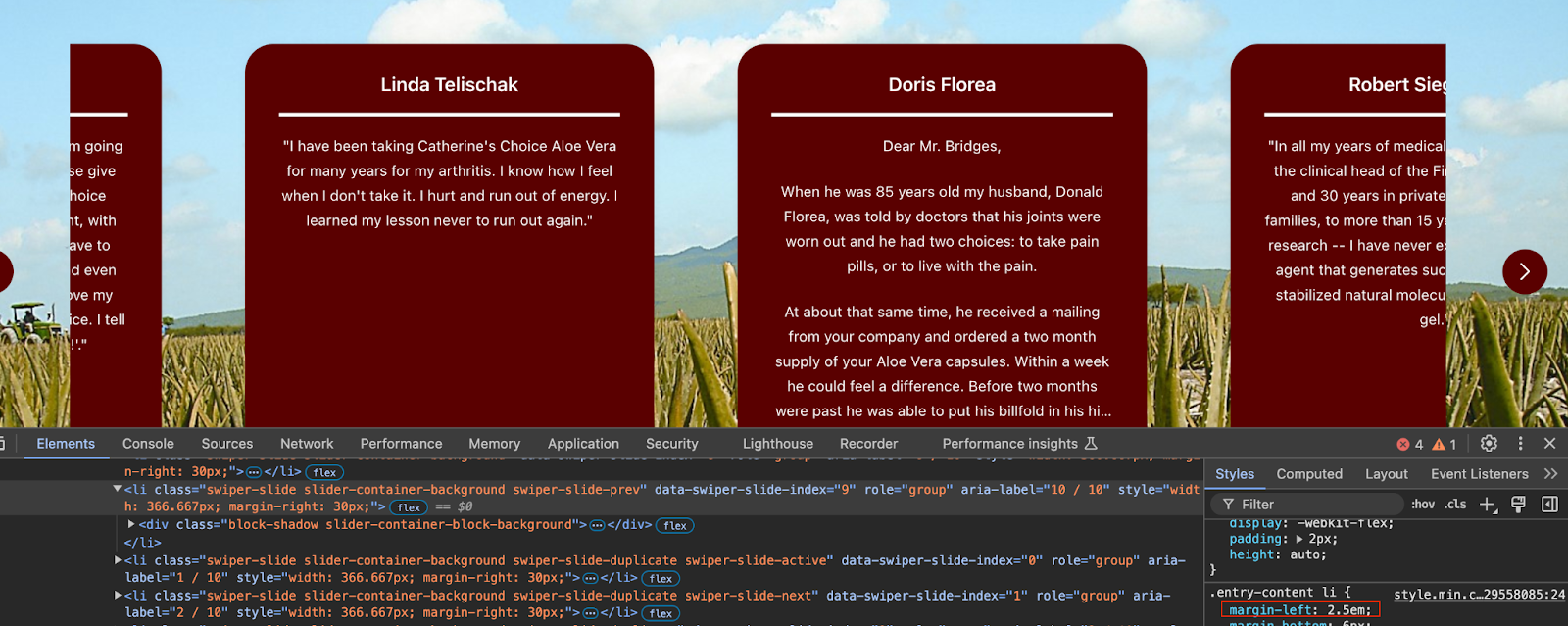
    I had it in maintenance mode previously. Sorry about forgetting that. You should be able to see the site now. It’s the testimonials section at the bottom of the home page. I have 10 testimonials set up for static display first and then I set up the section using your plugin below that. You’ll see how it is showing 2 testimonials in full, but then there is one in various locations that is always cut off.

    Thread Starter wildlife77

    (@wildlife77)

    Here is a screen capture of the problem.

    Plugin Support Vitalii

    (@uappsk)

    Hello! We have investigated the issue and found two solutions for you issue:

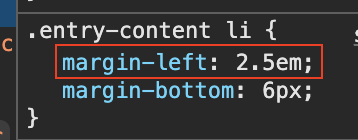
    1. Correct styles:

    This way it looks when it’s on:

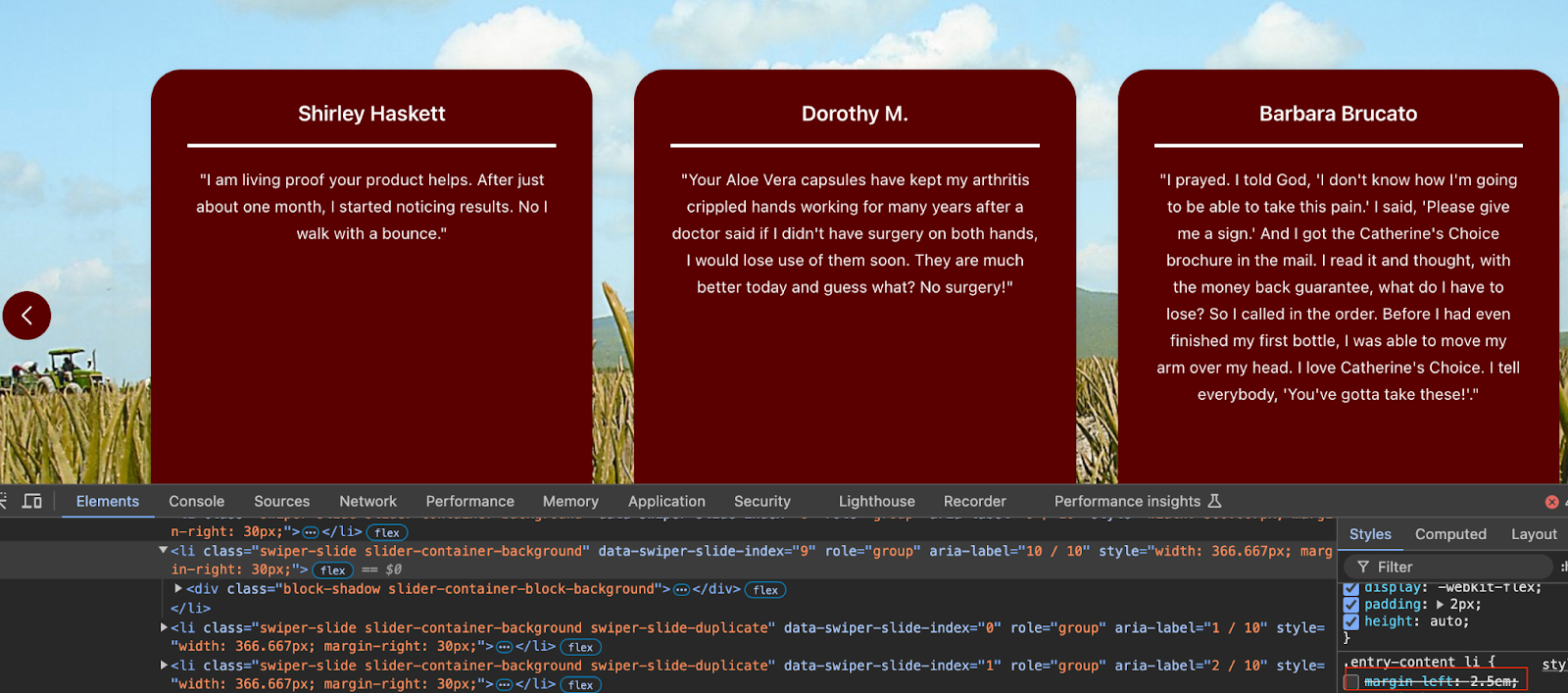
    This way it looks when off:

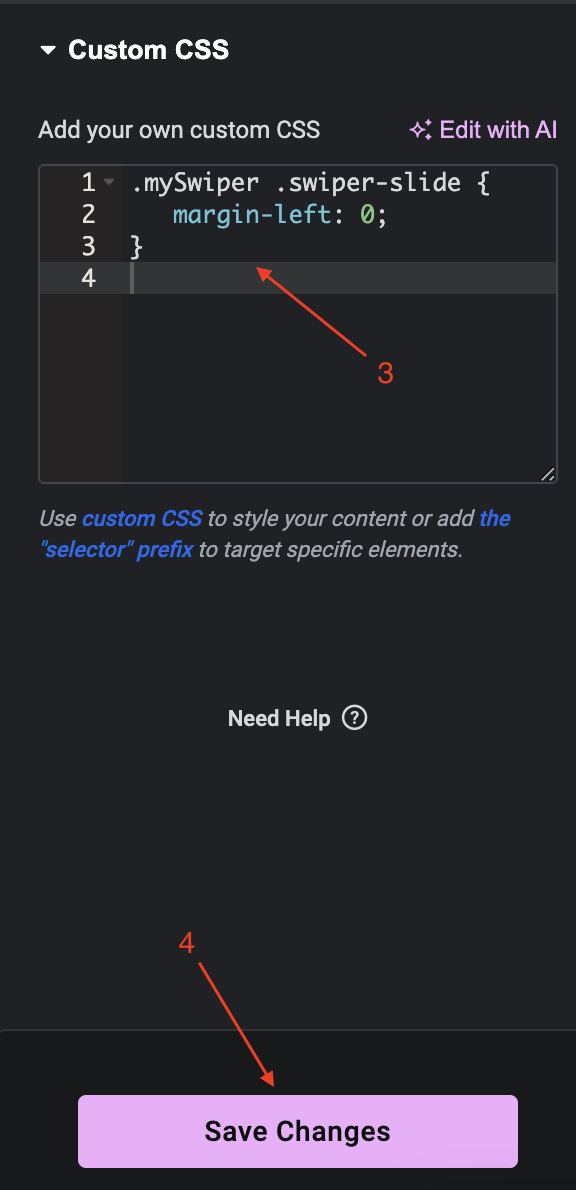
    To correct it, you need to add to styles this:

    .mySwiper .swiper-slide {

       margin-left: 0;

    }

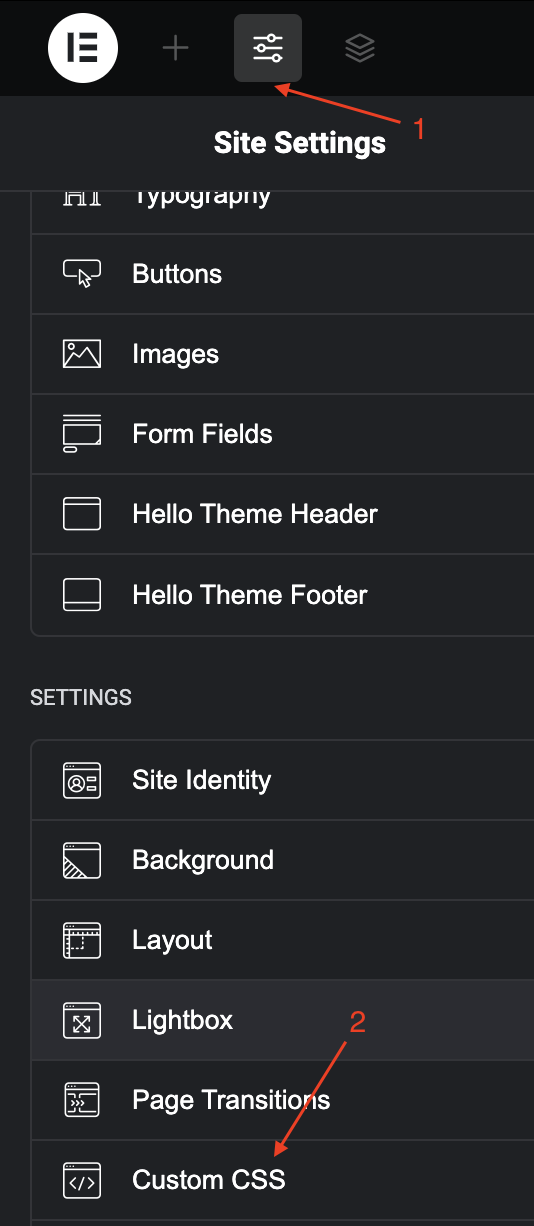
    You can do it in the theme file itself or add it with the Elementor, add on the page where the widget is used. This is how to do it:

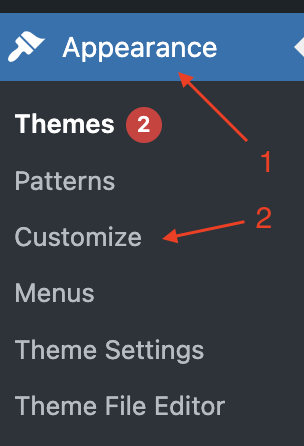
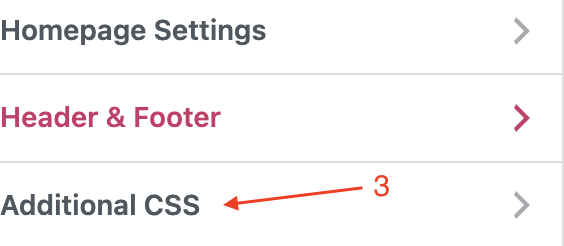
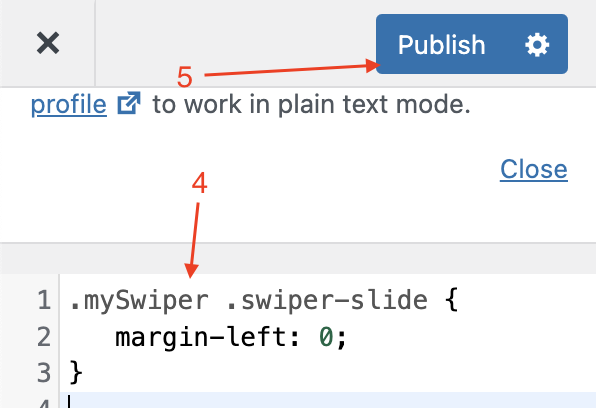
    2. The second way is:

    Please let us know if this helped. Thank you for using our widget. Please don’t forget to take a minute of your time to leave us a feedback and rating.

    Regards,

    UAPP Team

    Thread Starter wildlife77

    (@wildlife77)

    That looks like it worked. Thanks a bunch!!!

Viewing 5 replies - 1 through 5 (of 5 total)

The topic ‘Testimonials Display Bug 2’ is closed to new replies.