The plugin is uninstalling itself…
-
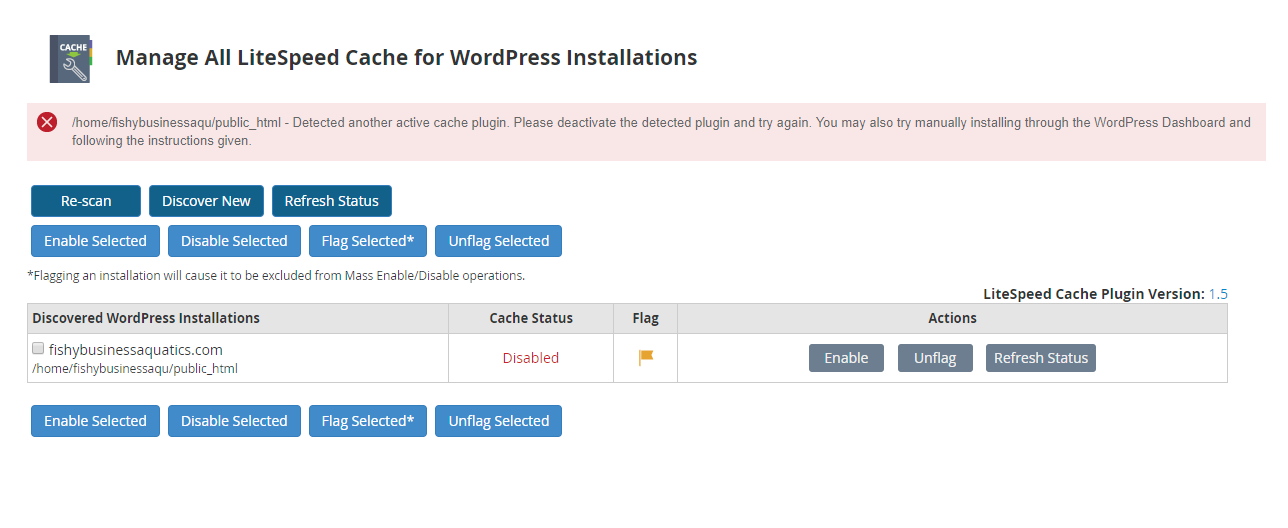
I’m having a few issues with the Litespeed Cache plugin and am hoping someone can help. My hosting company installed the server and cache backend last night. After it was completed I get a notice from them saying that the cache cannot be enabled until other cache plugins are disabled and this screenshot.
https://i.gyazo.com/4c7d4b892e3efff000d52e56fbfd0309.png
I go into WordPress plugins and no other caching plugins are running. I removed the wp-rocket plugin that was there and check for anything else, but find nothing. The server has OPcache for PHP installed and there is a plugin to clear that and it has a Redis object cache.
When I install and activate the Litespeed Cache Plugin I get this warning:
https://i.gyazo.com/a70609b2871bcff318630ba483ec6c76.png
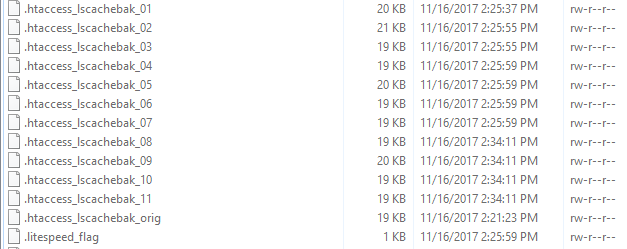
However, nothing that I can see it running. Even odder I will go into the plugin and look at the settings and in a few minutes, the plugin is GONE. I mean not installed, not in the plugin folder on the drive, just gone! I’ve only been working with WordPress for3 or 4 years, but I have never experienced that. I also have all these files int my main web folder:
https://i.gyazo.com/1e4c86524b6a5d363ba51794c22d19f2.png
I have checked the .htaccess files for leftover wp-rocket items, but none are there.
The site is using Wordfence and iThemes security plugin. Not sure how to debug it from here and that is where I was hoping for help.
Thanks!
The page I need help with: [log in to see the link]


The topic ‘The plugin is uninstalling itself…’ is closed to new replies.