Hi @nalitana,
Sorry, that sounds frustrating.
Could you fill out the information below?
## Steps to reproduce
<!– Exactly how to reproduce it –>
1. Navigate to…
2. Click…
3. Etc…
## Expected behavior
## Actual behavior
<!– Please include screenshots of the behavior and the JS console, if there was an error or warning there –>
## Additional information
## Suspected cause (optional)
<!– If you think you know what caused this bug –>
## Versions
– WordPress version:
– Block Lab version: <!– Please ensure the latest version of Block Lab is running: https://github.com/getblocklab/block-lab/releases –>
– Gutenberg plugin version (if active):
– OS:
– Browser:
– Device: <!– like MacBook –>
I’m sorry, I didn’t mean to upset you. I’ll try to tell you everything in order.
This is a continuation of the error text that I didn’t specify in 1 message.
Please see Debugging in WordPress for more information. (This message was added in version 5.5.0.) in /usr/www/users/***/***/wp-includes/functions.php on line 5225
Warning: Cannot modify header information - headers already sent by (output started at /home/.../www/wp-includes/functions.php:5225) in /home/.../www/wp-admin/admin-header.php on line 9
1. Installed WordPress 5.5.1 and the latest version of the Block lab plugin.
2. The Gutenberg plugin is not installed.
3. I Use the Yandex Browser, also checked Chrome in the browser.
4. In the browser developer console of errors JS is not observed.
5. To avoid conflicts with other plugins or themes, I used ” Health Check & Troubleshooting”, but the problem remained with the default theme and disabled plugins.
6. I created a block and several fields. At first I thought the problem was in the field names, but changing the names didn’t fix the error.
7. I’m sending you a screenshot of the Query Monitor.
Hi,
I also have the same PHP Notice (in french):
Notice: rest_validate_value_from_schema est appelée de la mauvaise manière. Le mot-clé « type » du schéma pour peut uniquement être l’un des types natifs : array, object, string, number, integer, boolean, et null. Veuillez lire Débogage dans WordPress (en) pour plus d’informations. (Ce message a été ajouté à la version 5.5.0.) in /***/wp-includes/functions.php on line 5225
## Suspected cause
The PHP Notice shows up when the block contains a “textarea”. If I use only text fields, the PHP Notice disapears. I have not tested for all others field types yet.
## Versions:
PHP 7.3.15
Wordpress 5.5.1 (the notice also appeared for WordPress 5.5.0)
Block Lab 1.5.6
Thank you
Hi again,
I have now tested with all types of fields: text, textarea, URL, email, number, color, image, select, select multiple, toggle, interval, checkbox, radio.
The PHP notice only shows up with “textareas” fields.
@nalitana,
Would you be able to migrate to Genesis Custom Blocks, if you haven’t already? This issue is fixed there.
There’s a migration page in Block Lab.
Doesn’t seem to be resolved in Genesis Custom Blocks as I still get this same error after migrating from Block Lab to GCB. With Debug on, I get the following on my staging site unless I deactivate GCB plugin:
Notice: rest_validate_value_from_schema was called incorrectly. The “type” schema keyword for can only be one of the built-in types: array, object, string, number, integer, boolean, and null. Please see Debugging in WordPress for more information. (This message was added in version 5.5.0.) in /nas/content/live/sensimlstaging/wp-includes/functions.php on line 5229
Hi @crpdx,
Sorry for missing your comment.
This is fixed in GCB, but there are more steps to get this fix to apply to your block. Sorry for not noticing that earlier.
If you’re using GCB 1.0.3 or earlier:
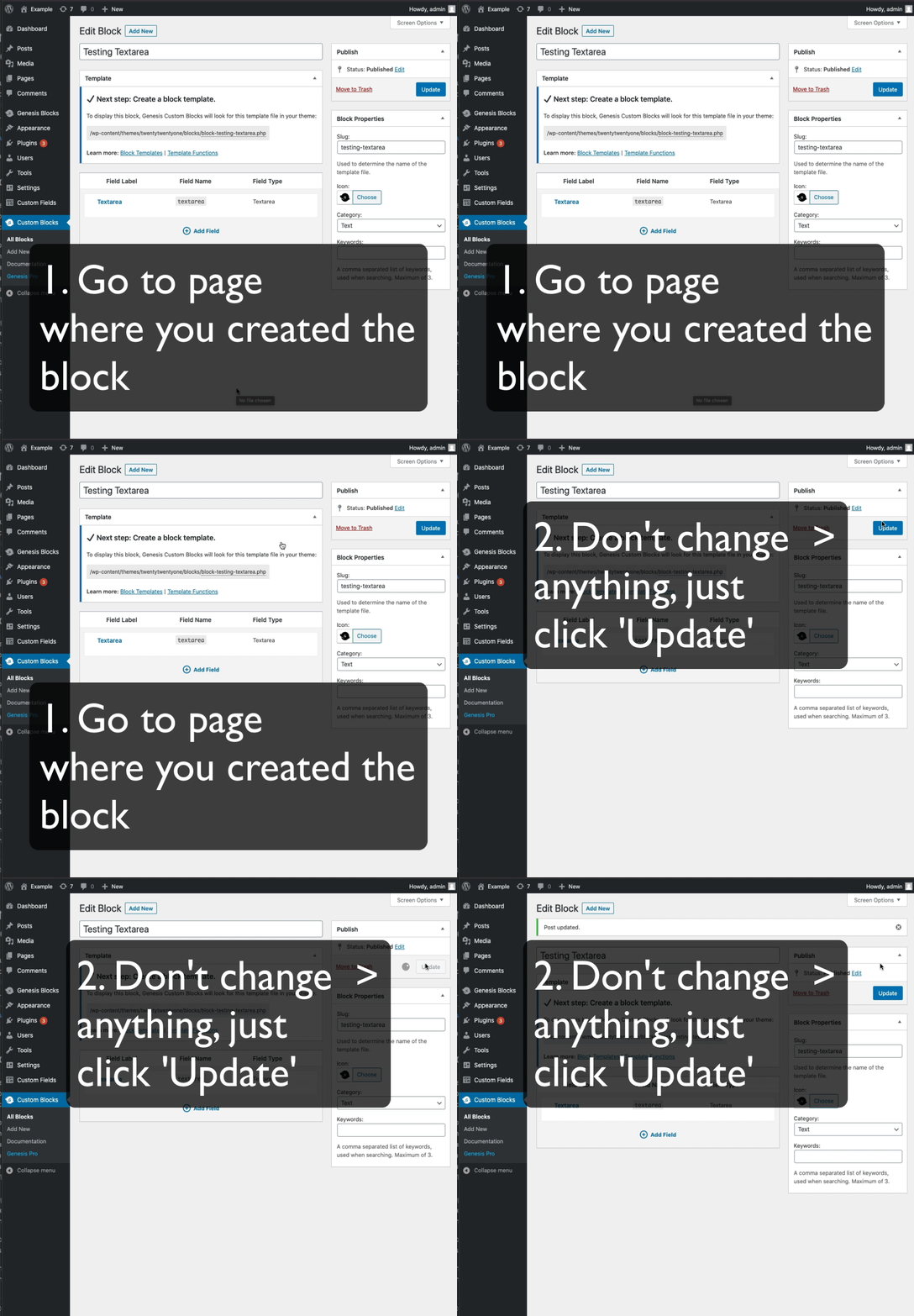
1. Go to the page where you created the block
2. Don’t change anything, just click ‘Update’: https://cldup.com/dxDMo2Em38.gif
On GCB 1.1.0 (released yesterday) and later, unfortunately you’ll probably have to move that block to the trash and recreate a new one with the exact same values, including the block name, field names, field types, block icon, etc…