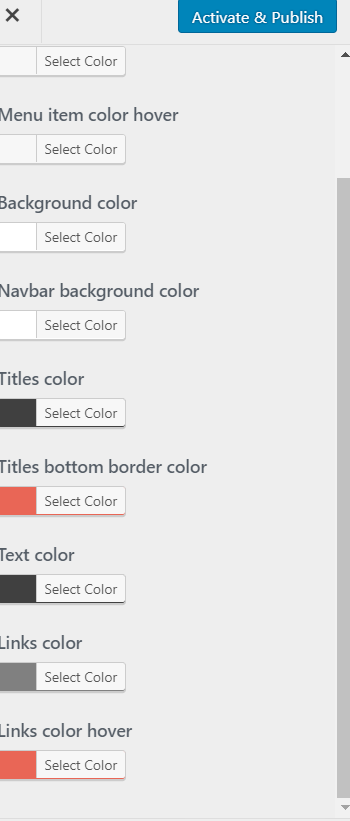
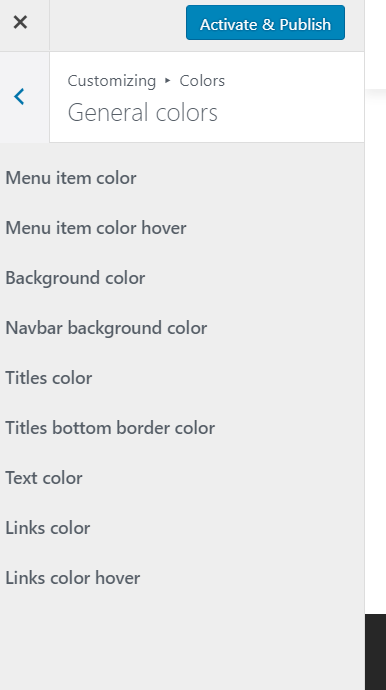
Actually I’ve tried a few different themes and I can not choose color for priority level or anything else.
I’ve gone through the process of deactivating plugins one by one to find the color issue and it happens to be this one. Can I get help with this?
My theme allows to change color options from the customize screen, when Awesome Support is active it does not allow me to choose colors.
Hi:
We’ve used it with the Divi theme and the beaver builder themes. We’ve also used it with the themes from ThemeGrill (such as Spacious).
I just tried the zerif light theme again and was able to view the color picker in the customizer: https://www.screencast.com/t/578Tqczwco
I honestly don’t know what’s different about your setup but so far I haven’t been able to reproduce the issue you’re describing. I assume you’re using the latest version of the Awesome Support plugin?
Also, one thing to try would be to clear the caches in your browser – just in case some old colorpicker javascript items were cached there. If you’re using a CDN such as maxcdn or cloudflare you might want to try clearing those caches as well for the same reason. Its a long shot but its worth trying.
Thanks.
I turned this plugin off and I am able to choose a color. Here
This is what it looks like with plugin activated Here
As far as set up goes I haven’t added any other plugins or modified any code.
Thanks
Hi:
I just realized that somehow ww.wp.xz.cn had switched the version available of AS to 4.3.4 instead of 4.3.5 that we had pushed out the day Wp 4.9 dropped. So can you double check to see that you’re running Awesome Support 4.3.5? If not, can you update it to 4.3.5?
Thanks!
My plugin is updated to 4.3.5.
I usually use chrome, so i thought to check in Microsoft edge and the color option shows. Guess its a browser issue.
So, if I make changes in edge it should work across all browsers, correct?
thanks
Hi:
Changes to the color should show up on all your browsers since that data is stored in the database.
Since it works on Edge have you tried it on Firefox?
Do you have any CHROME plugins that blocks ads or tries to maintain privacy by suppressing certain javascript? Sometimes those can turn off the wrong scripts.
Its definitely weird that it works on Edge but not on Chrome for you. We use chrome all the time – its the first browser we test everything on actually.
Thanks.
I do not have any extra chrome plugins only what is default. I will try Firefox and see what happens.
thanks
Hi:
Did Firefox work for you?
Thanks.