• Resolved feyyazustaer

    (@feyyazustaer)


    I wrote about my issue to YOAST’s support mail but they said that if I don’t have a premium account, they would not write a response to my problem. So I’m writing here.

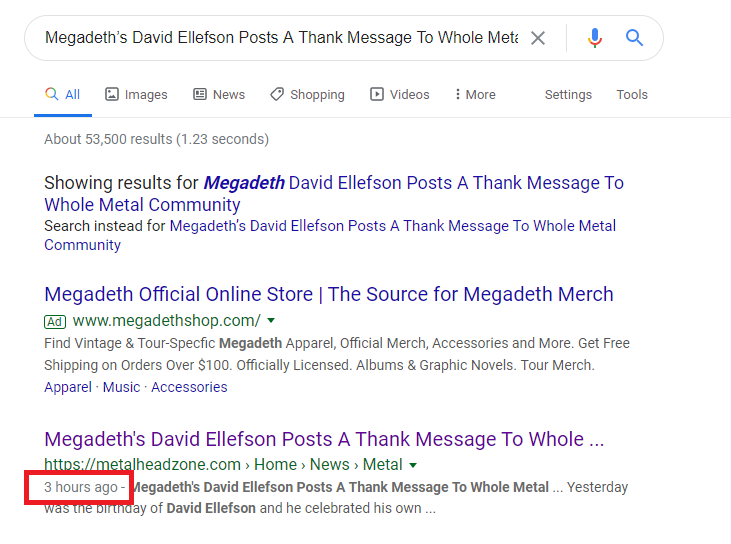
    I have a big problem after your recent update. Published times of my fresh content are broken. It’s always adding 3 more hours over actual time. I’m using UTC +3 (because I’m living in Turkey – Istanbul).

    I tried “All In Seo” and one more another plugin, they’re working fine. When I set up your plugin again, the problem has appeared again.

    https://i.hizliresim.com/lQGdpr.png

    https://i.hizliresim.com/VQn0Nv.png

Viewing 5 replies - 1 through 5 (of 5 total)
  • I’m seeing the same issue, but the difference is 9 hours in my case. Most of my posts were made in the morning of the 1st of a month. Now they’ve shifted back to the last day in the month before!

    It’s not on all my blogs though, so perhaps it’s caused by a plugin?

    • This reply was modified 6 years, 6 months ago by Evert. Reason: clarify issue

    The most likely culprit is another plugin. I don’t remember details (I can’t find this topic), but I think that some plugin sets local time in _post_modified_gmt_ instead of UTC time. Which PHP you have using?

    You could try How To Check For Plugin Conflicts.

    It could be related to WP core ticket 48675. It’s possible that Yoast SEO 12.5.1 will fix your issues.

    @feyyazustaer @meulie Can you please confirm if the issue is now fixed? This should have been resolved in 12.5.1 release.

    Plugin Support amboutwe

    (@amboutwe)

    @alibzzz If you have a similar issue, please open a new request. That way it’s easier to track issues and provide assistance. Thanks!

Viewing 5 replies - 1 through 5 (of 5 total)

The topic ‘There’s A Timezone Problem After Recent Update’ is closed to new replies.