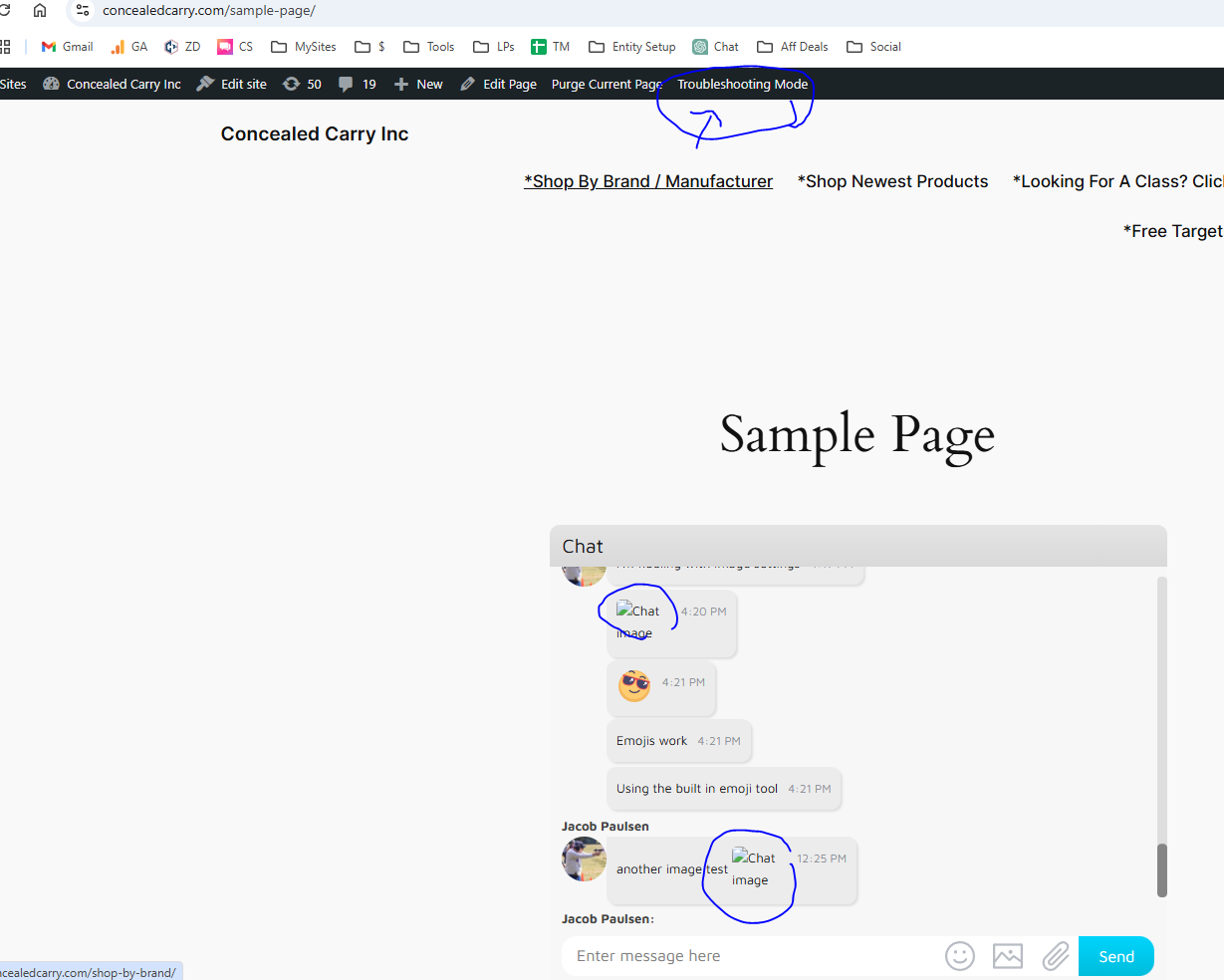
Thumbnails Broken
-
I’m a new user of WiseChat. I have it installed on my site and everything seems to be working well with 1 issue. Thumbnails for images are broken. I’m sharing a screenshot here: https://amedia.concealedcarry.com/wp-content/uploads/2024/11/01071100/broken-thumbnails.png
-I used a troubleshooting plugin to disable all plugins but wise chat and revert to the default theme and that did not resolve the issue so this doesn’t seem to be a theme or plugin conflict.
– The thumbnail does appear fine when a user first uploads/attaches an image. The preview shown to the user shows the thumbnail without issue.
-When you click on the broken image it does popup without issue and show the full image.
-Currently I’m using the “Gold” engine. I have tested the other options and none of the others work for me. I get server errors.
-I am currently using the free version. Am interested in the pro version in the future.
The page I need help with: [log in to see the link]


The topic ‘Thumbnails Broken’ is closed to new replies.