Tiles view clickable image
-
Hi,
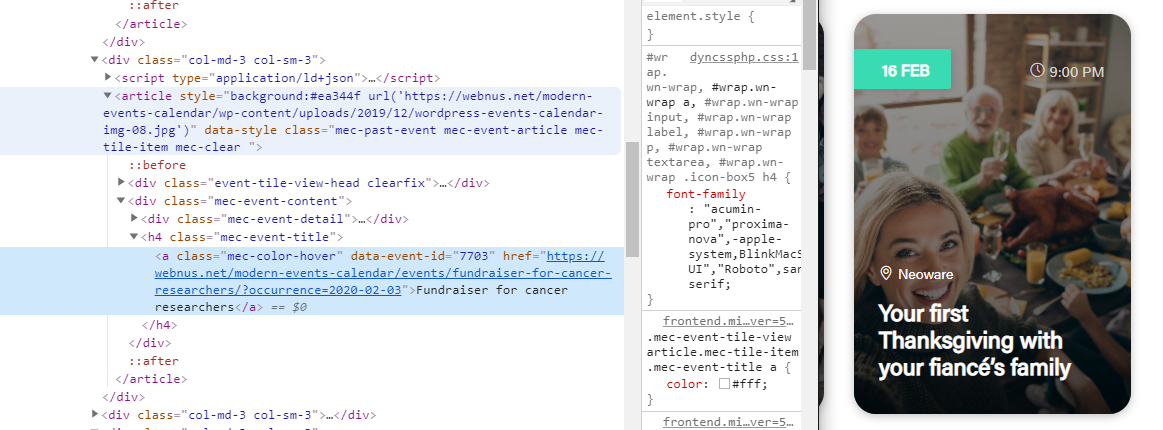
I really like tile views but it would be great if event images of the tile were clickable and not just the title, is that possibile by code?
Thanks

-
Hello @vortex0965,
You can follow the steps explained in this article:
https://webnus.net/dox/modern-events-calendar/overriding-mec-shortcodes-skin/You can move “ ” tag: https://i.postimg.cc/J76sw-2c3/image.png
Best Regards
Sorry man, but I can’t understand how to do that, in your article there is only a guide to overwrite templates, I need to understand how to apply a link to background image. I tried to put this code:
<a class="mec-color-hover" data-event-id="<?php echo $event->data->ID; ?>" href="<?php echo $this->main->get_event_date_permalink($event->data->permalink, $event->date['start']['date']); ?>"
to the entire<article>tag but it seems not to work, it only gives a link to date and locationThanks for your help
Yes certainly,
here it is: render.php
thanks for your support!
-
This reply was modified 6 years, 2 months ago by
vortex0965.
Hello @vortex0965,
Your code is correct, I think the path is wrong.
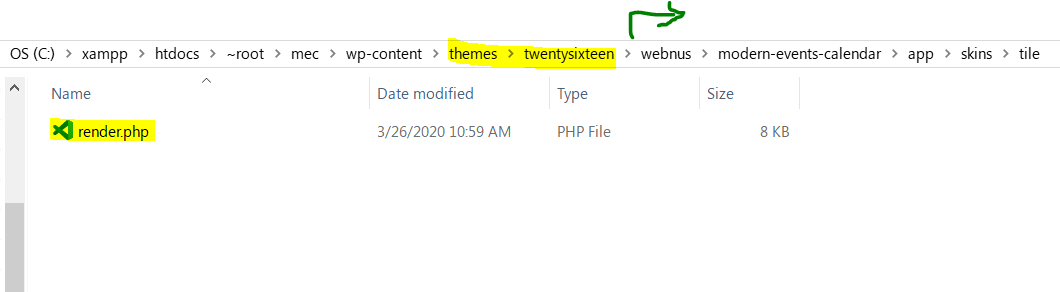
So you should make sure to create a right directory on your child theme or theme.
https://i.postimg.cc/wBGGQXL2/image.png
Go to theme or child theme directory.
1- Create a folder “webnus”
Now go to the folder2- Create a folder for MEC
MEC Pro = “modern-events-calendar”
or
MEC Lite = “modern-events-calendar-lite”
Now go to the folder3- Create a folder “app”
Now go to the folder4- Create a folder “skins”
Now go to the folder5- Create a folder “tile”
Now go to the folder6- Put your render.php file
Finished.
Now head over to WordPress Dashboard > M.E. Calendar > Shortcode
Create a new shortcode for the Tile view: https://webnus.net/dox/modern-events-calendar/making-advance-shortcodes-in-modern-event-calendar/ and use it on your desired page.
What I tested, worked correctly.Reference: https://webnus.net/dox/modern-events-calendar/overriding-mec-shortcodes-skin/
Warm Regards
It works like a charm!
Really thanks for your support!I’ll give you 5 star for your great pluginYou are most welcome,
Thank you for review 😉Hi! I’m sorry, but could you re-upload the file render.php? I want to use it, thank you:)
Hi @frostengine,
You can download customized the render.php file on this link:
https://webnus.biz/support/upload-center/render.zipYou need to upload on the directory below:
Lite: wp-content\themes\{{YOUR WORDPRESS THEME OR CHILD THEME}}\webnus\modern-events-calendar-lite\app\skins\tile\{{CUSTOMIZED RENDER}}
Pro: wp-content\themes\{{YOUR WORDPRESS THEME OR CHILD THEME}}\webnus\modern-events-calendar\app\skins\tile\{{CUSTOMIZED RENDER}}
Best Regards
@webnus thanks! Your best:)
You are most welcome
Hi!
I did everything according to the instructions, threw the file on the path you specified, immediately after adding the calendar displays a message that an error occurred, check out the debugging of WordPress:(
Tell me, is there a way to make images in Tile View clickable in some other way? Can I add some code?
Thanks:)
Hello @frostengine,
In fact, we didn’t get an error, I checked the render.php file before sending it to this topic. and on your website, should check it out the error with turned on your WordPress debug ( or email from WP, sending on your email inbox) and read the error and line of the critical error
However, you can wait to add this feature to MEC because I forwarded this topic to the developer team and they’ll surely receive it, to add this feature in the next upcoming updates.
I appreciate your patience
Warm Regards
Thank you, I’ll wait for the new version:)
@webnus its work! But, events open separate window, some reason it does not open in a modal popup?
-
This reply was modified 6 years, 2 months ago by


The topic ‘Tiles view clickable image’ is closed to new replies.