Hello @miha71,
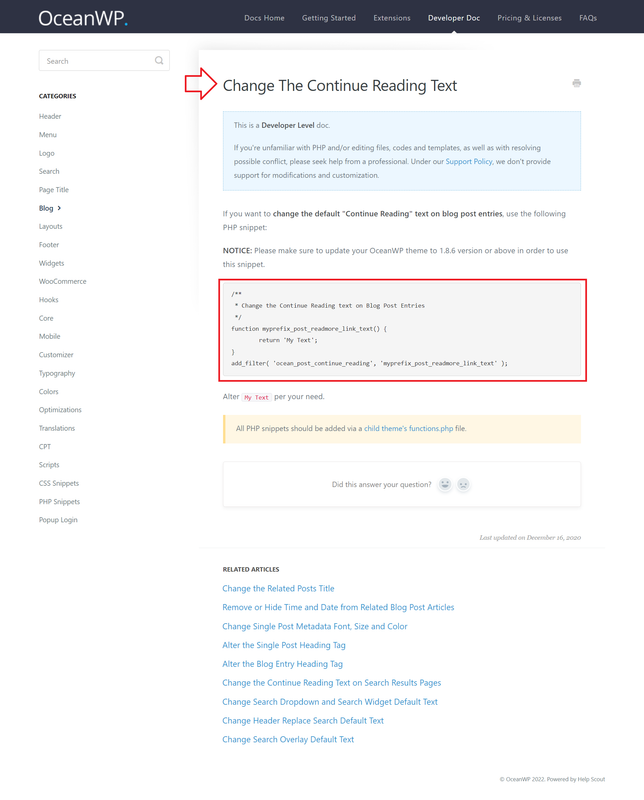
To change the “Continue Reading” text, please follow the steps explained in this link:
https://docs.oceanwp.org/article/469-change-the-continue-reading-text.
Note: If you want to translate that string, please make sure to set it translatable. For more information about it, please follow this link: https://developer.ww.wp.xz.cn/reference/functions/__/.
I hope that helps.
Best Regards
Thread Starter
 miha71
(@miha71)
No, it does not help me.
I mean thank you very much, but I do not need general references to documentation. I need function that I will put in my theme.
I want “Continue Reading” to stay like that in english version of website but I want it to be translatable for other language (i.e “Čitajte dalje” for Serbian or “Mehr” for german version of website.
Thank you in advance
Hello @miha71,
The function you need is in the above link.
Please check this screenshot: https://i.postimg.cc/mkkwqqLK/image.png.
Also, to make it translatable, instead of using the “My Text” you should use something like this: __( "My Text", "oceanwp" );. Or like this one:
$text_domain = 'mytextdomain';
$string = 'Hello World!';
$translated = __( $string, $text_domain );
Best Regards
Thread Starter
miha71
(@miha71)
Thank you, Shahin, and sorry for late answer.
I did it with your first function that you sent me a link, but I had to do it with if statement with condition about current language since polylang can not translate directly to my language (serbian).
if (pll_current_language() == 'sr'){
function myprefix_post_readmore_link_text() {
return 'Čitajte dalje';
}
add_filter( 'ocean_post_continue_reading', 'myprefix_post_readmore_link_text' );
}
Hello @miha71,
There are many ways that you can search for it to achieve the same result. A more straightforward method is in my previous reply. Your solution works too, and thank you for sharing your experience.
Best Regards