Hello @engenheirouva
We currently have no tutorials or videos to explain how to use it.
But here goes a short description and then maybe you can ask for details where they are needed.
How Client Portal works: a new page is generated for each newly registered users. For already existing users you need to go to Dashboard -> Users -> Client Portal Settings and click on the “Generate pages for existing users” button. You may edit the private pages (and then view them) by going to the Dashboard -> Users -> All Users screen and hovering with the mouse over a user, you will see a link to edit their private page.
With best of regards,
Gabriel
Thread Starter
 Frogger
(@engenheirouva)
1.Only make these pages:
login
register
edit profile
2.Where is the dashboard? How link clients to private pages?
and after client logins it keeps on login pages saying “You are currently logged in as ClientTest. Log out »”
How to redirect to homepage or any other after login?
3. if the go to https://xxxx.com/wp-admin/ they have access to back end dashboard, two tabs dasboard and profile. But I dont want them to have access to back end at all.
4. When I make a private page all subscribes can see privates pages. What the meaning? I want to assign a private page to subscribe. Like only a client can see his profile page or dashboard.
Thanks
-
This reply was modified 6 years, 2 months ago by
 Frogger.
-
This reply was modified 6 years, 2 months ago by Frogger.
-
This reply was modified 6 years, 2 months ago by Frogger.
Hello @engenheirouva
1. Client Portal can not make such front end pages, another one of our plugins can: Profile Builder.
2. The clients are directed to their private pages when they visit a page with the [client-portal] shortcode
3. Client Portal does not prevent access to the back-end. Our fore-mentioned Profile Builder has a setting to hide the Admin Bar if you think that might help.
4. Regular user’s can’t see each-others private pages. Only admins can see all private pages.
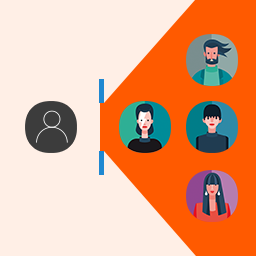
5. I do hope that it is quite clear what this plugin does: not a profile page or a dashboard, but a private page specific to each user, that only that user can see, and the admin can use to place whatever private info needs to be there — please ask for further clarifications here if needed.
Best regards,
Gabriel
Thread Starter
Frogger
(@engenheirouva)
Thanks. I will check it all.
Glad to help @engenheirouva
Cheers,