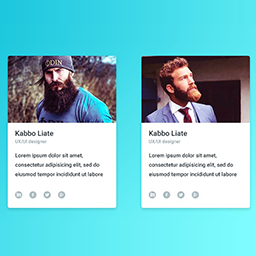
Thanks for your post.
you may looking for display team member by team group this feature only available in premium version.
Please see the screenshot how does it works
View post on imgur.com
Let me know for more help.
Regards
Thank you. I have upgraded to the premium version however even after I have read the documentation and downloaded the files, I cannot download the Premium version on to Word Press. Please can you detail step by step instructions as the instructions that are listed are not very clear to me.
I uninstalled the free version and re-installed but it still seems like I’m using the free version.
Thank you
Moderator
 Jan Dembowski
(@jdembowski)
Forum Moderator and Brute Squad
I have upgraded to the premium version
For pro or commercial product support please contact the author directly on their site.
https://www.pickplugins.com/support/
As the author is aware, commercial products are not supported in these forums. As you are their customer I am sure they will have no problem supporting you there.
@pickplugins If you can confirm that’s the right link then I’ll close this topic.
Thanks @diosahayya, great to see you purchase the premium version,
Please check the documentation here
https://pickplugins.com/docs/documentation/team/how-to-upgrade-to-pro/
Great thanks @jdembowski to take care about this post. i have already replied to customer in our forum.
Regards
Moderator
Jan Dembowski
(@jdembowski)
Forum Moderator and Brute Squad
Thanks! I’ll close the topic now as this is being handled in the right place. 😉