The two last screenshots are not showing. I don’t own any apple products. Do you know a good iphone simulator to test this out?
The mailsend code appears on line 176 and not on line 288 btw. So it looks like the autoptimize script is merging code together. This could be causing the problem. What happens if you disable autoptimize?
Oh, and do you experience any problems on this page with your iphone? https://conditional-fields-cf7.bdwm.be/simple-form/
-
This reply was modified 7 years, 8 months ago by
 Jules Colle.
Hi and thank you for your time,
For me the 3 screenshot works fine. It’s curious. You can test on lambdatest.com for free (6 x 10 min per month) on an Iphone 6s. I have no apple device too.
I have try to unactive autoptimize with no success, i get the same message.
Here is the code that have a problem :
//reset the form completely
$( document ).ajaxComplete(function(e,xhr) {
    if( typeof xhr.responseJSON !== 'undefined' &&
        typeof xhr.responseJSON.mailSent !== 'undefined' && /* Here is the error message (line 288) */
        typeof xhr.responseJSON.into !== 'undefined' &&
        xhr.responseJSON.mailSent === true)
    {
        $( xhr.responseJSON.into + ' input, '+xhr.responseJSON.into+' select, ' + xhr.responseJSON.into + ' textarea, ' + xhr.responseJSON.into + ' button' ).change();
    }
});
I can’t test your page but i can ask to my client to test if that work in he’s Iphone or Ipad. I back to you soon.
Have a good day!
-
This reply was modified 7 years, 8 months ago by
 Bessonweb.
Hi,
My client have tested your form without any problem.
But in his website this don’t work.
I use two plugins for extend Contact Form 7 :
– Send PDF for Contact Form 7
– Flamingo
Do you think they can caused an incompatibility with your plugin?
My client was return to me at the instant for tell me the form work nice only when he filled all the fields but when he don’t filled the files fields the form don’t work.
Have you an idea?
Only with their specific form? Or also on this page? https://conditional-fields-cf7.bdwm.be/simple-form/
Your example don’t include files fields, so i suppose that work.
Sorry but i don’t understand what do you want to know with this link because we have just one file field, so we can’t test anything without filled the field.
While our problem is the form is don’t sended when we don’t filled the files fields.
If you want i can create a basic installation of wordpress with just Contact Form 7 and conditionnal fields for test?
Thanks again for your time and your work.
yes that would be helpful. thanks!
Hi,
I have created a website for test.
Here is the specifications of my test site :
– Hoster : Infomaniak Network
– Apache : 2.4.34
– PHP : 7.0.31
– Mysql : 5.6
– allow_url_fopen : off
– default_charset : UTF8
– exec, shell_exec, popen, proc_open : off
– WordPress : 4.9.8
– Theme : Divi
– Plugins : Contact Form 7, Contact Form 7 Conditional Fields, Divi Builder, Duplicate Post, Instant Images, Really Simple SSL, WordPress Importer
I have created the form bellow :
<label>Activer le champ caché
     [select Activer "Oui" "Non"]</label>

[group condition]
<label>Le champ caché
     [text champ-cache]</label>
[/group]

<label> Votre nom
    [text your-name] </label>

<label> Votre adresse de messagerie
    [email your-email] </label>

<label> Fichier
    [file fichier] </label>

<label> Objet
    [text your-subject] </label>

<label> Votre message
    [textarea your-message] </label>

[submit "Envoyer"]
With the condition :
Show “condition” if “activer” equals “Oui”
My client was tested the form and when he fill all the fields, that work fine, but when he don’t fill the file field, the form don’t work.
You can test on : https://wptest.bessonweb.fr/formulaire-conditionnel/
Thank again for your great support.
I just tested on an ipod touch and on iphone6 with the lambdatest site. But it all looks to work fine..
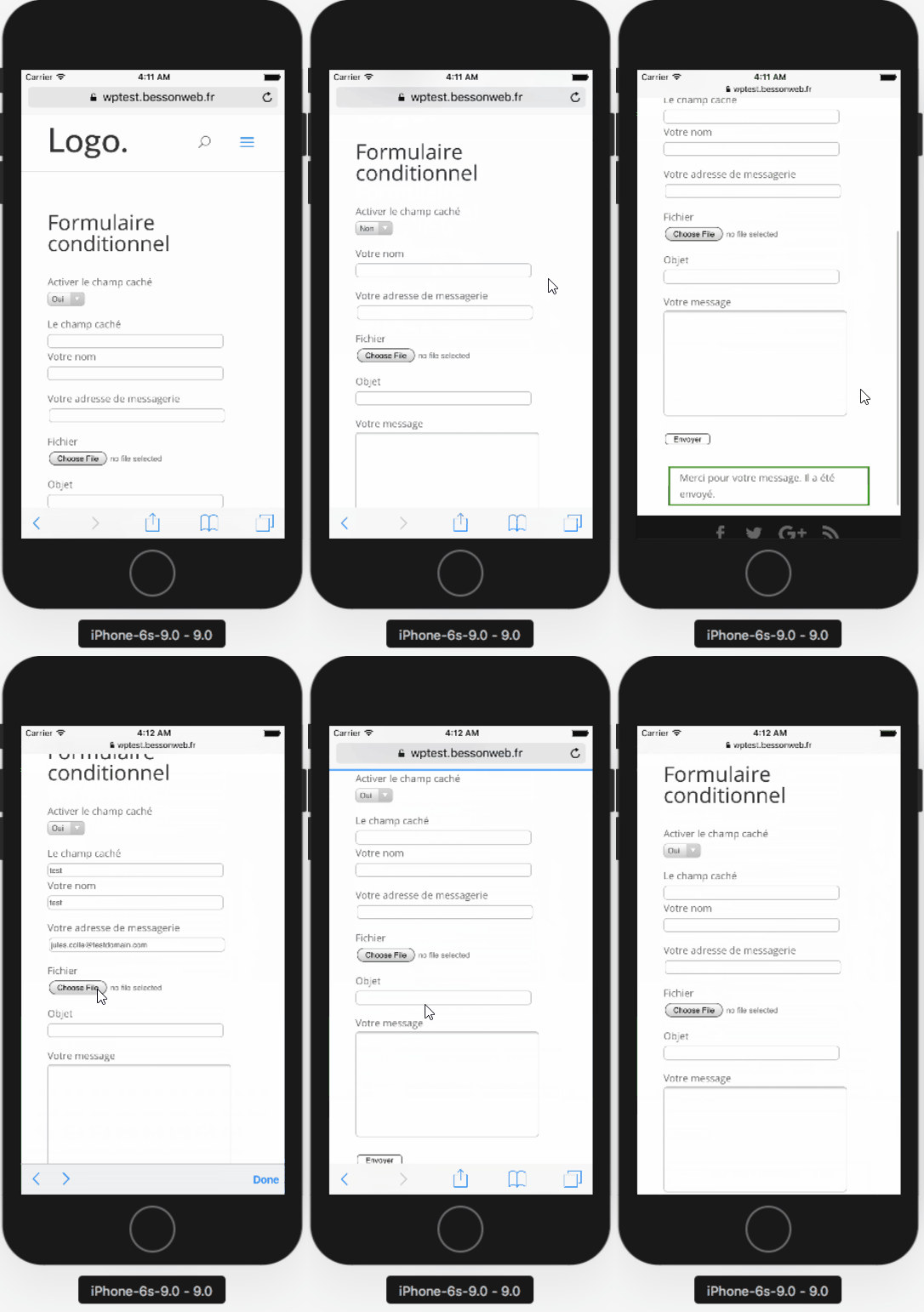
Have you tested it yourself?
My client have an Iphone X and he was make a screen recording :
https://youtu.be/mvzY2jvWxPA
Idem on Safari and Firefox browsers.
🙁
I will find new testers and back to you soon.
Thanks for the video! Very useful! It’s pretty strange. Please do check on other apple devices, just to make sure it’s not some kind of bug in an app the user installed.
Also, could you create a form without the conditional fields plugin activated? I would expect that a form without conditional fields will pose the same problem.
Hi @jules-colle !
I asked my friends to test the form with the conditional field.
There are the result of the tests :
– Iphone 6 (Safari) = Bug
– Iphone 6 (Safari) = Bug
– Iphone 8 (Safari) = Bug
– Ipad = Bug
I have created a form without conditional field and it work fine with or without file in the file field.


