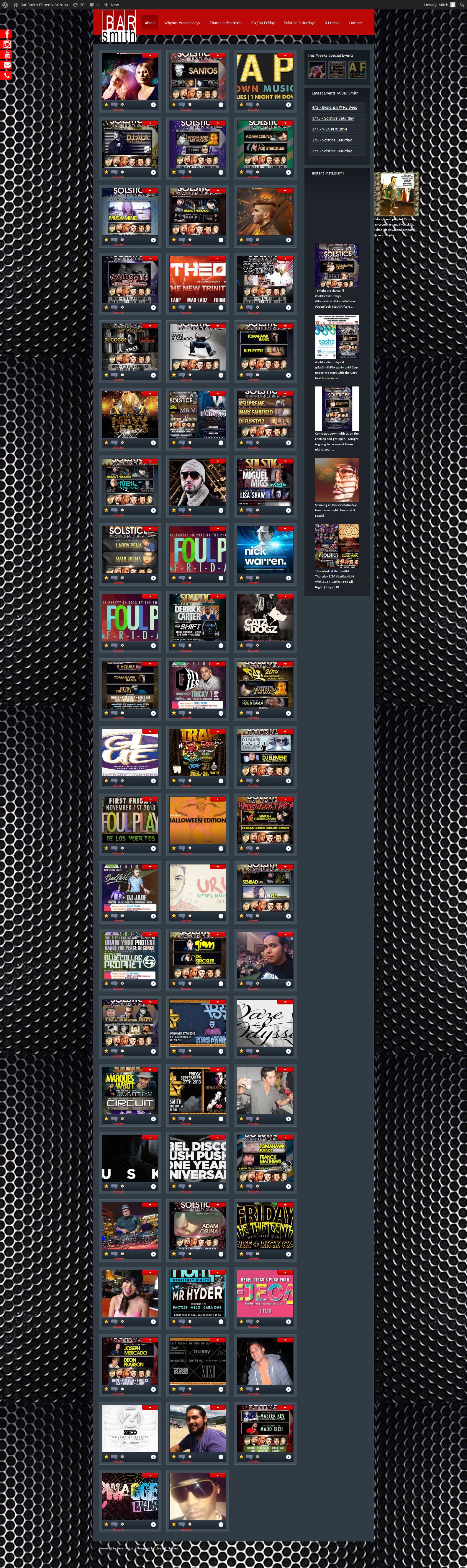
I would be super grateful if someone could help me out and help me figure what’s going on. Thank you
I have this same problem.
Hello,
mitch_phxaz – we visited the URL you provided and can’t see any sort of error where elements are getting pushed outside the widget or sidebar, nor do we see any sort of alignment issues. Have you since addressed them? If not, would you please provide us with screenshots and tell us the browser and version you’re using?
For our upcoming release we have removed the padding, allowing for control with CSS.
Best,
alexandralouisem,
Could you please provide us with more information? For example, a link to a page where we can see the issue, the version of WP you’re using, your version of Easy Instagram, and what theme you’re using.
Thanks,
ok I dont know how you cant see it. I am including a screen shot below.
FireFox 27.0.1
It is on the right side, clearly out of alignment with the rest of the column.
Hi mitch_phxaz,
Thank you for listing your browser and providing the screenshot. When we first viewed your site, we did so in Chrome and Safari, where the alignment is correct for us. In Firefox we do see the same alignment problem on the first image, as in your screenshot. Our dev team is taking a closer look and we will respond with whatever we can find.
Thanks,
Hi,
I am using it on
http://www.almconsultants.com.au – on the landing page in the centre under widget title #theadmiralhotel
Also if you go to http://www.almconsultants.com.au/instagram
you can see clearly that this is falling outside of the containers.
Hi @alexandralouisem,
Please try adding the following line to your theme’s style.css:
easy-instagram-container.grid {margin-left: 0;}
Or, did the latest EI update fix your issue?
Best,