Hi Ana,
Thanks so much for upgrading!
I looked up your license and it says it is activated on blog.anaramirezphotography.com. This is being counted as a separate domain which is why anaramirezphotography.com is not authorized.
I just upgraded your license so you can use it on your site and the “blog” subdomain now. You should be able reactivate the license and receive the update now.
Oh, I see. Thank you! It’s just one site anyway. 🙂
Still not working…
And it says I will lose changes – does that mean that the CSS snippets I added will go away? 🙁
That message only means changes made to the files in the theme will be lost. Your CSS snippets in the Custom CSS section in the Customizer, and all other settings won’t be affected by the update.
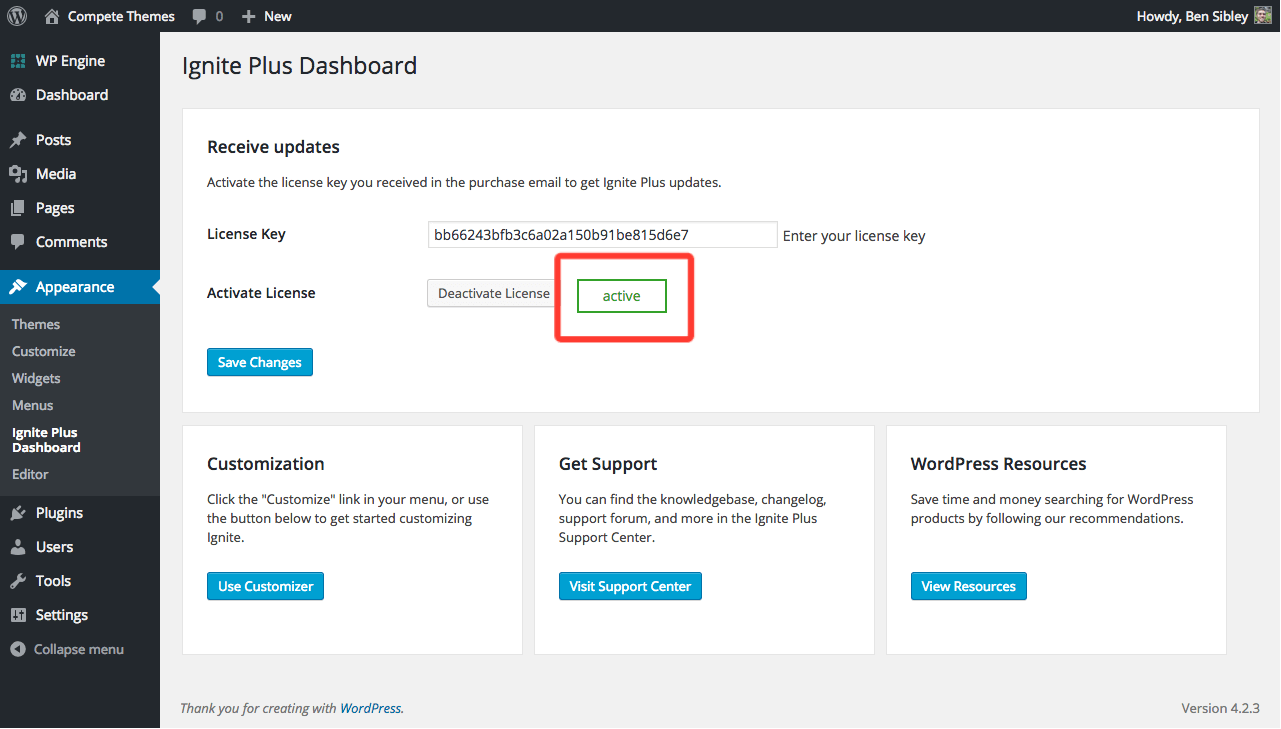
I checked and I’m still only seeing blog.anaramirezphotography.com with an activated license. When adding your license to anaramirezphotography.com, when you click the “activate” button, does a green notice show up saying the license has been activated?
It should look like this: https://www.competethemes.com/wp-content/plugins/help-content/images/activate-license/green-notice-ignite.png
It does look like that – already active.
I have blog.anaramirezphotography.com re-directing to anaramirezphotography.com Could that be the problem?
Thanks for responding so quickly BTW 🙂
Hmm that could be it. I have one last thing to try out.
If you deactivate all plugins on your site, this may allow the update to work properly. Sometimes another plugin, security plugins in particular, will prevent the update from working. If this works, you can reactivate the plugins after updating.
Please give that a shot, and if it doesn’t work, message me at [email protected] and I’ll help you with a manual update instead.