Plugin Contributor
 bcrodua
(@bcrodua)
Hi,
Yes, I would like to see what it says on the dialog box. Can you upload it to a cloud storage or use an online tools like – https://snipboard.io/
Thanks,
Bryle
Hi Bryce,
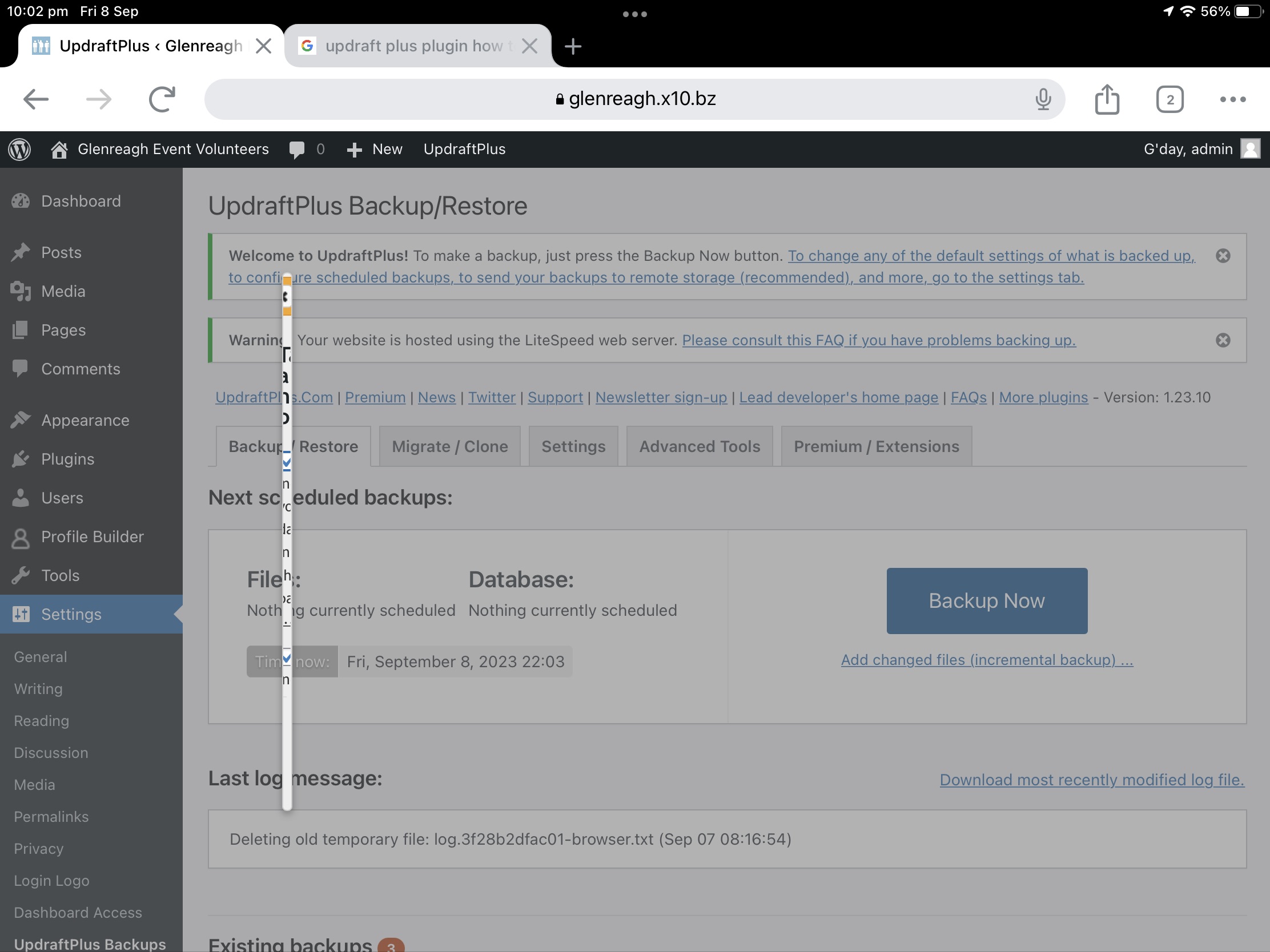
I just stuck the screen shot in my WordPress media files
https://glenreagh.x10.bz/wp/wp-content/uploads/2023/09/73C76960-C05B-45D0-8430-82F523B4B0A9.jpeg
That should work.
You can see a white vertical line. I think that is the backup start dialogue.
David
UPDATE:
It does exactly the same thing on my Windows 10 PC when I try and do a backup while connected using Google Chrome. So it isn’t some funny ipad/ios thing.
I also deactivated the plugin and removed it. Then added it again and it didn’t make any difference.
-
This reply was modified 2 years, 9 months ago by
 pollardd.
the problem comes from the profile builder plugin.
Once deactivated it works
-
This reply was modified 2 years, 9 months ago by
 OpenPress.
Wow that’s interesting. I am using the profile builder plug-in.
I’ll disable it while using UpDraft and hope the problem gets sorted soon where ever the problem lies.
I have done some backup and restores with that plug-in installed. I assume it was triggered by the latest Updraft update.
Thanks for responding
David
Marked as solved. Well worked around 🤠
I have opened a support ticket with ProfileBuilder but I’m only a free user there as well so don’t know it it will get any priority. I’m not sure if the problem lies with UpdraftPlus or with ProfileBuilder. I’ll post any details I get here as well.
Ps Set this post back to Unresolved
-
This reply was modified 2 years, 9 months ago by pollardd.
Plugin Contributor
bcrodua
(@bcrodua)
Hi,
UpdraftPlus only runs if you are in the UpdraftPlus Backup page and should not cause conflict with the other plugins. You need to contact the developers of the builder plugin.
Thanks,
Bryle
The nice people at Profile Builder found the problem and here is their response
We’re aware of this issue and the fix for it will be added in one of our next update to Profile Builder. But until then you can manually fix it on your site, by doing the following:
Go to Dashboard -> Plugins -> Plugins File Editor -> now from the right side of the screen select the Profiles plugin and now from the “Plugin Files” section go to -> assets -> css -> style-back-end.css.
Now on line 1196, remove or comment out the following CSS style:
.ui-widget.ui-widget-content { max-width: 95%; }
Note: After you removed/commented this code, and go back to the UpdraftPlus settings, it is recommended to clear the browser cache (for example try CTRL+F5).