Hi @mirunchained
Thanks for sharing your experience and a screenshot. Just to clarify my understanding, this happens when customers attempts to make a second purchase using Upsell Checkout offers, the payment fails to process through Stripe. Correct?
Since you mentioned that the plugin does not process the transaction but WooCommerce does, could you send us a screenshot of the order details (similar to this: https://snipboard.io/xXvB74.jpg) and product URL related to it?
For a start, please ensure that your Stripe and WooCommerce plugin are up to date with the latest version, as this might resolve compatibility concerns.
Looking forward to your response.
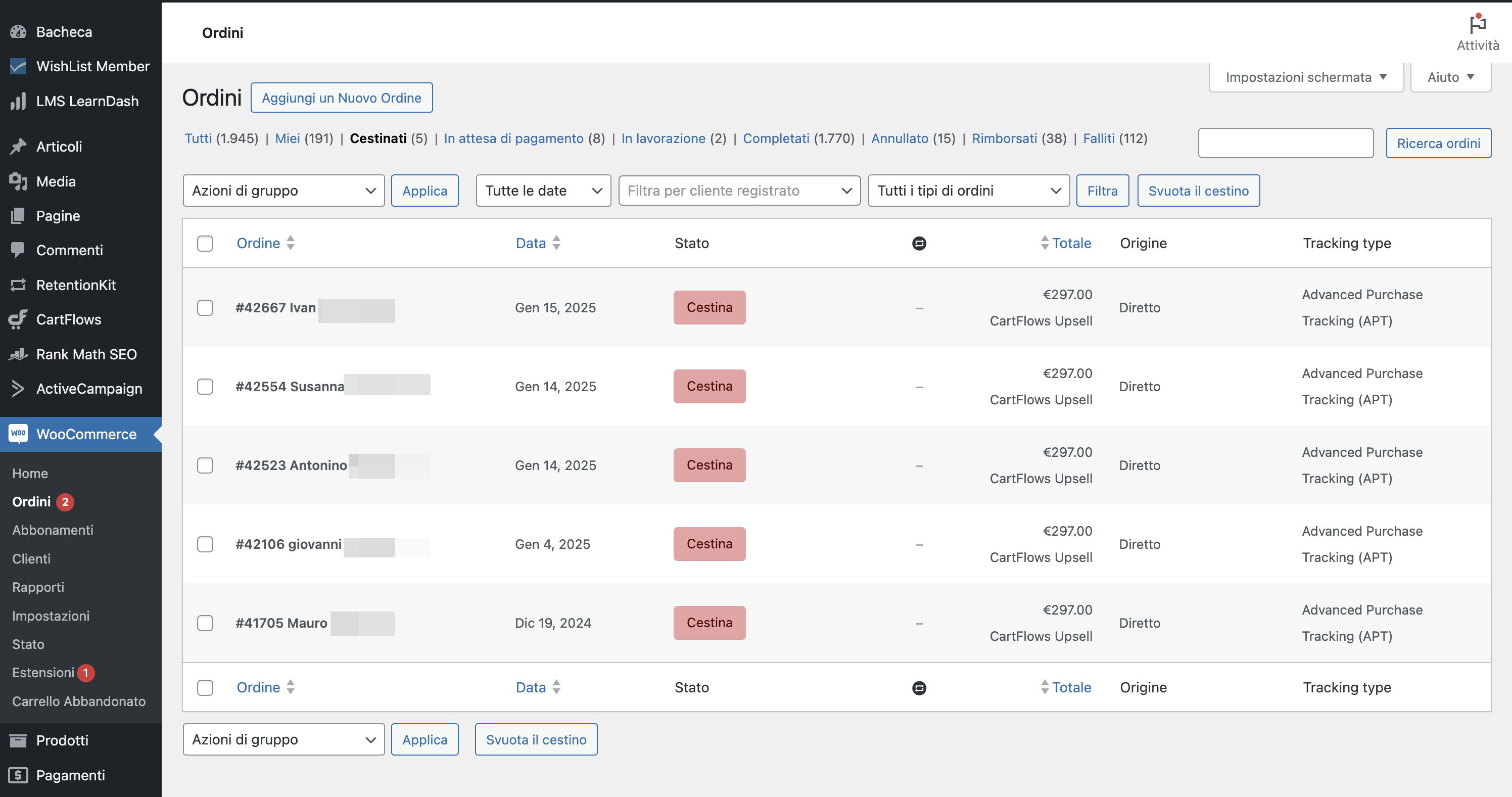
Hello, yes, after the last update, I am having problems with upselling products when customers pay with Google Pay, Apple Pay, or Link.
I have many of them with different products and different flows. Same problem: https://i.ibb.co/LSKcZNg/01-trash-order.png
Usually, Cartflows creates two different orders: a parent order that is processed well (Stripe dashboard has transaction and payment) and a Second Order with the Upsell product. When customers use different payment methods, like VISA or Mastercard, the second order is processed well. You can find the transaction in the Stripe Dashboard (you will find 2 payment transactions). WooCommerce creates two orders, anyone has a different Stripe unique ID (ch_XXXXXXX).
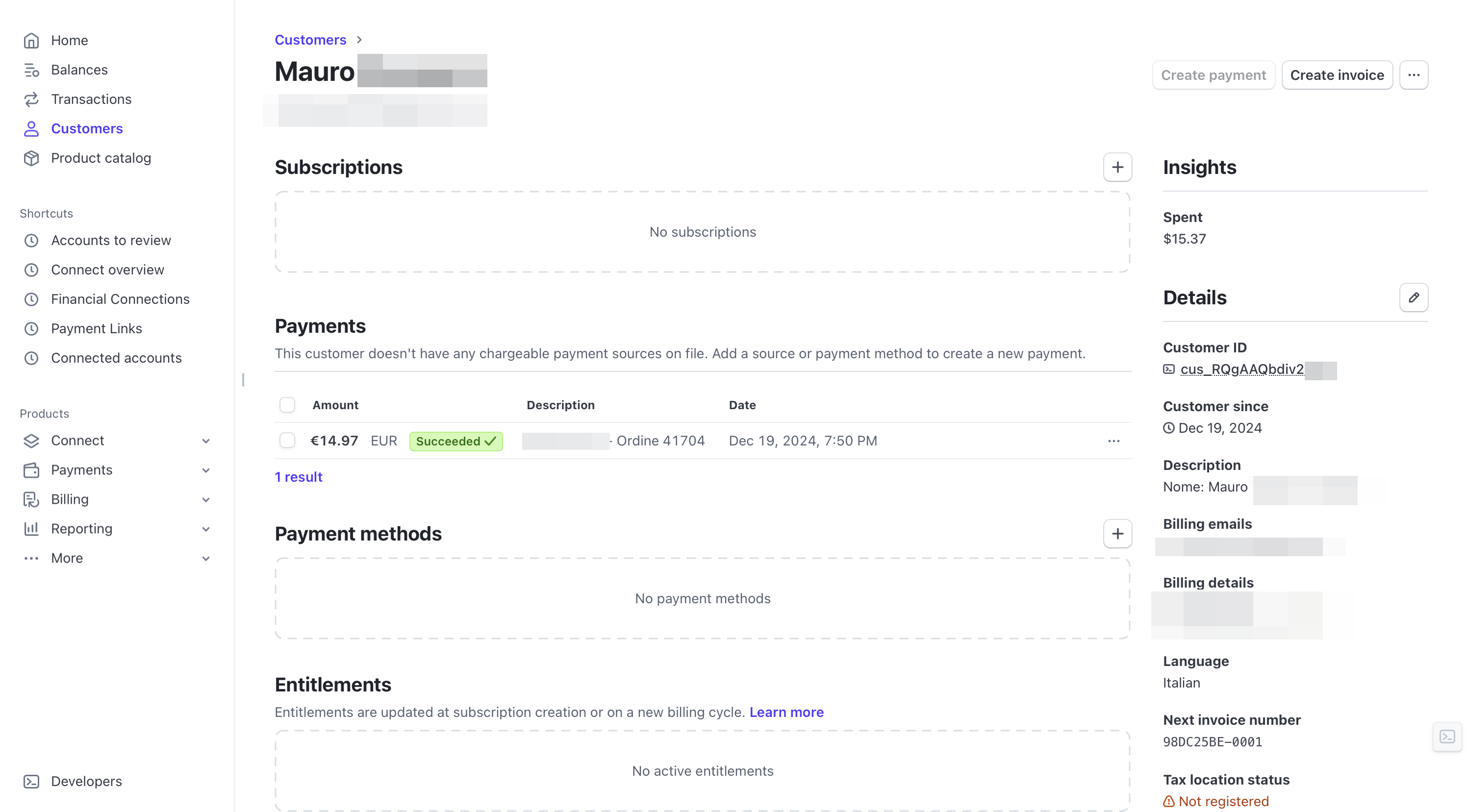
When customers purchase with payment methods like Google Pay, Apple Pay, or Link, you can find only the 1st order in Stripe Dashboard: https://i.ibb.co/gyJnQwD/02-stripescreen.png but you can find two orders in WooCommerce Dashboard, but both having the same transaction IDs (ch_XXXXXX) which should not be. https://i.ibb.co/PxZvSSw/03-order.png
CartFlows support confirm the problem after updates:
“The issue is that Stripe is not accepting the referenced transaction using the same payment source due to which it is logging an error.
Here is the screenshot for reference: https://d.pr/i/8iA9Xy“
Still having the problem, again this morning.
Any news?
I am still having the issue any day with many customers.
 Zee
Zee
(@doublezed2)
Hello mirunchained,
Thank you for your reply.
I understand you’re facing issues with upselling products when customers pay using Google Pay, Apple Pay, or Link after the WooCommerce Stripe update. You mentioned that CartFlows creates two orders, but unlike other payment methods, these methods share the same transaction ID.
The issue you described looks like a Cartflows’ compatibility problem.
Did this issue start with version 9.1.1, and was it working fine with version 9.1.0?
If not, could you confirm which versions of WooCommerce Stripe and CartFlows were working well together?
This information will help in investigating further.
Best regards.
Hello,
both WooCommerce (9.6.0 and 9.1.1 Stripe Gateway) and Cartflows Pro (2.1.4) have the last updates.
This is the reply form CartFlows developer:
I have already started to debug this issue and I have found that there are some changes in the official Stripe plugin due to which when the payment is made using the Express Checkout buttons. I have managed to make a progress here but the issue is the Stripe is not accepting the referenced transaction using the same payment source due to which it is logging an error.
Here is the screenshot for reference: https://d.pr/i/8iA9Xy
To fix this, I have extented an email to the Stripe gateway to provide the parameters which will allow the OTO payment using the payment source. This new change is not seen in their documentation. So, I waiting to get the feedback on the email for the support and in the mean time, I am working on the workarount to add this fix.
@mirunchained,
Thanks for the update. Let’s wait for the CartFlows developer to finish their investigation, as the issue appears to be more related to CartFlows and how their code integrates with Stripe, rather than a problem with the Stripe plugin itself.
Feel free to reach out whenever you receive a response.
Unfortunately, reading the words from CartFlows support, it is clear that you are waiting for them, and they are waiting for you.
This results in zero solutions to the problem, as well as wasted time and money.
Zee
(@doublezed2)
Hello mirunchained,
Thank you for your reply.
Could you please clarify what you mean by “they are waiting for you”?
Is CartFlows support waiting for any information from our side?
The last reply from them was:
So, I waiting to get the feedback on the email for the support and in the mean time, I am working on the workarount to add this fix.
Once I have a better understanding, I will be happy to assist further.
Best regards.
To fix this, I have extented an email to the Stripe gateway to provide the parameters which will allow the OTO payment using the payment source
Hi @mirunchained,
From your response, it seems the Cartflow tech team contacted Stripe to inquire about any changes to their payment gateway setup and integration, and they are working on a fix, as mentioned in the text you shared. That’s why I suggested we wait for their response.
To clarify, Stripe operates independently from WooCommerce, and the WooCommerce Stripe Payment Gateway plugin is used to integrate with Stripe. Currently, the issue appears to be on Cartflow’s side, as their plugin isn’t integrating properly with your checkout flow.
Could you follow up with them to check if there are any updates?