I have the exact same issue. Could the developers of Jetpack please address this?
Here is my example: http://www.thepinnaclelist.com/blog/directory/luxury-villa-isla-providenciales-turks-caicos-islands/
Hi, I see no problem on your gallery, did you find a fix ?
Could you help me ?
Thanks,
David
Both of your galleries seem to be displayed properly on my end:
http://i.wpne.ws/Ykr5
http://i.wpne.ws/YlDL
How do things look like on our end? Could you post screenshots here? You can use http://snag.gy/ to post your images here.
Hi’
I found a way to fix my bug : instead of using Jetpack plugin, I’ve tried Tiled Galley WITHOUT Jetpack and it’s OK now.
I don’t know why it works with that plugin and not with Jetpack, but never mind…. the most important thing is that it works now !
If you’re wiling to investigate a bit more, could you send me a screenshot of how things looked like when you used Jetpack? Galleries look fine on my own sites at the moment, so I’m not sure what could cause the issues.
Thanks!
I experienced the same issue upon closer inspection i saw strange <p> tags in the output. Which i don’t think were previously there.
Anyway it will affect the tiled gallery in that case if you have css style for <p> .
Do the css below
.tiled-gallery p {
	display: none;
}
Works perfectly ! Thanks !
Hello,
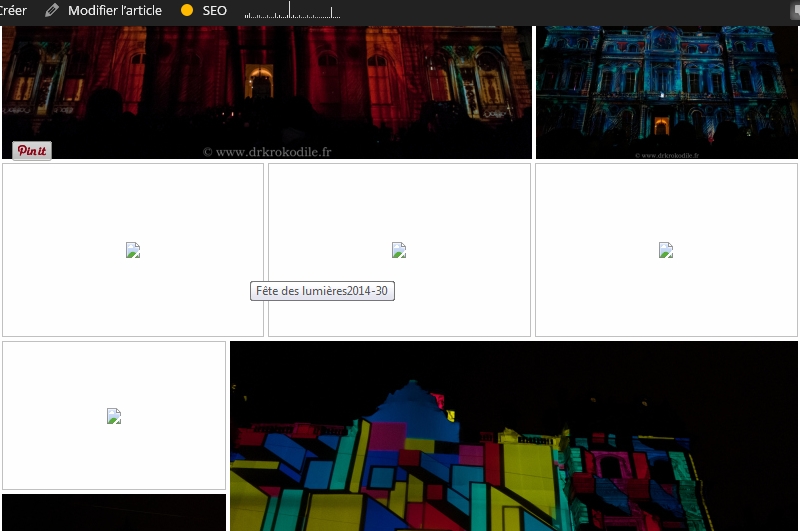
I have the same problem. When I use the tiled gallery from Jetpack, my images are not publied correctly. I have taken a screenshot that show the problem. If I disable the tiled gallery, images appear correctly, so it is likely that Jetpack is the problem here.
I have used Jetpack for month and I don’t se any difference in the css from my last articles.
@drkrokodile Your problem seems quite different from the issues reported in this thread. Could you please start your own thread, as per the Forum Welcome?
http://ww.wp.xz.cn/support/plugin/jetpack#postform
It’d be useful if you could post a link to one of your galleries so I can take a closer look.
If you want your site URL to remain private, you can also contact us via this contact form:
http://jetpack.me/contact-support/
Thank you!
hi,
looks like that I have the same troubles as mentioned above.
if you try to open this picture you will see, that there is a big gap between the browser window and the picture. you have to scroll many times before you see the picture.
how can I fix that?
greet
@vlamas Your problem is different from the ones reported in this thread, I’m afraid.
Could you edit your theme’s header.php file and make sure it uses a valid doctype (reference)?
Something like <!DOCTYPE html> will work.
You’ll want to move lang="de-DE" prefix="og: http://ogp.me/ns#" into the opening html tag instead.
If that doesn’t help, could you please start your own thread, as per the Forum Welcome?
http://ww.wp.xz.cn/support/plugin/jetpack#postform
Thank you!