Hi Orna,
I have verified your website and it is loading without any issues. Can you please clarify a bit on what do you mean when you say canceling the responsive options? If I understand correctly those are some options that you can change on your theme. If this is the case, I am not sure if W3 Total Cache is responsible for this as W3TC doesn’t apply any caching over the backend of the WordPress install. You may want to disable all your plugins and enable them one by one and see which is the one which is causing this issue.
I hope this helps.
Hello,
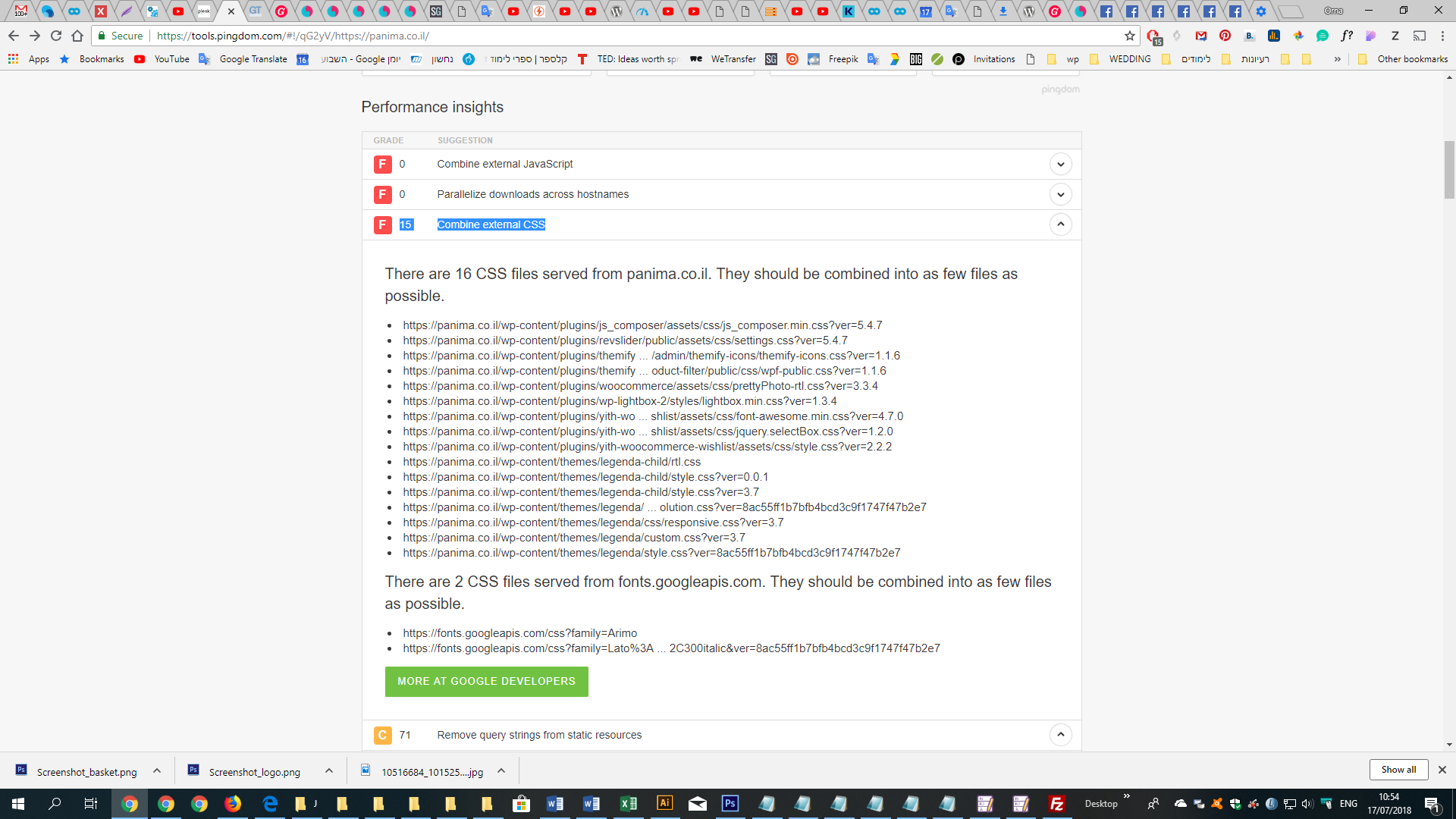
On checking my site on pingdom
I get 15 Combine external CSS https://snag.gy/NqQRLG.jpg
My wonderful 8theme support add the W3 Total Cache plugin
But it caused the site to stop showing responsiv
so they get it out but the first issue didn’t solved.
https://www.8theme.com/topic/combine-external-css/
https://www.8theme.com/topic/the-site-stop-to-be-responsiv/
Best Regards
Orna
Please note that Minify is a complex part of W3TC and using it on auto, it doesn’t always properly work. In such cases, it requires some fine adjuments which are done on Manual mode. That can be enabled from your Performance menu > General Settings > Minify > Enable Manual. From there you can try using the wizard in order to properly set up the plugin, or work through the settings one by one until you find the setting that is conflicting with your theme. I hope this helps.