Hi @swarnat, thanks for your detailed message.
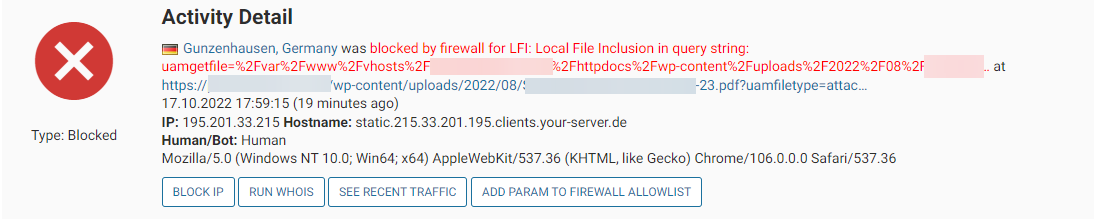
If you wish to allowlist a specific query string param in Wordfence, the easiest option is to find a case where this “Local file inclusion in query string” message has been caught in Live Traffic. If you see the block here that matches, click the entry to expand it and click the “ADD PARAM TO FIREWALL ALLOWLIST” button to allow it in future.
You can also manually do this by navigating to Wordfence > All Options > Allowlisted URLs and input the following under the 3 input boxes for “Add Allowlisted URL/Param”
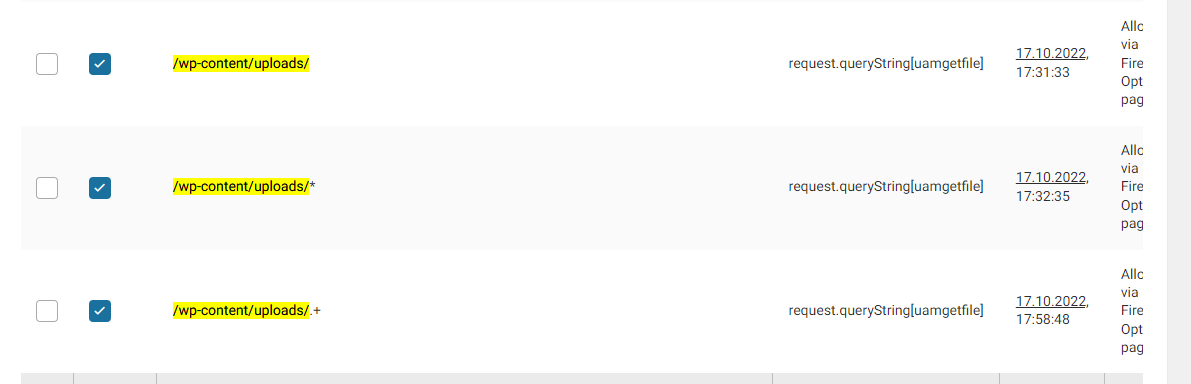
- URL: /wp-content/uploads/
- Param Type: Query String
- Param Name: uamgetfile
You could also just try a single slash “/” as the URL if you want the query string to be allowed site-wide.
Thanks,
Peter.
Thanks for your response.
But both unfortunately is not working.
To add every Attachment is really time intensive with 1000+ uploads and not realistic for End User to do himself.
About your second option:
Only whitelistedParams is supporting parts of string or regex and is only set by your rules.php
The user definable whitelistedURLParams is not supporting this.
(We tried this before writing this request in all possible options: https://img.redoo.click/u8j5/202210181441_ced4b252-4515-42c0-bfef-49c887fc359c.png)
Background, because we verified to not do any mistake:
The check in waf.php is simple don’t support regex or parts of string, because the combination of URL and Parameter is hard check against the URL in wordfence.
$whitelistKey = base64_encode($urlPath) . "|" . base64_encode($paramKey);
/* ... */
if (array_key_exists($whitelistKey, $whitelistedURLParams)) {... */ }
As request: To add regex in this place is really easy. Performance cannot be the reason, because you already check all your rules by using regex.
-
This reply was modified 3 years, 8 months ago by
 swarnat.
-
This reply was modified 3 years, 8 months ago by swarnat.
Hi @swarnat,
I’ve looked into this a little more and there could be some general firewall rules rather than plugin-specific ones that could help you out.
If you need to manually take action, there are usually 3 possible rules involved, “Malicious File Upload“, “Malicious File Upload (PHP)“, or “Malicious File Upload (Patterns)”. These rules can be found in Wordfence > All Options > Firewall Options > Advanced Firewall Options > Rules. There are layers to how uploaded files are checked, so having to turn one of these rules off to fix your issue should still ensure malicious files are caught at a different stage of the checking process. Try disabling/enabling them one-by-one to see which one(s) can be permanently turned off to prevent the upload issue reoccurring for your users.
Thanks again,
Peter.