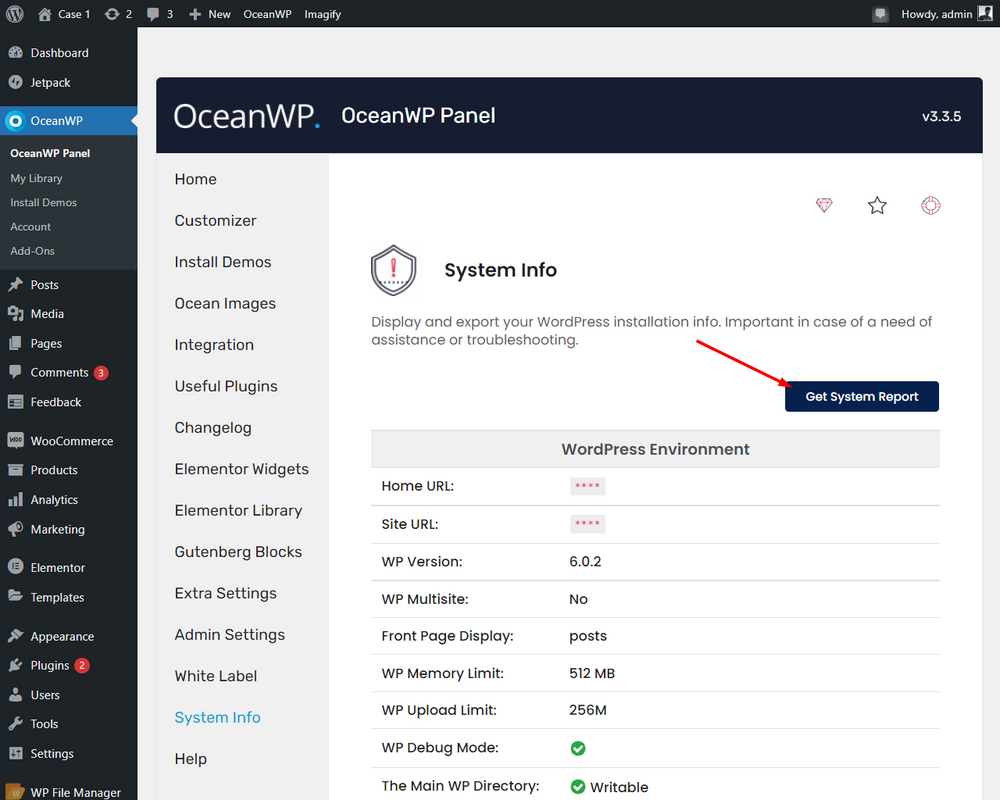
Hello @gusum,
We need to know the steps to reproduce.
Please explain your issue, including screenshots, URLs, and any other document, so we can understand and check it better.
You can upload your files to one of the following online services:
https://postimages.org
https://loom.com
https://drive.google.com
https://wetransfer.com
https://dropbox.com
Or any other service you know.
Also, please provide us with your system environment information. Please navigate to WP Dashboard > OceanWP > OceanWP Panel > System Info: https://i.postimg.cc/0QZrGq46/system-info.png. You can send the information as code here or upload them to http://pastebin.com/ and get an exclusive link.
Best Regards
Thread Starter
 GUSUM
GUSUM
(@gusum)
Hello, again!
The errors appear when I go to the worpress default sidebar widgets.
Link to the screenshot: https://postimg.cc/Cz4Dz1P1
The information of the site is this: https://pastebin.com/5BtkpgbJ
The affected web pages are: https://fragancias.websconscientes.com/
Thank you so much!
Hello @gusum,
It seems that issue comes from a third-party plugin.
You can install this plugin: https://es.ww.wp.xz.cn/plugins/classic-widgets/ and add your desired shortcodes or edit the pages without those errors.
Or for troubleshooting, temporarily, please do the following steps and let me know the results:
0. Enable the primary theme(if you are using a child theme).
1. Head over to WP Dashboard > Plugin.
2. Deactivate all plugins.
3. Then, first, activate the Ocean Extra plugin.
4. Check your issue.
5. Then, activate your plugins one by one
6. After activation of any plugins, check your issue
Also, you can get in touch with your third-party plugin author. Maybe they have a solution that we are not aware of.
Best Regards