Hey,
Navigate to Woocommerce > Settings > Products Tab(Click on display)below you can find the image dimensions.
Can you post your website url to check with the sidebar width??
Cheers!
Thread Starter
 dutt
dutt
(@rajat-dutt)
Hi thanks for reply
I have changed Single Product Image dimension from 570 and 708 to 800×800
but still there is no change in image size on product page.let me know what can i do in that case.
http://www.swamiramdevpharmacy.com
you can see side bar here i want to add additional sidebar on right side and decrease the width of left sidebar
Thread Starter
dutt
(@rajat-dutt)
and also want to know why my spell checker not working in wordpress and how can connect my ecommerce site with google analytics i am using all in one seo plugin
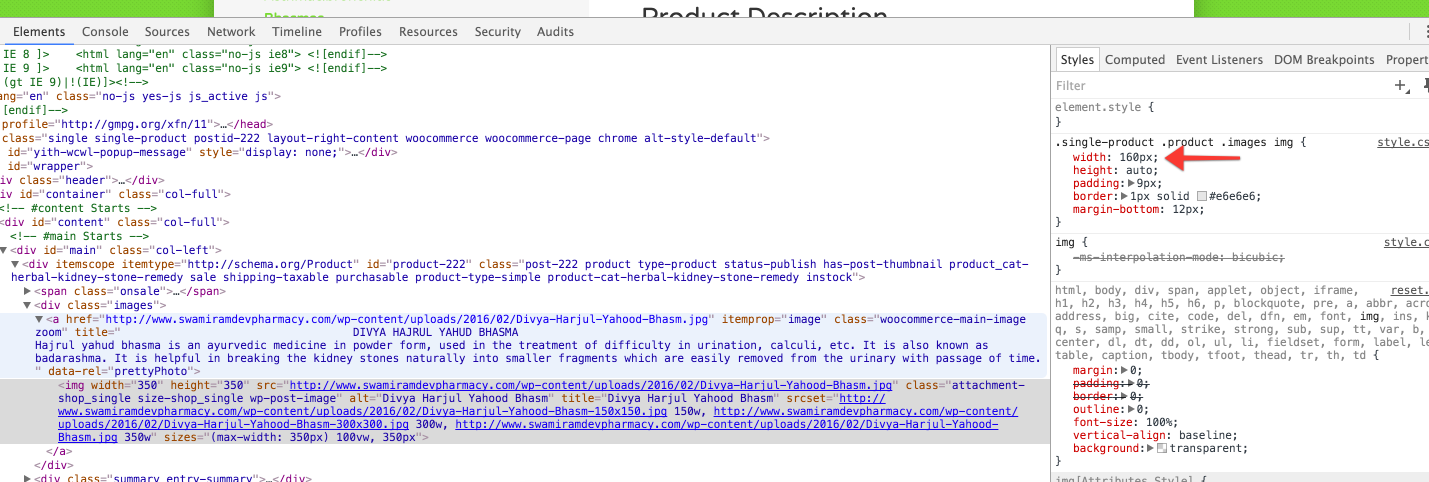
The images are scaled with CSS to fit your layout. You can change the CSS yourself, but you’ll need to reduce the width of the area on the right!
https://dl.dropboxusercontent.com/s/5zejnzo7a83de53/2016-02-15%20at%2010.20.png?dl=0
Thread Starter
dutt
(@rajat-dutt)
hi mike
i want to know how to configure woocommerce with google analytics in terms of ecommerce i mean is there any benefits to do this in sale of site
There are analytics plugins for woocommerce and wordpress to checkout. I cannot really advise if you need it or not.