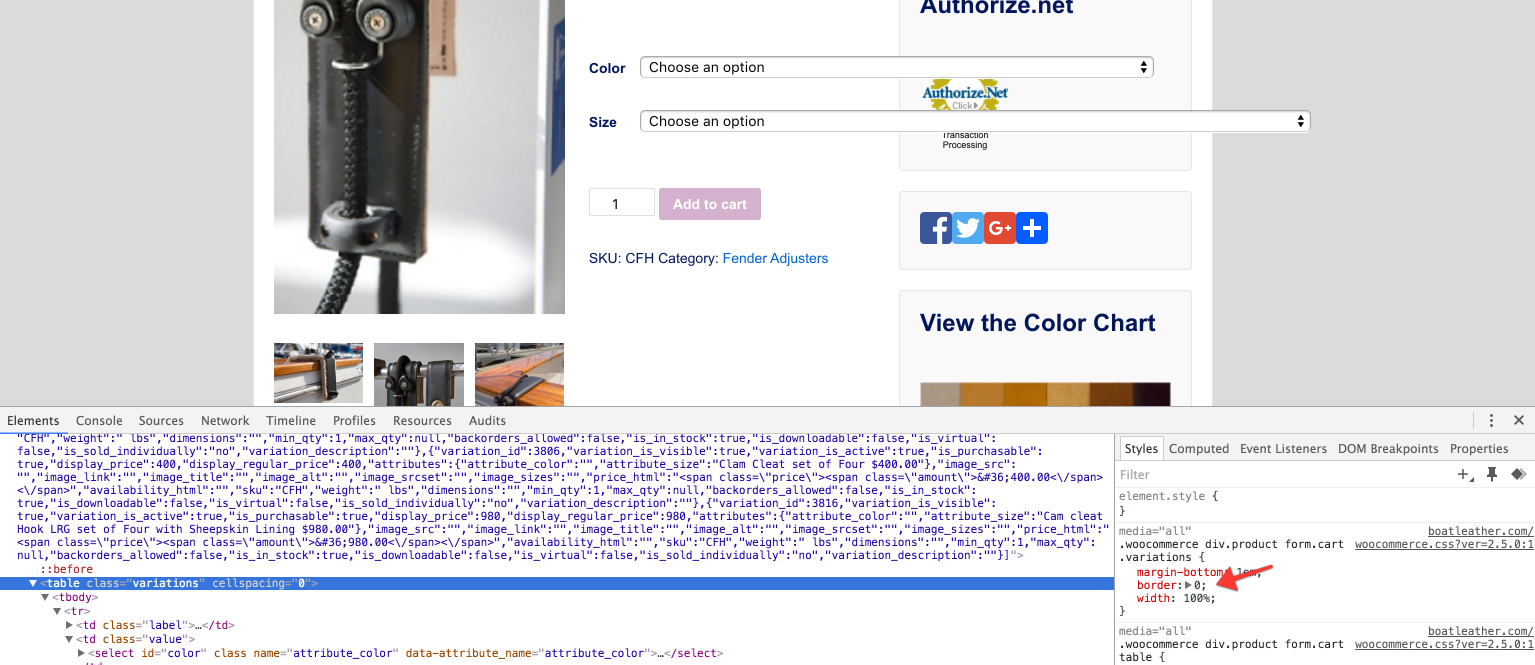
The table has width 100%. You will need to add a CSS rule to limit this due to the weird layout of your widgets.
For reference, here is the selector and 100% rule https://dl.dropboxusercontent.com/s/vqyzcg7uqune317/2016-01-21%20at%2020.57.png?dl=0
Dear Mike,
I appreciate the quick reply…I did not have the issue before the update..
here is a screen shot of the same product where the same tables or variation fields are not going over the widgets…and my widgets are just standard, stacked on the right..or so I thought..
http://boatleather.com/wp-content/uploads/2016/01/Screenshot-185.png
I will look into what you suggest, and I hope I can comprehend it..just disturbing that there are always issues with upgrades of plugins..
Let me know if you see an easier solution..thank you again!
How and where do I add a CSS rule?
Thank you!
I think the width 100% was added in the update to stop the fields being stupidly unusably narrow. Usually this is fine because it fits to the parent elements width.
Fix with:
.woocommerce div.product form.cart .variations select { width: 100% }
That fixed it! You are so helpful and thank you very much!