Plugin Author
 Tom
Tom
(@edge22)
Hi there,
Thanks for pointing this out! WPSP gets the read more text from the settings instead of using a translatable string. I’m not sure if this is something we can fix in the plugin without providing read more text by default (currently there is no read more button by default).
One thing you can try is setting the default:
add_filter( 'wpsp_defaults', function( $defaults ) {
    $defaults['read_more_text'] = __( 'Read more', 'wp-show-posts' );

    return $defaults;
} );
Let me know if that does the trick or not 🙂
BTW, I’d love any help you can provide when it comes to Polylang and Elements in GPP. I read your updated review, and would love to fix any gaps there. We’ve worked with WPML to fix any incompatibilities, but I haven’t had any communication with Polylang yet.
Thanks!
Hi Tom,
I confess, I have no idea. I tried to insert the code in functions.php child, but have not seen any change. What shall be the expected result? For now I’ve solved using simply “->” and in some cases I leave it empty.
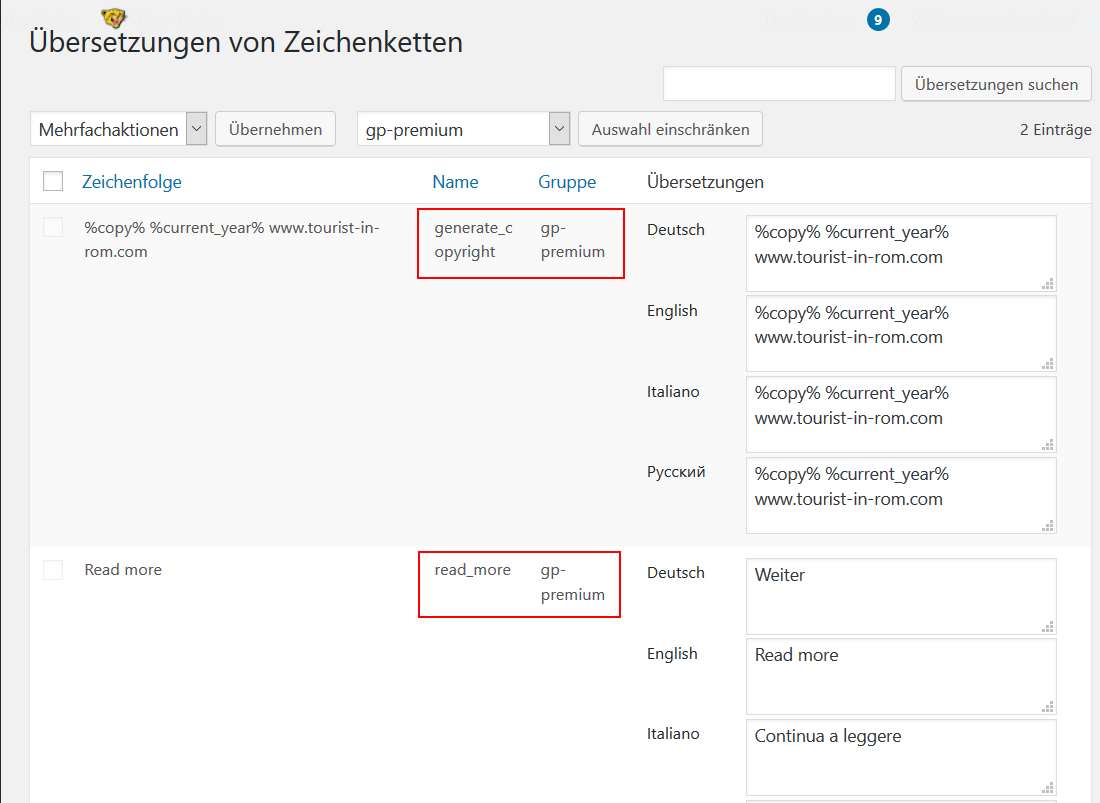
I had a look into the string translation editor of Polylang and I found there is already a read more string by GPP, why don’t you use that?
Screenshot
In total, there are two GPP strings in the Polylang editor.
I know, Polylang talks little. I can try to make a request.
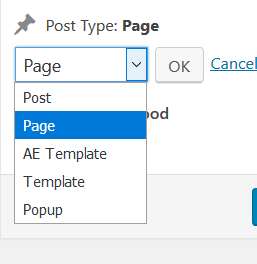
The only thing I observed is that Elements seems not to be seen as post type in WordPress. Screenshot But I have no idea if Polylang would then automatically add the language switcher to the editor.
Plugin Author
Tom
(@edge22)
I just did some looking into Polylang and I can’t figure out how to include a custom field in a post type to be translated. I wonder if it’s worth asking the Polylang support team? I’d be happy to add any necessary compatibility code inside WPSP if it’s necessary.
As for Elements, this is what it looks like in GPP 1.8: https://www.screencast.com/t/YYrEdIbgW91
I was going to release the beta yesterday, but we were waiting on the WPML team for confirmation. We’re now going to release the beta on Monday. Feel free to shoot me an email if you want to test it before that.
Hi Tom,
this looks good. If it helps, I can test it with Polylang.
I have just one more question about WPSP:
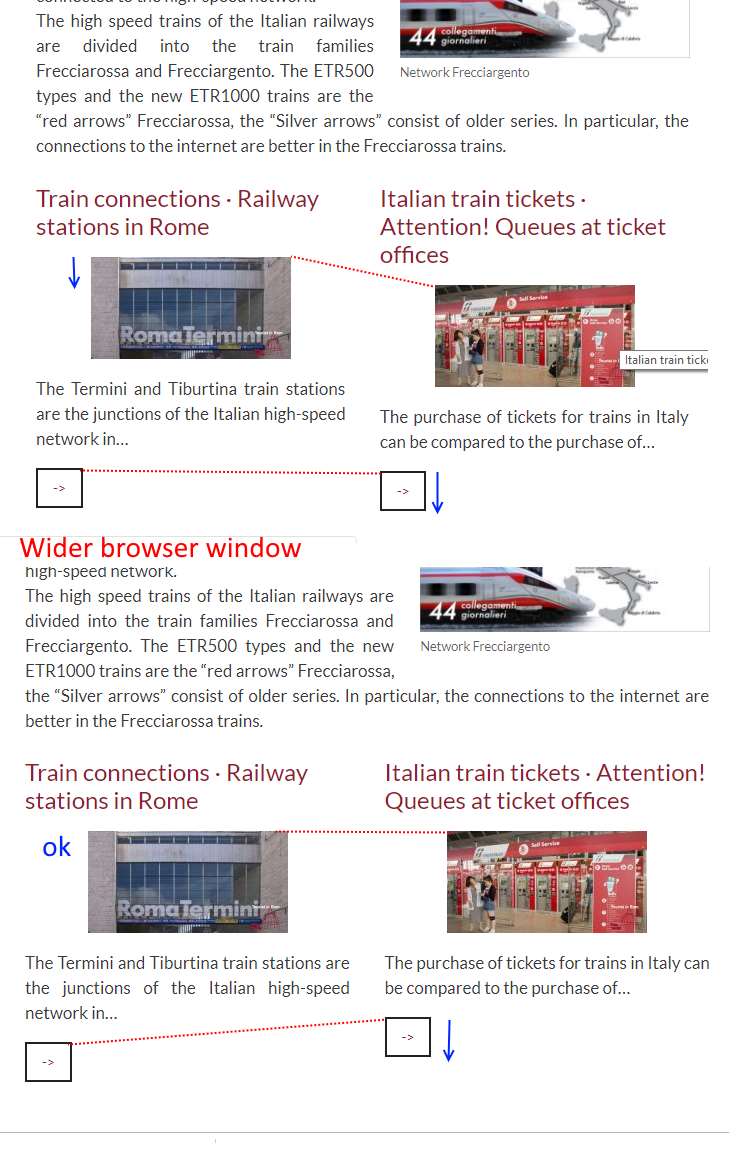
I made this request here about lining up title, image and text in a way that it looks equal and image not moved up and down depending of the number of rows of the title.
I had a look on the video of the pro version but I can’t figure out if this is available there because the sample titles are all short and on one row.
I tried to change title length of the pages and posts, but this has its limitations as sometimes there are long words, short words, German compound words, and depending on the browser width the line break is different. I started also to use ­ in titles :-). To explain it better, I prepared a screenshot
The page of the screenshot is https://www.tourist-in-rom.com/en/rome-arriving-flight-train-car/
-
This reply was modified 7 years, 2 months ago by
 rom1our.
-
This reply was modified 7 years, 2 months ago by rom1our.
Plugin Author
Tom
(@edge22)
Would love if you can test it.
That’s a tough problem to solve. Something like this might do it:
.wp-show-posts-entry-title {
    line-height: 1.5em;
    min-height: 4.5em;
}
For example, 3 * 1.5 = 4.5. Might do the trick?
Let me know 🙂
Perfect, it works. Would it be possible to address single pages/posts in Elements?
For the test, you can send link or zip to [email protected]
Thank you 🙂
Plugin Author
Tom
(@edge22)
What about the single pages/posts exactly?
Any chance you can shoot us an email through our Account Issue form?: https://generatepress.com/contact
I’ll get the alpha sent to you.
Thanks! 🙂
Hi Tom,
about Elements, I found already how to.
Thank you for all the help.
Bernhard
Plugin Author
Tom
(@edge22)
Awesome. Hopefully GPP 1.8 solves any translation issues you’ve run into. I’d love to turn that review back around 🙂
Thanks!
Hi Tom, sure. Looked into [email protected] but no α found
Plugin Author
Tom
(@edge22)
I released 1.8-alpha.1 today: https://generatepress.com/gp-premium-1-8/
You should be able to get it inside your account now 🙂
Hi Tom,
the language switcher is there in Elements now. So I’m confident that’s working. One thing I would like to test is about the location rules. If I insert a page in the first language this rule will automatically apply to the other languages (as it does for the Post IDs in WPSP).
My test site is too small for deeper testing. I would like to test it on my live site.
Just to be safe, if something should go wrong, how can I go back to 1.7.8?
Plugin Author
Tom
(@edge22)
If you need to switch back, you can download 1.7.8 inside your account, and then manually upload it: https://docs.generatepress.com/article/updating-gp-premium/#manually-updating
Sorry, I forgot that it is a plugin and not a theme and
Yesss! It works! 🙂
Plugin Author
Tom
(@edge22)
Great news! Thanks for testing 🙂