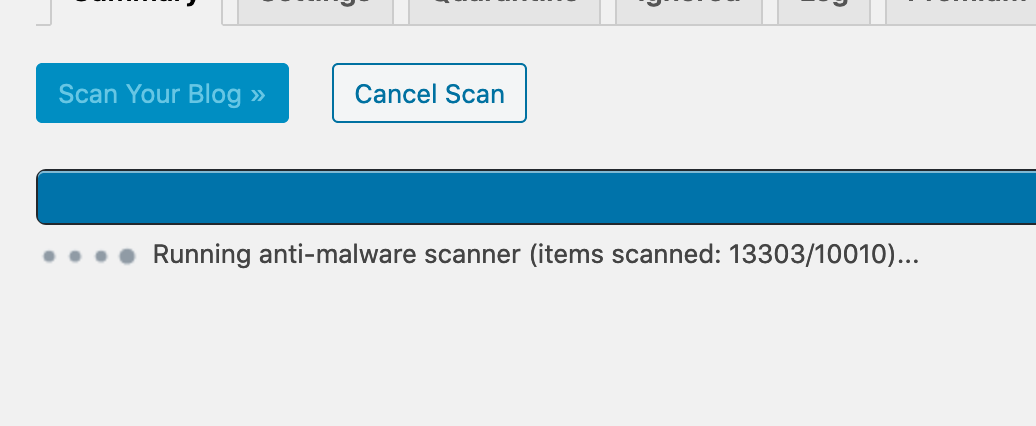
By default, the antimalware scan will fork a new process every 15 seconds to prevent timeouts. Maybe it restarted and, when retrieving the total of files (scanned/to scan), something went wrong. You may find more information in the log by checking the “Debug” option below the textarea, for instance what was the real total number of files to scan?
Thread Starter
 Anonymous User 17880307
(@anonymized-17880307)
Sorry, I forgot to take a look at the log yesterday when it happened.
Currently it seems the scan is faster as more files / plugins were removed and updated and now it says something around 9900 files and the first number doesn’t get higher anymore.
I guess it was a problem like you mention, because I was wondering why the scan stuck sometimes and then resumed after some seconds.
Is it ok if I keep this topic open, keep an eye on this behavior and provide more details when I see this happening again?
because I was wondering why the scan stuck sometimes and then resumed after some seconds.
You can change the timeout by adding the NSCAN_PHPTIMEOUT constant to your wp-config.php file, for instance:
define( 'NSCAN_PHPTIMEOUT', 15 );
15 seconds is the default value.
If the issue happened again, you could paste here the log lines following the “Processing step 12/14” line, as they would show the total of files, the number of files to ignore (exclusion lists) etc. That should help to locate the issue.