• The plugin is wrongly calculating taxes. I have taxes set up so that the prices are already introduced with VAT. When I use this plugin, the VAT is added on the price (so instead of 1€ VAT included it shows 1.1€ VAT included). When I deactivate the plugin website works as intended.

    This is a recent error.

    Thanks for the plugin!

Viewing 15 replies - 1 through 15 (of 16 total)
  • Plugin Support WPGear-Support

    (@supportwpgear)

    Check v15.44.2

    Thread Starter absiteswebdev

    (@absiteswebdev)

    Subtotal is still acting weird, but the previous one was corrected. Thank you

    Plugin Support WPGear-Support

    (@supportwpgear)

    Please SetON option: “View Debug info in Browser Console” on the plugin settings page.

    Thread Starter absiteswebdev

    (@absiteswebdev)

    I’m sorry, but I cannot find the plugin settings page, can you guide me to it?

    Plugin Support WPGear-Support

    (@supportwpgear)

    Try: /wp-admin/edit.php?post_type=product&page=decimal-product-quantity-for-woocommerce/includes/admin/options.php

    Thread Starter absiteswebdev

    (@absiteswebdev)

    Did that, here’s the debug info

    Plugin Support WPGear-Support

    (@supportwpgear)

    OK.
    Please do not change anything else. I will carefully explore your situation.
    I’ll write.

    Plugin Support WPGear-Support

    (@supportwpgear)

    Update to v16.46
    I found your Site and now I can see it myself.

    Plugin Support WPGear-Support

    (@supportwpgear)

    Check please v16.47

    Thread Starter absiteswebdev

    (@absiteswebdev)

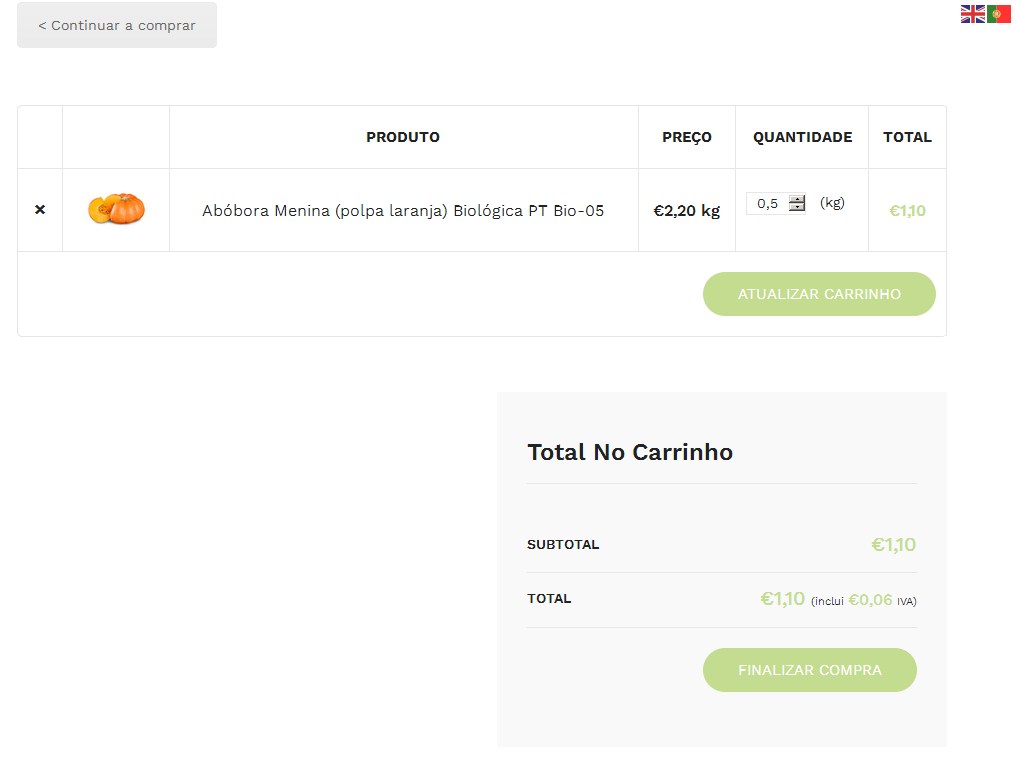
    Hey, previous error was fixed, but now we face a new error. The subtotal is not being correctly calculated, causing conflict with other plugins, specifically invoicing. Check the screenshots and see that when the plugin is being used, subtotal is including tax.

    This is without plugin

    This is with plugin

    Actual order without plugin with correct subtotal

    Actual order with plugin with incorrect subtotal

    Plugin Support WPGear-Support

    (@supportwpgear)

    Hi!

    Now, you are disabled WDPQ plugin, so I can’t say anything specifically in your situation.
    Maybe you can make a subdomain for tests?
    And you did not say what another plugin is called that you use for Specificallly Invoicing.
    I could try to install it and see what happens.
    Because your situation is unique, as much as I know.

    And for the experiment, try to turn off all the plugins except Woo & WDPQ. Tell me what will happen to the results?

    Thread Starter absiteswebdev

    (@absiteswebdev)

    Hi, the plugin is now installed so you can verify.

    We have 2 installed plugins that are in conflict, one is Masterway, the other is a custom plugin that exports orders to excel. But it should be noted the plugin is not working as intended with woocommerce either, because it doesn’t show the subtotal correctly.

    This is a live website so turning off the plugins is a big inconvenience

    Plugin Support WPGear-Support

    (@supportwpgear)

    Here is the ScreenShot from your site.
    https://wpgear.xyz/wp-content/uploads/2025/02/absiteswebdev-20250220-Cart-OK.jpg

    What is wrong here?

    Plugin Support WPGear-Support

    (@supportwpgear)

    On your ScreenShots – the admin-page “Orders”.
    But I cannot see her, and I will not ask her access.
    Therefore, you can make a test subdomain and try a pure experiment on: Only Woo & WDPQ.

    Thread Starter absiteswebdev

    (@absiteswebdev)

    Did an install on dev subdomain (use /loja to access store because there’s no menu). Problem is still there:

    Without plugin (intended behavior)

    With plugin

    Also, you might want to check the order checkout success page:

    I assume this is all related to the same issue an it’s what’s causing the integration problem

    Thank you for your dedication!

Viewing 15 replies - 1 through 15 (of 16 total)

The topic ‘Wrong tax calculation’ is closed to new replies.