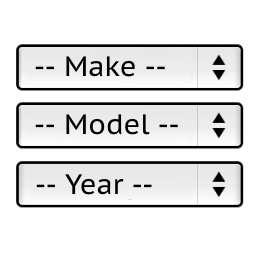
• At some point recently my ymm database appears to have disappeared. It won’t go past the initial vehicle manufacturer – Ie Mitsubishi and when I look at my product listings there is no data populating the ymm tab anymore. When I try to download the CSV file there appears to data for around 6 mixed listings. I tried reversing to an earlier backup but the same issue appears.

    The page I need help with: [log in to see the link]

Viewing 4 replies - 1 through 4 (of 4 total)
  • Plugin Author Pektsekye

    (@pektsekye)

    Hello,

    The .csv file should have UTF-8 encoding and Unix line endings.

    Can you send the .csv file to my email [email protected]
    so I can check it?

    Stanislav

    Thread Starter mitsiman

    (@mitsiman)

    on its way to you now

    Thread Starter mitsiman

    (@mitsiman)

    I have siteground looking into it as well as they theoretically fixed an issue when they did the following – “I was able to recreate the first issue, and I am glad to inform you that I was able to resolve it by disabling the “Lock and Protect System Folders” feature in the Security Optimizer plugin, as it blocks some required by the plugin scripts.” – but. When using make / model search now on the site it now lets use choose models of vehicles which gives me hope that the data is still in the ymm database but for some reason? its not showing or enabling us to have access to it?

    Plugin Author Pektsekye

    (@pektsekye)

    Hello,

    Check the Woocommerce Trash folder. Maybe it still contains some products with the ymm restrictions.
    Also try to import the .csv file back with the “Delete existing values” checkbox selected.

    I have sent an email to you with screenshots.

    Stanislav

Viewing 4 replies - 1 through 4 (of 4 total)

The topic ‘YMM Database disapeared / not loading’ is closed to new replies.