3 Sons Development

Forum Replies Created
-
Forum: Plugins
In reply to: [WooCommerce] still searching for empty cart phpHey @leroytuttle,
I know this is frustrating. Clearly, there is some manner of conflict on the site and the snippet provided above. We’re not in a position to troubleshoot that for you. It could be it’s not added quite correctly, the theme may have a conflict, or it could be something we’re not aware of causing the trouble.
If you’re not able to track it down, then you’ll want to reach out to a developer and get them to fix this for you. There are freelance developers at Codeable who would be happy to help you out.
https://woocommerce.com/codeable/
Take care
Forum: Plugins
In reply to: [WooCommerce] Order with 0 amountHey @zubairs559,
I noticed the site was running AutomateWoo 5.5.2. There is a bug in older versions of AutomateWoo that can cause $0 orders to be created on some orders. Since $0 orders don’t need payment, the status is set to processing.
Updating the current version should fix this problem for you. If you still have trouble, please open up a ticket at WooCommerce.com since this involves a premium plugin.
https://woocommerce.com/my-account/create-a-ticket/
Thanks!
Forum: Plugins
In reply to: [WooCommerce] WooCommerce Api not Response ordersHey there,
That is an interesting situation. The first thing that jumped out to me is that “waiting” and “due” are not core WooCommerce statuses. Have these been added via a plugin or custom code? If so, could you let us know which plugin or post the code that created them?
Thanks!
Forum: Plugins
In reply to: [WooCommerce] Some orders not showing in Woocommerce orders dashboardI’m slightly concerned with cloning the site and how I could safely place test orders to troubleshoot.
On the cloned site, you can manually create an order by going to Orders > Add New. That’s one way to quickly test issues related to order statuses.
I’m unable to update ‘WPBakery Page Builder’ via the site and receive the following error when trying..
You could try manually updating. You’ll want to download a fresh copy of the plugin’s ZIP file. Then go to Plugins > Add New and upload it. There will be a question about replacing the existing version. Go on and do that. That should update it for you. Sometimes that will fix issues with automatic updates for the future.
We’re you able to verify that these completed orders don’t exist by visually checking the list? I wasn’t sure if you had checked that or not.
If the conflict test on staging doesn’t show anything, then please open up a ticket at WooCommerce.com so we can help you out there.
https://woocommerce.com/my-account/create-a-ticket/
Thanks!
Forum: Plugins
In reply to: [WooCommerce] How do I handle a secondary color in variations?Hey @banacan99,
Thanks for letting me know. There are a few different issues here. Let’s take a look at them.
Search
WooCommerce uses the built-in search provided by WordPress. It’s rather limited in that it only searches, titles, descriptions, and short descriptions. So if someone searches for green and the only way green is associated with a product is an attribute, it won’t be returned in the search results.You’ll most likely want to use a plugin to expand the built-in search options such as WooCommerce Product Search.
https://woocommerce.com/products/woocommerce-product-search/
Product Configuration
Your needs here are a bit beyond what the built-in variations can really do comfortably. If this was my site, I would strongly consider using one of the product configurator plugins out there. That will give a better experience for you and your customers.There are several out there but one I really like is the WS Forms Product Add-Ons. It does require using the WS Forms plugin in addition to the Product Add-Ons extension but it does give good results.
https://woocommerce.com/products/ws-form-pro-product-add-ons/
We do offer a 30 day refund window so you can try that out on your own site. If you decide it’s not for you, you can get your money back.
Let me know if you have any questions.
Forum: Plugins
In reply to: [WooCommerce] Some orders not showing in Woocommerce orders dashboardHey @devsrocks,
Thanks for sending that screenshot. Let’s not do the recalculate orders option for now. It’s not a core WooCommerce feature and I’m not certain what it would do.
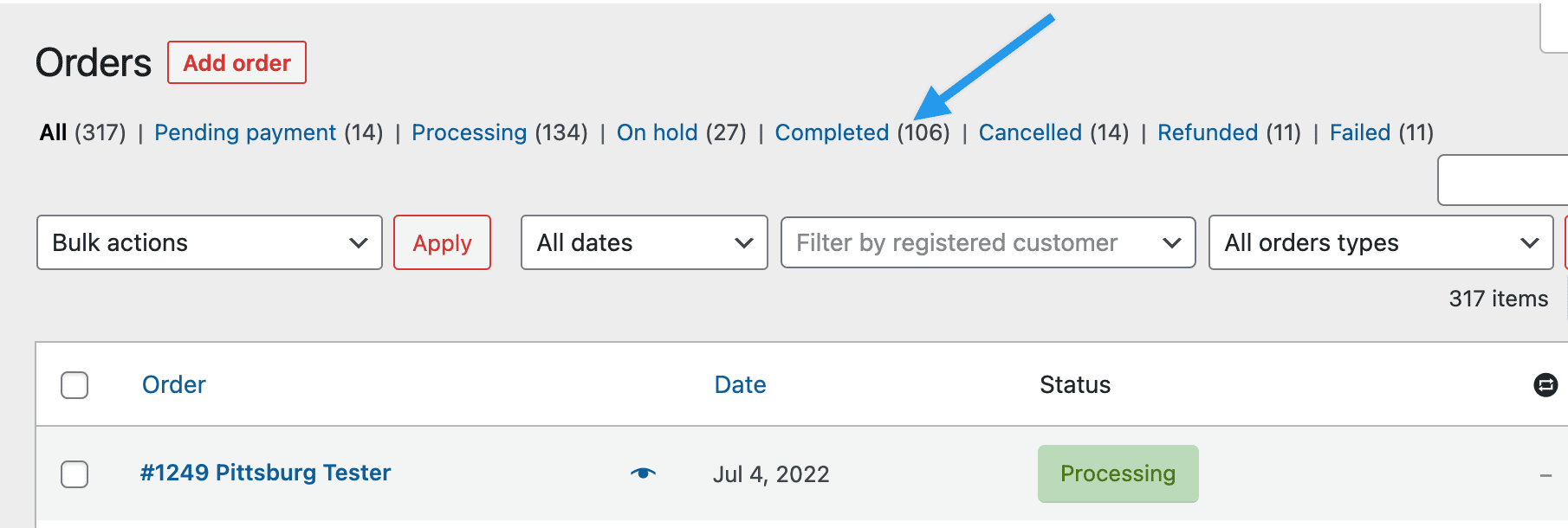
Have you looked through all of the “completed” orders to verify that this order is not present? I’ve seen situations where the default sorting was not working as expected and that caused newer orders to appear elsewhere in the list.
Thanks!
Forum: Plugins
In reply to: [WooCommerce] How do I handle a secondary color in variations?Hi @banacan99,
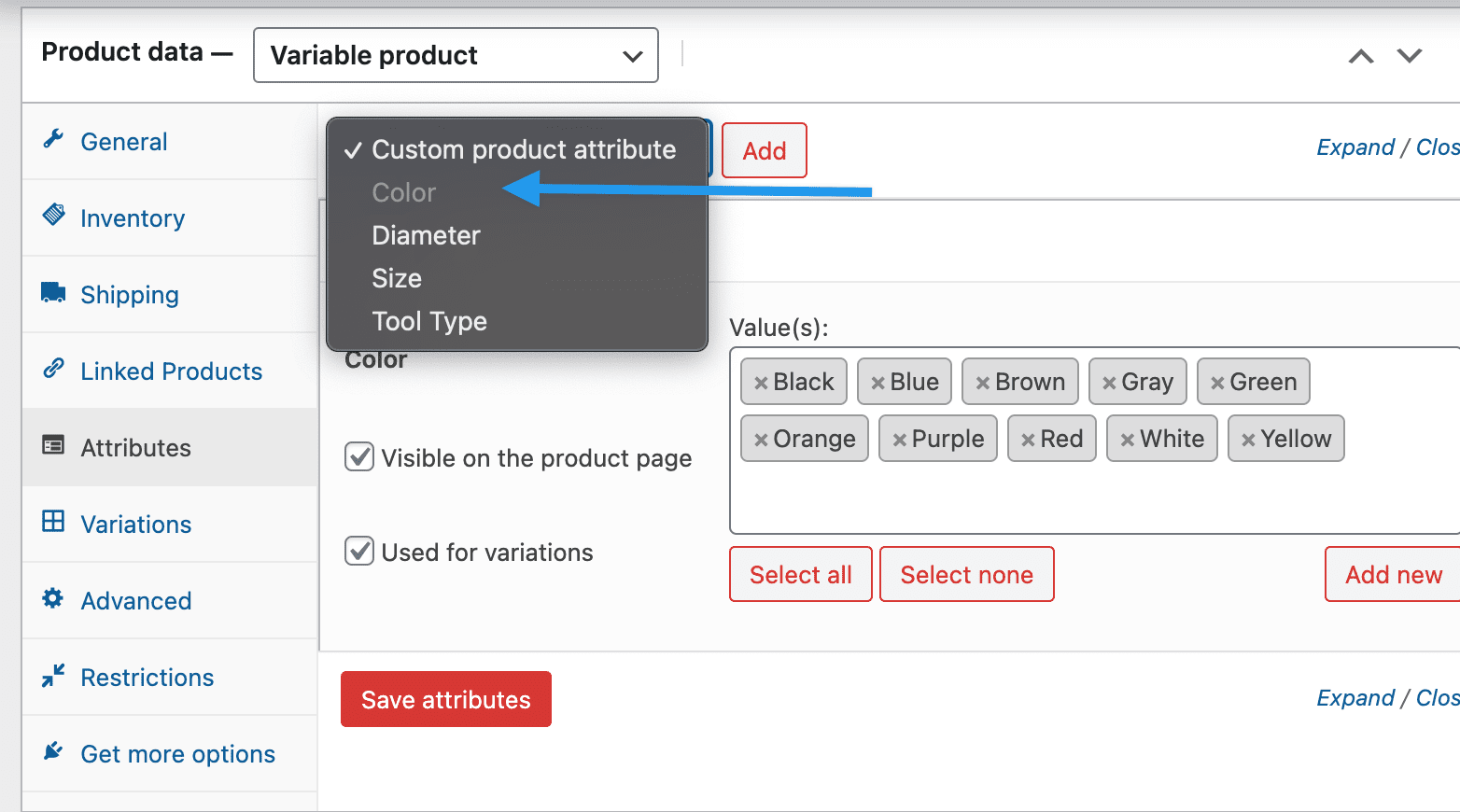
I want to make sure we’re discussing the same thing. If I understand correctly, you want to use the same color list for all three colors. However, you can only use an attribute once within a product. It’s not possible to insert it two more times so that there are three color options that use the same list of colors. Is that right?
If that’s the case, there isn’t a built-in way to “reuse” the color list within the same product. An attribute can only be used once per product.
You would have to create a secondary color attribute and add the colors there. Then repeat that for the third and so on.
Let me know if you have any questions or if I’ve misunderstood the situation.
Thanks
Forum: Plugins
In reply to: [WooCommerce] Cash on Delivery and Shipping CostsHi @pport14432,
So, there is only paid extensions for this case?
If I understand correctly, you want to not charge tax on shipping when a customer uses Cash on Delivery as their payment method. If so, there’s not a built-in way to handle this. You’ll need to either custom code a solution or use an extension.
You may be able to find a similar free extension by searching here at ww.wp.xz.cn. It never hurts to try.
Let us know if you have any other questions.
Thanks
Forum: Plugins
In reply to: [WooCommerce] Block bots from posting product reviewHi @mstudioil,
“verified owners” work also for quest accounts?
Verified owners are customers who have actually made a purchase of this product on your site. Unless bots are buying items on your site with real money, these should all be actual humans.
This will prevent anyone who hasn’t purchased from being able to post a review. It would meet your goal of preventing the comment from reaching the server and not just going to the trash.
Let us know if you have any questions.
Forum: Plugins
In reply to: [WooCommerce] email header image not displayedHi @davidovic123,
Thanks for sending that over. You described the email as having “a blank where only the website name is displayed.” That sounds like the “alt text” for an image that isn’t loading.
I’d suggest right-clicking on that text and copying the image URL. Then paste it into another browser window. That should pull up the image file directly. If it doesn’t, see what error message you receive.
The image itself isn’t embedded into the email. It’s a URL to where to find the image on your server. So if that URL isn’t accessible on the device where you’re viewing the email, this sounds like what we’d expect to see.
Let us know what you find out and we’ll go from there.
Thanks!
Forum: Plugins
In reply to: [WooCommerce] Some orders not showing in Woocommerce orders dashboardHey @devsrocks,
Thanks for checking on that. That error message is letting us know that WordPress ran out of memory while trying to run a process. In this case it looks like that was part of something related to the BackupBuddy plugin. Based on that, I don’t suspect this is related to the missing orders. Regardless, if you see this error multiple times, I recommend getting in touch with your web host to ask them to increase the memory available to the site.
When you go to WooCommerce > Orders do you see the list of order statues at the top? If you click on Completed, do you see this order?
Thanks
That definitely sounds frustrating! Here’s what I’d like to recommend as a way to find out what’s causing the trouble.
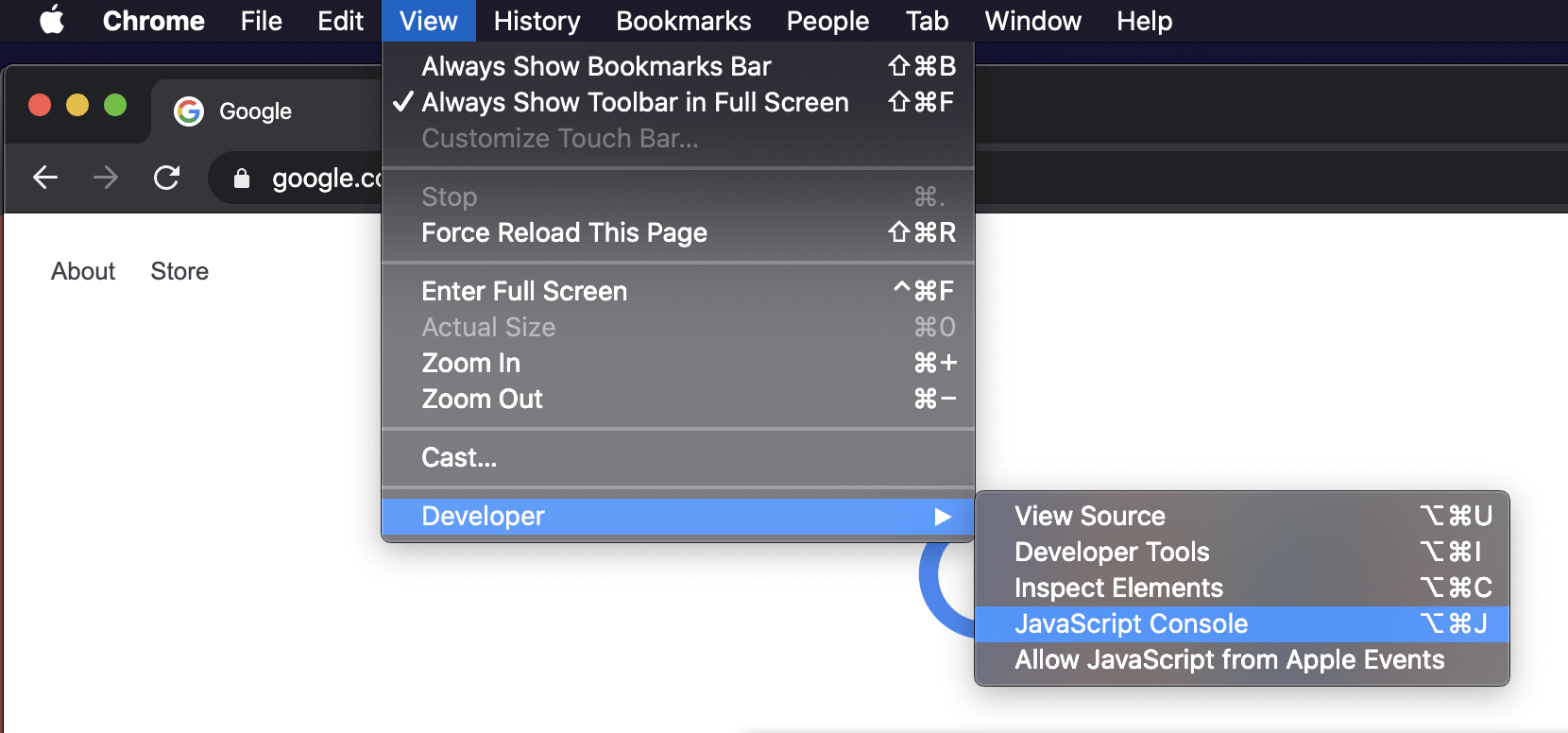
Edit an order and go back through the process of purchasing a label. Open up the browser’s developer’s console.
See if there are any error messages here. Copy what you find and include it in your reply. Also, could you please send me a copy of your site’s System Status? You can find it via WooCommerce > Status. Select “Get system report” and then “Copy for support”. Once you’ve done that, you can paste it here.
Thanks!
Forum: Plugins
In reply to: [Google Analytics for WooCommerce] WordPress 6 Compatibility?Hey @wordprestige,
Thanks for reaching out. Sorry for any confusion. The extension is ready for WordPress 6.0 and has actually been tested with it.
What the “tested up to” number really tells us is that there has been an update to the plugin after version
Xof WordPress was released. The developers don’t release updates just to change that number. When they do have an update to release that either adds new features or fixes a bug, they’ll include an update to the “tested up to” number too.Let us know if you have any questions or trouble.
Thanks!
Forum: Plugins
In reply to: [WooCommerce Square] Sync failed. Please try againHey @raheemmurtaza,
Please open up a ticket at WooCommerce.com so we can investigate this there. You may need to create a free account before submitting the ticket.
https://woocommerce.com/my-account/create-a-ticket/
Thanks!
Forum: Plugins
In reply to: [WooCommerce Admin] WooCommerce-Customers section empty listHey @boesiger,
Good detective work! The customers and other analytics information are imported into dedicated tables in the database to speed everything up. These are handled by the “Action Scheduler” system. It can be triggered via WP Cron so if cron isn’t working then it would affect importing of this data.
If this was my site, I would try to find out what is keeping WP Cron from running as expected and go from there. Once it’s working reliably, that should take care of this.
Let us know how it goes!