AngieC

Forum Replies Created
-
Forum: Plugins
In reply to: [Brilliant Web-to-Lead for Salesforce] Phone number section on android tabletThanks, Nick.
Form is here: http://literacykc.org/volunteers/volunteer-application/
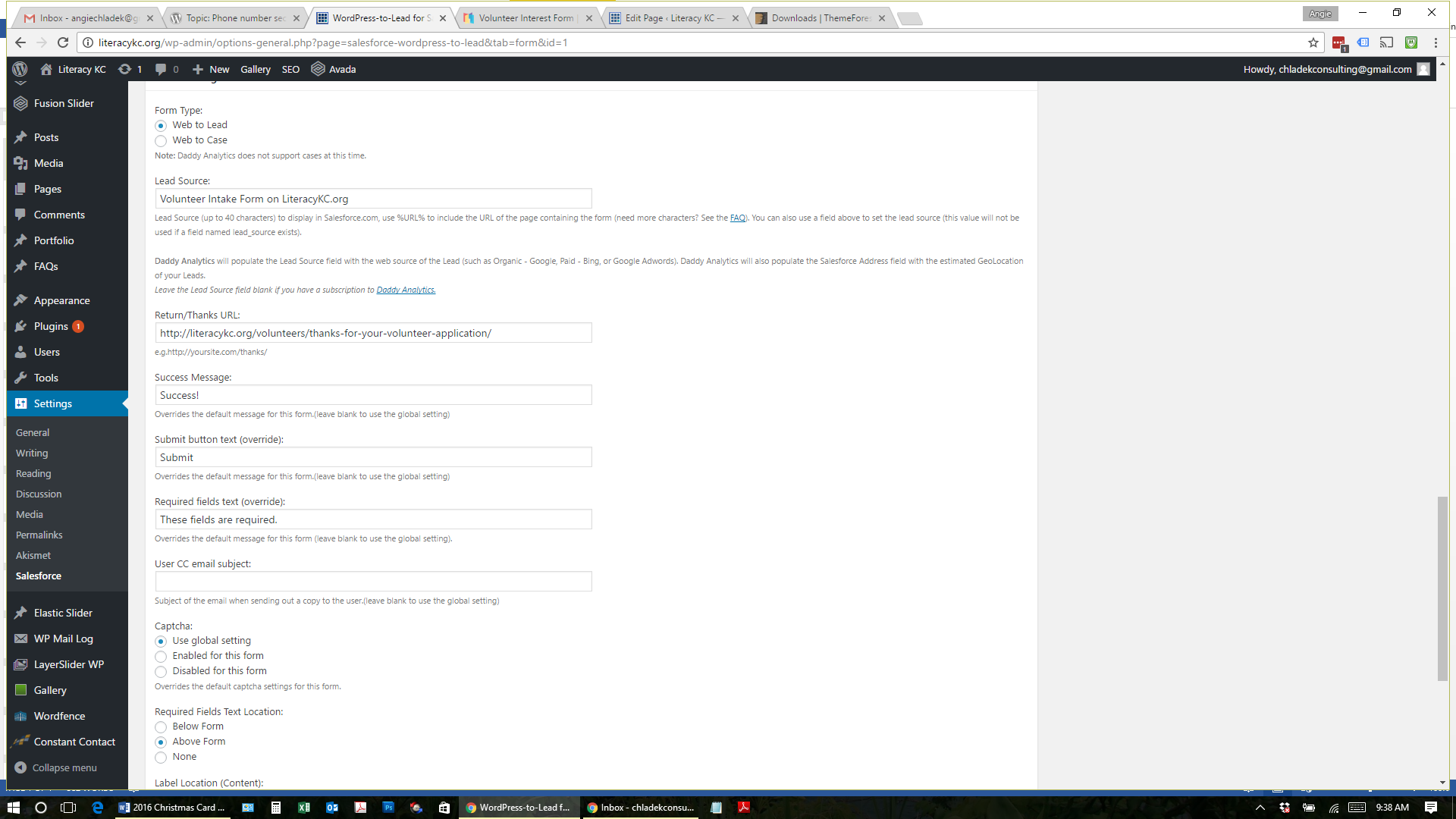
Form settings are here:
http://literacykc.org/wp-content/uploads/2016/11/volunteer-settings-1.png
http://literacykc.org/wp-content/uploads/2016/11/volunteer-settings-2.png
http://literacykc.org/wp-content/uploads/2016/11/volunteer-settings-3.pngThanks, Nick. Just coming back here to post how I got this solved within Salesforce in case someone else has this issue in the future. The answer was in following the steps at the link below. I had the default setting they reference selected and had to override that to get the record type I added to the form (per Nick’s answer above) to fully update the lead record type in Salesforce.
https://developer.salesforce.com/forums?id=906F00000008pujIAA
Thanks for your help with this, Nick. Enjoy your day!
AngieThanks, Nick.
I did that (see image) and I used the info I found in this article at help.salesforce.com to make sure I have the right record type id in the value field. It is still marking it as a student and not as a tutor/volunteer.
What is my next step? If everything on the web-to-lead form is correct, I’m not sure where within the salesforce platform to turn for help with this. Any advice is appreciated.
Angie
Hi Nick,
How are “student” and “volunteer” leads differentiated in SF? You likely need to add that field with the appropriate value to your forms so they get classified correctly once received by SF.
My Salesforce contact gave me a “lead record type id”… this: 00Qd000000nJFCs and I have this field on my form (see image here). I’m just not sure where to place the id # on the form to get it to populate the lead in salesforce correctly.
So close… yet so far away. 🙂 Thanks for any help and I apologize if this is a basic question I’m missing for some reason.
Angie
Forum: Plugins
In reply to: [Import External Images] Has anyone gotten this to work with Squarespace?Wow, Moe! Thanks… I think this is going to be really helpful for a lot of people. I’m set to receive notifications from this thread and will test it out/let you know once I see the solution posted. 🙂
Enjoy your day!
AngieForum: Plugins
In reply to: [Import External Images] Has anyone gotten this to work with Squarespace?Moe- Thank you!!! This took care of the bulk of my images/posts. I was shocked when it worked because I’ve been working on this project for months manually importing and thought I wouldn’t find anything that would work.
At this point, I want to note for everyone, that none of the plugin versions have worked with squarespace links that end in “?format=original” here’s a full link as an example: <img src=”http://static1.squarespace.com/static/526a97e2e4b082c85fea60f9/557ae514e4b0ab127fdc844a/557ae515e4b0ab127fdc8458/1434117397711/Burn+2.jpg?format=original” />
If anyone has anything that will work to import a link like that, let me know… I mostly wanted to mention it for others reference, but would be thrilled if the 1500 images I have left to import could be automated, too.
Enjoy your day!
AngieForum: Plugins
In reply to: [Import External Images] Has anyone gotten this to work with Squarespace?I also have SS linked images that end in .jpg that this plugin is not importing. Does anyone know of another plugin that works better or a solution to this issue? I have almost 8,000 images left to import on a very large blog.
Is anyone available to hire to get the import to work?
Forum: Plugins
In reply to: [Import External Images] Has anyone gotten this to work with Squarespace?Thanks for the reply, Shilo. I’ll post back here if I get something to work. The version 1.4.1 that was released later in the day yesterday didn’t work for me either and I’m desperate… 2500 posts left with at least 5 images each. 🙁
Forum: Plugins
In reply to: [Import External Images] Has anyone gotten this to work with Squarespace?Did anyone else see the update to this plugin that was called “Import External Images + Squarespace + GoDaddy?” Did it work for anyone? It did not work for me, still, but curious if anyone has had any luck and how you were able to get it to work. Thanks. 🙂
Forum: Plugins
In reply to: [Import External Images] Has anyone gotten this to work with Squarespace?Hi all- I’m having the same issues as many of you… I get the “no images imported, check to see if they still exist.” The blog I’m importing from Squarespace has 2100 posts and at least 4 images per post. I’ve increased the values in the php.ini file. Does anyone have any suggestions what I should try next? I am 3 weeks past the deadline on this because I’ve been trying to do it all myself. Any help would be so appreciated. 🙂 Thanks!
Hi again– nevermind. I got it! Thanks. I’m marking resolved and appreciate your help. 🙂
Thanks! Now my cards aren’t showing up as full images….I have been going through firebug and am trying to figure out the css for it. Any ideas what might make them show as their full image? Thanks! 🙂
Forum: Plugins
In reply to: [Contact Form 7] No longer receiving emails from the formBuzztone- Thank you for the response. I worked through that website for hours a month or so ago. We finally figured out it was an issue with GoDaddy. I really appreciated all the reference info, though. We found this time that GoDaddy has a glich in which it switches from remote hosting (our domain is just at another company), to local host. They aren’t sure why it keeps happening… awesome, huh? Thanks for your help! 🙂
We just increased the memory on the server and the home page returned. I am concerned though that I need to do something on the plugin dashboard to prevent this from happening again. Please let me know if there’s something specific. 🙂 Thanks!
Hi– I cleared my cookies/cache and was able to see it now, too, but not in Firefox… only in Chrome (haven’t tried IE). Anything I need to do that’s browser specific?
Thanks for the prompt replies! 🙂
Angie