astarich

Forum Replies Created
-
Hello Konrad,
Sorry for the delayed response. I think this support ticket can be marked as resolved now, so I’ll do that.
For context, I was able to hunt down that this was a known issue with ACF in general from this support thread I found (https://support.advancedcustomfields.com/forums/topic/flexible-content-enable-disable-feature-hides-follow-up-layouts/)
Apologies on this end for thinking it was an interaction with ACF Extended. Despite this issue being around a while it seems like we didn’t bump into it until recently and I thought it was due to a more recent update than it was. It’s not exactly a solution but it did provide some workarounds.
Thank you for your help on this. I had started going through your troubleshooting steps but stopped at about the point of changing themes because some other work had to take priority. Then I found the thread when I circled back to the issue.
Take care!
Thank you Konrad!
I’ll give the above troubleshooting steps a try and see if I can narrow down why this might be occurring. I will let you know what I find out. The guidance is appreciated!
Here are the follow up screenshots.
First test page (where layouts were disappearing entirely): https://drive.google.com/file/d/1WKfUQNbuHzfscHs4aBIMUsXCLT3rcNZ8/view?usp=sharing
Second test page (where layouts were being duplicated and nested fields being shifted to other layouts):
https://drive.google.com/file/d/1xjxyn_xX1B0e67tJ0lsHIsaC8rRG2W7M/view?usp=sharingApologies in advance for having to link the images. The built in image block for the forums doesn’t seem to like /view being in the url for these and wouldn’t display them any other way. Hopefully this helps.
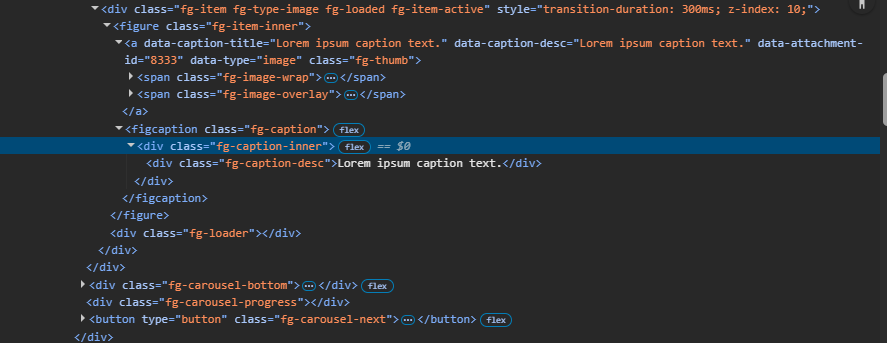
Sorry my last message didn’t attach the screenshot for the code showing the <a> link nested under the figure element “fg-item-inner” even when the thumbnail linking is turned off. Here is that image as well (though the blue highlighting is in the wrong spot, the spot I am talking about is just above it):
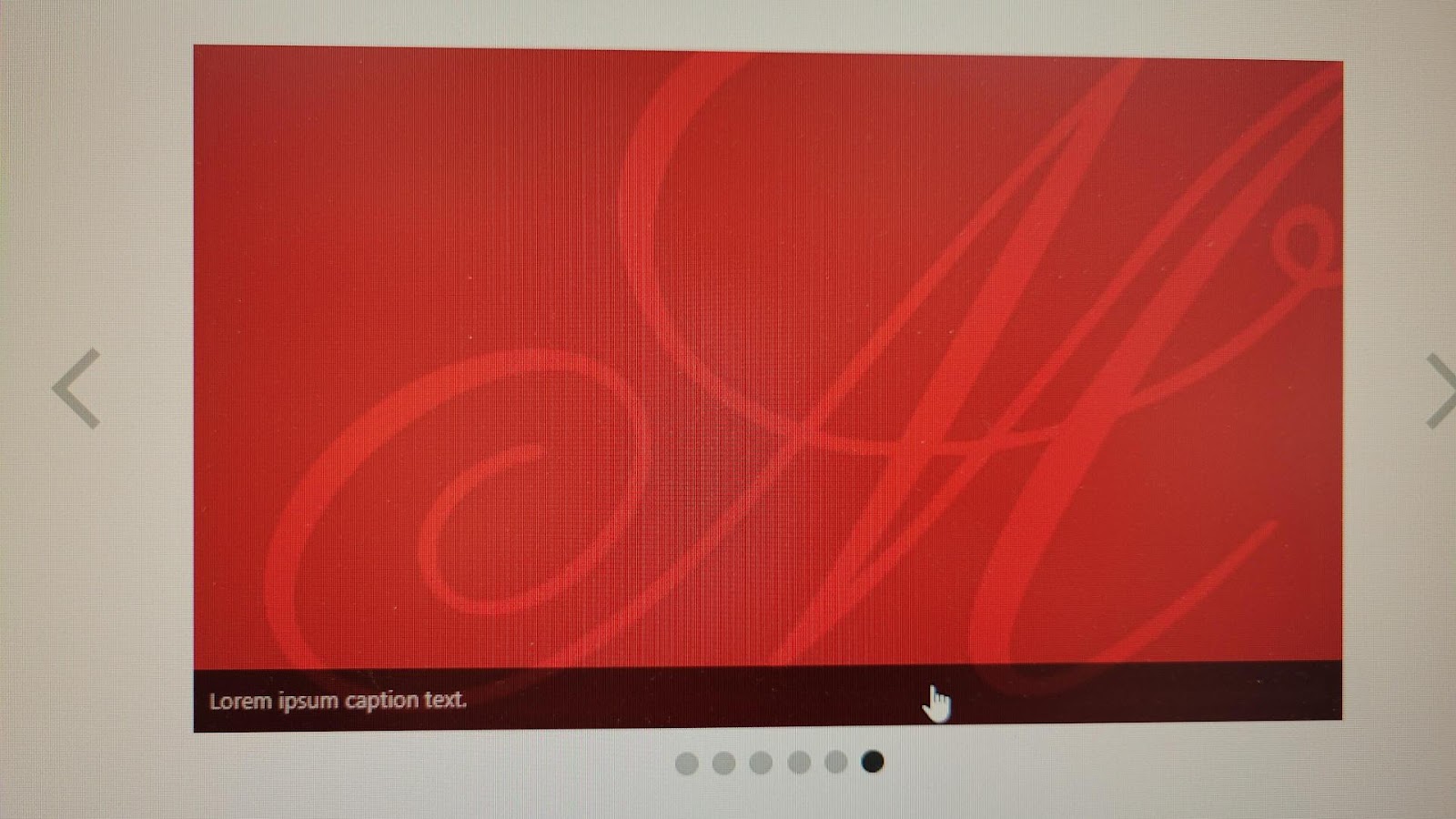
And here is an example of what I was seeing even with the thumbnail not linked for captions:
When you would hover over the image there wouldn’t be a cursor as a pointer finger but when you went over the caption text (due to the CSS) there is one.
- This reply was modified 7 months ago by astarich.
Hi @steveush !
Thank you so much for the update on the first two issues. We really appreciate the fixes being made and will keep an eye out for them!
For the third issue I have that thumbnail setting already set to “Not Linked”. I did a bit of digging and I think this is a case where for some reason the css is set to be “cursor: pointer;” so this is looking like an interactive element even when the setting is set to not have a thumbnail link.
In foogallery.css I found the following on line 1002 (though I think the exact line that’s causing trouble is line 1019):
.foogallery .fg-caption {

    display: flex;

    flex-direction: column;

    padding: 10px;

    visibility: hidden;

    opacity: 0;

    position: absolute;

    z-index: 8;

    width: 100%;

    max-height: 100%;

    overflow: hidden;

    font-family: -apple-system,system-ui,BlinkMacSystemFont,"Segoe UI",Roboto,"Helvetica Neue",Arial,sans-serif;

    font-size: 13px;

    font-weight: 400;

    line-height: 1.3;

    border: none;

    text-align: center;

    cursor: pointer;

    margin: 0;

}
It also looks like even though the thumbnail is set to not be linked, there is a link in the code still wrapping the image.
Here are all of the settings we have set:
General –
Max Items to show: 5
Scaling: Normal
Side Items Click: Center The Clicked Item
Autoplay Time: 0
Autoplay Mode: Disabled
Invert Control Theme: Same
Show Nav. Arrows: Shown
Show Pagination Dots: Shown
Show Progress bar: Shown
Thumbnail Link: Not LinkedLightbox –
Lightbox is set to “None”Appearance –
Theme: Light
Border Size: None
Rounded Corners: None
Drop Shadow: None
Inner Shadow: None
Loading Icon: (Blank/the first one)
Loading Effect: Fade InHover Effects –
Hover Effect Type: NoneCaptions –
Caption Visibility: Always Visible
Caption Theme: Dark
Caption Alignment: Default
Caption Type: Default
Title: Attachment Title
Description: Attachment Caption
Limit Caption Length: NoHello!
I just wanted to chime in that I am also experiencing this issue. Is this something that is still in the process of being patched?
The sites I’m experiencing this issue on are running ACF PRO (currently on v.6.6.2) and ACF: Extended PRO (currently on v.0.9.1.1) and WordPress Core v.6.8.3 just to provide additional context.
Thank you for your hard work on this! It’s appreciated.