calicoh

Forum Replies Created
-
Forum: Plugins
In reply to: [W3 Total Cache] Issues w/ CDN URL & Featured ImagesApologies @vmarko . Came across the problem, there was a function being set by the theme which overrode the thumbnail URL’s. Issue turned out to be on the child theme rather than on the plugin.
Forum: Plugins
In reply to: [W3 Total Cache] Issues w/ CDN URL & Featured ImagesI’m a bit confused here. How can the CDN not be set if we are using Amazon Simple Storage Service (S3)? It is indeed set, we need it to be set so our images get uploaded and are served from S3.
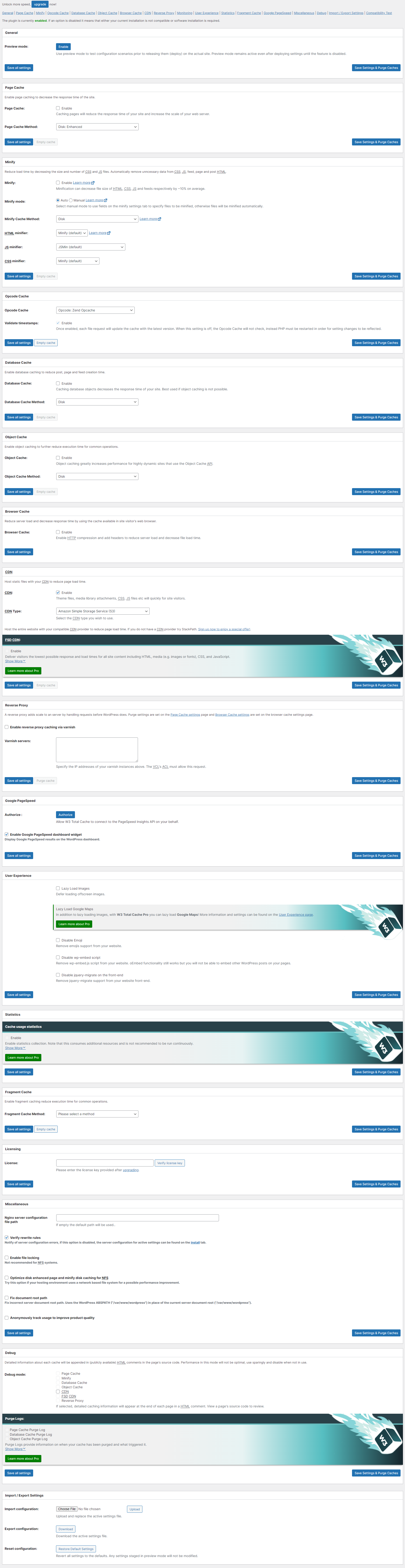
There are no other settings enabled in the General Settings section. Only setting that is set is strictly the CDN.
Here’s a full page screenshot of the selected options (https://i.postimg.cc/mTWsq9nw/w3tc-settings.png) if you are having a hard time viewing the image below:

- This reply was modified 3 years ago by calicoh.
Forum: Plugins
In reply to: [W3 Total Cache] Issues w/ CDN URL & Featured ImagesHey @vmarko ,
The WP URL is: https://wp-prod.icy-veins.com/ – we are using WordPress as the CMS and the frontend is headless using NextJS. At any rate, there is no FSD or CDN set up with AWS.
Cloudflare is running on-top of the icy-veins.com domain, however even after purging the cloudflare cache the issue is still persistent. As you can see in the screenshot below there is indeed a featured image selected for this specific post item as its giving us the option to remove the featured image.
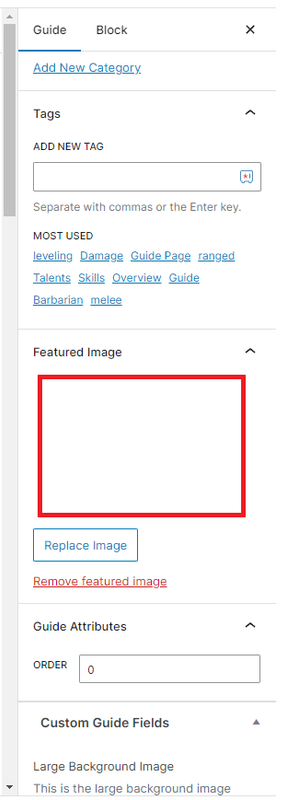
If I click on the that area it pops up the Media Library, and the right URL is displayed:

Any ideas?