chencandy

Forum Replies Created
-
Unfortunately it did not provide me with a ticket number. Please find screenshot of support request sent again: https://snipboard.io/EXbn6f.jpg. It only says:
Expected response time: 12 to 36 hours (Mon-Sat)
Thank you! Our support staff will respond to your message soon.
Hi! I’ve already submitted the ticket via this URL https://theeventprime.com/technical-support/ but haven’t received any response.
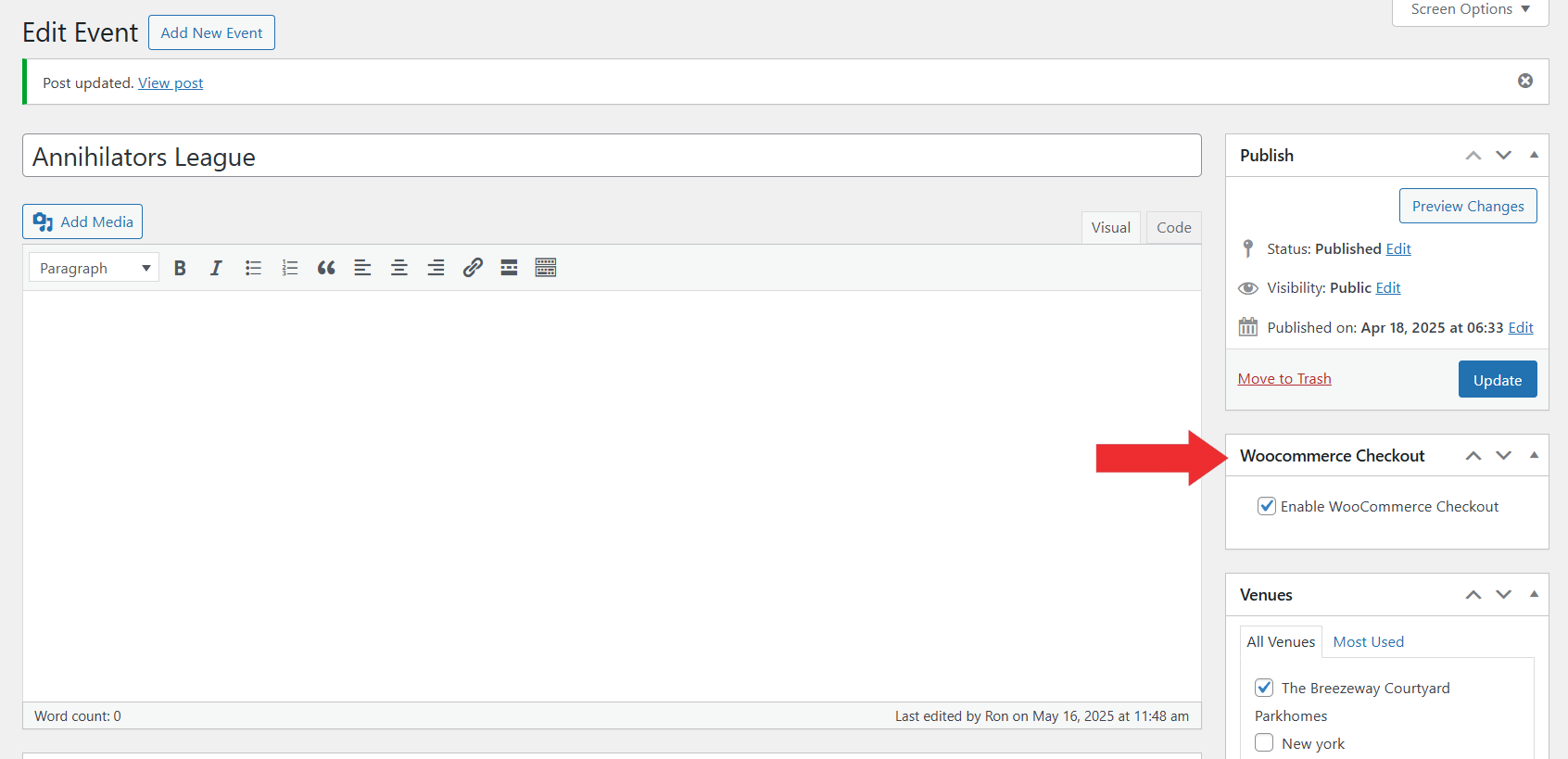
Thanks. I did. But the metabox is not showing on the event, as I described above. If you can, provide and email so I can create a user to the wordpress so you can see please. This part specifically is not showing up on my event (5. Enable WooCommerce Checkout for the Selected Event – https://theeventprime.com/wp-content/uploads/2025/05/Enable-Woo-Commerce-For-Event.png) . Therefore, is not allowing me to move forward and I can’t seem to find any other shortcode or method to have this event ticket go through the payment gateway (Tilopay) I have configured in my Woocommerce.
Thanks @saivutukuru !
What I finally did was:
- Removed all Woocommerce additional plugins
- Renamed the woocommerce folder and reinstated the name back again in File Manager
Finally was able to get it through. Thank you very much!
@ckfam homemadechile @troia4978 @fortybpm have you guys gotten response through the premium support system? have several tickets and it’s been 3 days and no response yet.
Hi!. Can you tell me how can I search back the strings to translate them right away on WPML?
Here’s a video of what happens when I want to search keywords on the WPML String Translation Search Bar.Thanks. I have issued a ticket request as I paid for WCFM Ultimate Premium, but haven’t gotten a response.
All I need to know is exactly which are the string domains to translate. I keep translating them manually but I see that it keeps adding strings as if I haven’t translated
https://ibb.co/RyqBm8g
https://ibb.co/2Shss9S
https://ibb.co/MhGWh54
https://ibb.co/fp2BpTk
https://ibb.co/z5tmq5Q
https://ibb.co/X3qgKF2
https://ibb.co/Pxyh5pyHi!
In Dashboard settings, many terms are still in English when in Chinese or Spanish language.
Can’t seem to be able to upload screenshot, only reply text message here.
In Chinese for example, the following texts are still in English:
– Quick Access Icon
– My Store Label
– Disable Quick Access
– Disable Welcome Box
– Disable WCFM Menuand so on.
With WPML, when entering Vendor Registration in Spanish, all the fields are still in English.