codeconfig

Forum Replies Created
-
Forum: Plugins
In reply to: [File Manager for Dropbox] No Folders Showing UpHi @arkdigital
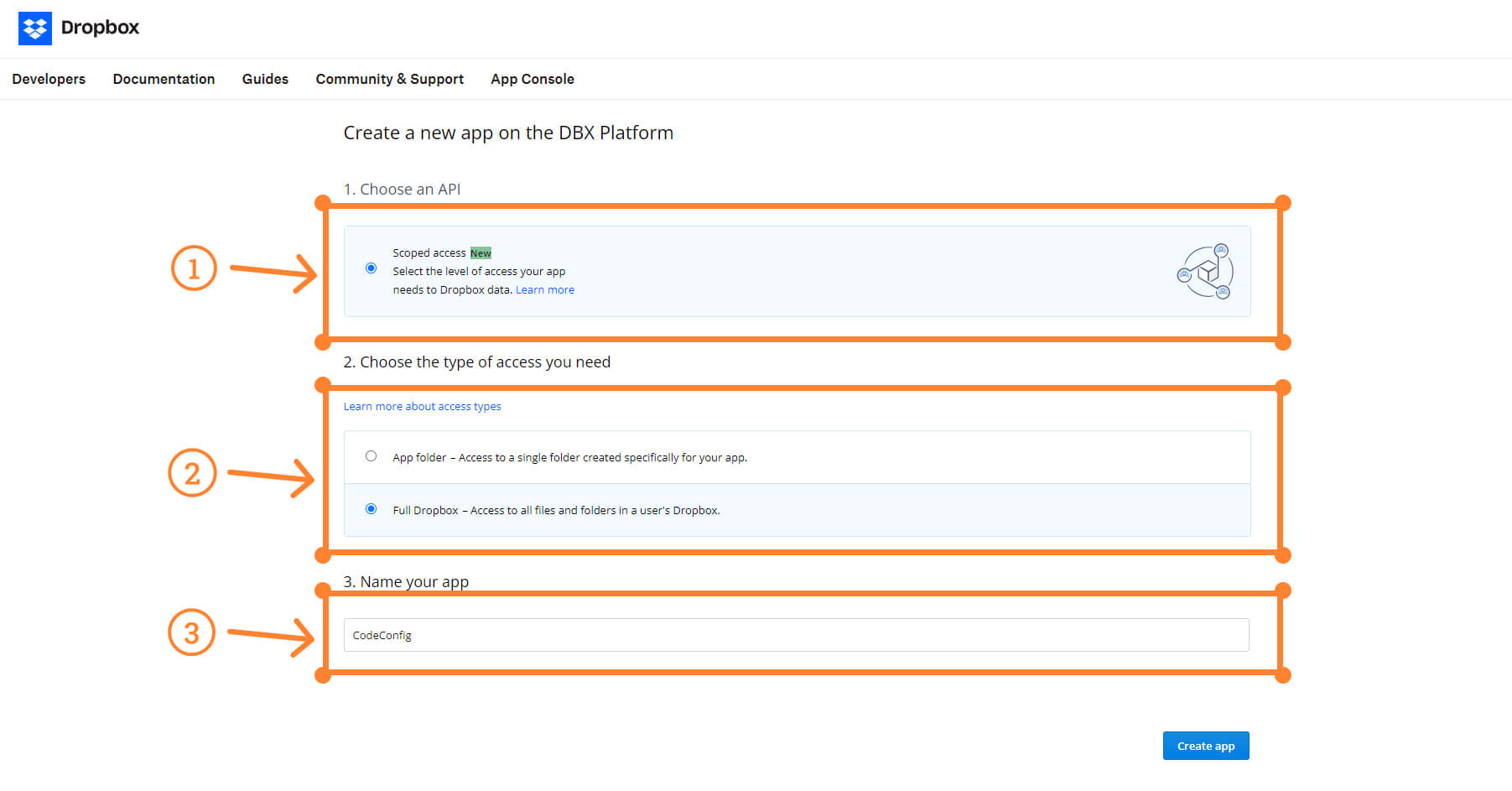
Did you give the full access while creating Dropbox App? https://codeconfig.dev/wp-content/uploads/2024/07/Create-a-new-app-on-the-dbx-platform.jpg
Also, If you use security and caching plugin, deactivate temporary for checking.
Finally, Logout from the account and Sign in again.
If you still not resolved, feel free contact.
Sincerely
CodeConfig
Hi @rogue991
Thanks for your patience.
We’ve released a new version with the fixes. Please update the plugin version-1.2.14. Hopefully, it will be fixed. Please follow this documentation. https://codeconfig.dev/docs/connect-dropbox-team-folders/
Sincerly
We will test with the browser extension and fix the issue.
Thanks for pointing the issue.
Forum: Plugins
In reply to: [File Manager for Dropbox] HelpHi @leobergamo
Thanks for keep with CodeConfig. Would you please email ([email protected]) us in details which issues you’re getting? Our team is ready to give you live support.
Before that, please make sure you give the required permissions from your app. https://codeconfig.dev/docs/how-to-connect-my-dropbox-app-with-wordpress/
Looking forward to hearing from you.
Sincerely
CodeConfig
Forum: Plugins
In reply to: [File Manager for Dropbox] access permission to any specific user roleHi @asghar01185
Exciting news for you. We’ve implement your requested features with the new version. Please update your plugin and check the feature.
Best regards,
CodeConfig
Hi @khizerabbas
Thanks for your impressions and feature request. We will release a version with this feature and let you know.Best regards!
CodeConfig
Forum: Plugins
In reply to: [File Manager for Dropbox] How to select bulk and move into other folders?Hi @asghar01185
We already noted your request. Will release a version with this feature.
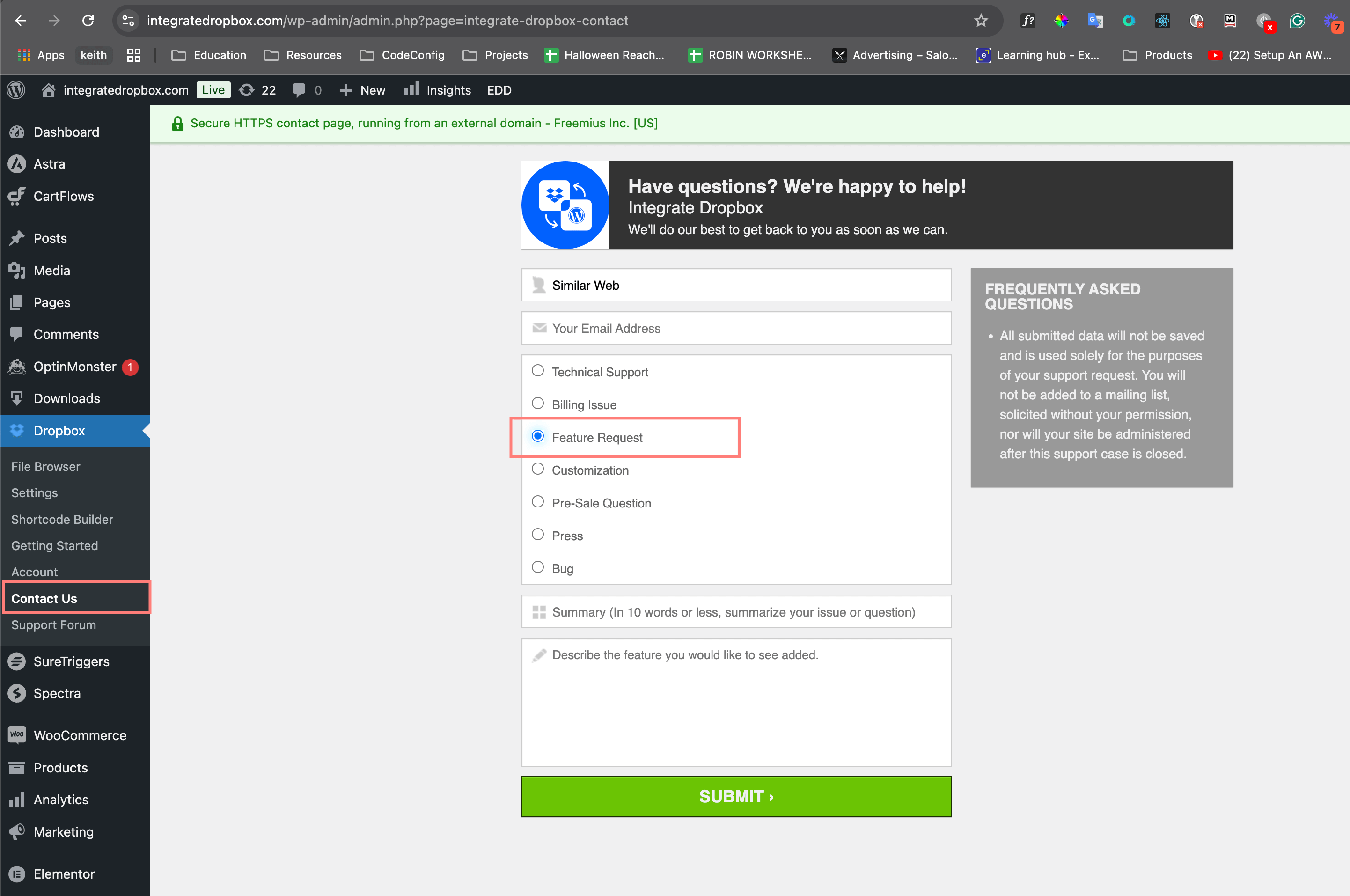
Here’s the instruction to request a feature: https://codeconfig.dev/docs/request-a-new-feature-in-integrate-dropbox/
 Forum: Plugins
In reply to: [File Manager for Dropbox] How to select bulk and move into other folders?Hi @darkseer122
Unfortunately, this features is not implemented yet. You can create a feature request. Currently, you’re able to select all files and folder to delete or use for shortcode.
Best regards
CodeConfig
Forum: Plugins
In reply to: [File Manager for Dropbox] Maximum Upload file 2 MBHi @darkseer122
Thank you for choosing Integrate Dropbox!
As a free user, you can upload files up to 2MB. For those who upgrade to the premium plan, the upload limit increases to 300MB, giving you greater flexibility for larger files.
If you have any questions or need assistance, feel free to reach out!
Sincerely,
CodeConfig
- This reply was modified 1 year, 7 months ago by codeconfig.
Hi @sketchedneo
We see your website and got an issue which is relevant to Elementor background Image. Can you use this CSS code for only Dark Mode to Adjust the styling.
.elementor-91 .elementor-element.elementor-element-1f09ccae:not(.elementor-motion-effects-element-type-background), .elementor-91 .elementor-element.elementor-element-1f09ccae > .elementor-motion-effects-container > .elementor-motion-effects-layer {
    background-color: rgb(81, 122, 36);
    background-image: url(https://www.sketchedneo.com/wp-content/uploads/2024/09/Header-BG-2NIGHT-2024final.jpg);
    background-repeat: no-repeat !important;
    background-position: center center !important;
}
Thanks for your using Dusky Dark Mode.
CodeConfigForum: Reviews
In reply to: [Dusky Dark Mode - Dark Mode for Gutenberg and Elementor] Perfect for my siteHi bramonoadi,
We are glad to hear that you’ve found a Dusky dark mode plugin that fits your needs! It’s great that the plugin offers so many cool features, and I’m especially happy to know that the image replacement feature has been so useful for you.
Thanks for sharing your experience!
Sincerly,
CodeConfig.Hello tomek88!
The shortcode builder, slider carousel, file browser, embed links, download links, and view links are already operational. Moreover, these modules are supported in both the Elementor and Gutenberg page builders. Did you encounter any issues with the plugin? I’m not sure where you checked or what you’re looking for in the plugin.
Thanks for your comment
SincerelyCodeConfig
- This reply was modified 1 year, 10 months ago by codeconfig.
Thank you for your patience and keen interest in CodeConfig. We’re delighted to hear you love our plugin, though we apologize for the inconvenience you experienced with the admin dark mode in conjunction with the Advanced Editor Tools plugin.
Your feedback is invaluable to us, and we would love to hear your thoughts on the updated version. If you could take a moment to leave a review, it would greatly inspire our team and help us continue improving our products.
Thank you for your support, and enjoy the dusky dark mode!
Best regards,
CodeConfig