codepeople

Forum Replies Created
-
Forum: Plugins
In reply to: [Calculated Fields Form] Form not showing after updateHello @akitaro
Have you deactivated the AHB plugin? I visited the form page ( https://homevetvisit.uk/?cff-form=6 ) and it was loaded properly.
Best regards.
Forum: Plugins
In reply to: [Calculated Fields Form] Form not showing after updateForum: Plugins
In reply to: [Calculated Fields Form] Form not showing after updateHello @akitaro
Does the issue persist after installing the latest Appointment Hour Booking update (9.7.84)?
Best regards.
Forum: Plugins
In reply to: [Calculated Fields Form] Form not showing after updateForum: Plugins
In reply to: [Calculated Fields Form] Form not showing after updateForum: Plugins
In reply to: [Calculated Fields Form] Form not showing after updateHello @akitaro
Thank you very much for the screenshots provided. I visited the URL to the form:
https://homevetvisit.uk/?cff-form=6
But it is not including the script tag with the
form_structure_1variable.Could you please provide the website information? You can get it through the “Tools > Site Health” menu option, and by pressing the “Save to clipboard” button in the “info” tab.
Best regards.
Forum: Plugins
In reply to: [Calculated Fields Form] Form not showing after updateHello @akitaro
The URL provided does not include any tag generated by our plugin. Please check the page source. Are you sure you inserted the form shortcode on the our-team page?
Best regards.
Forum: Plugins
In reply to: [Calculated Fields Form] Excessive Database entries in wp_options tableHello @jgee288
Thank you very much for contacting us. Actually, the
stm_ccb_form_settings_###options are not related to our plugin. Our plugin does not include any option with that structure.Best regards.
Hi,
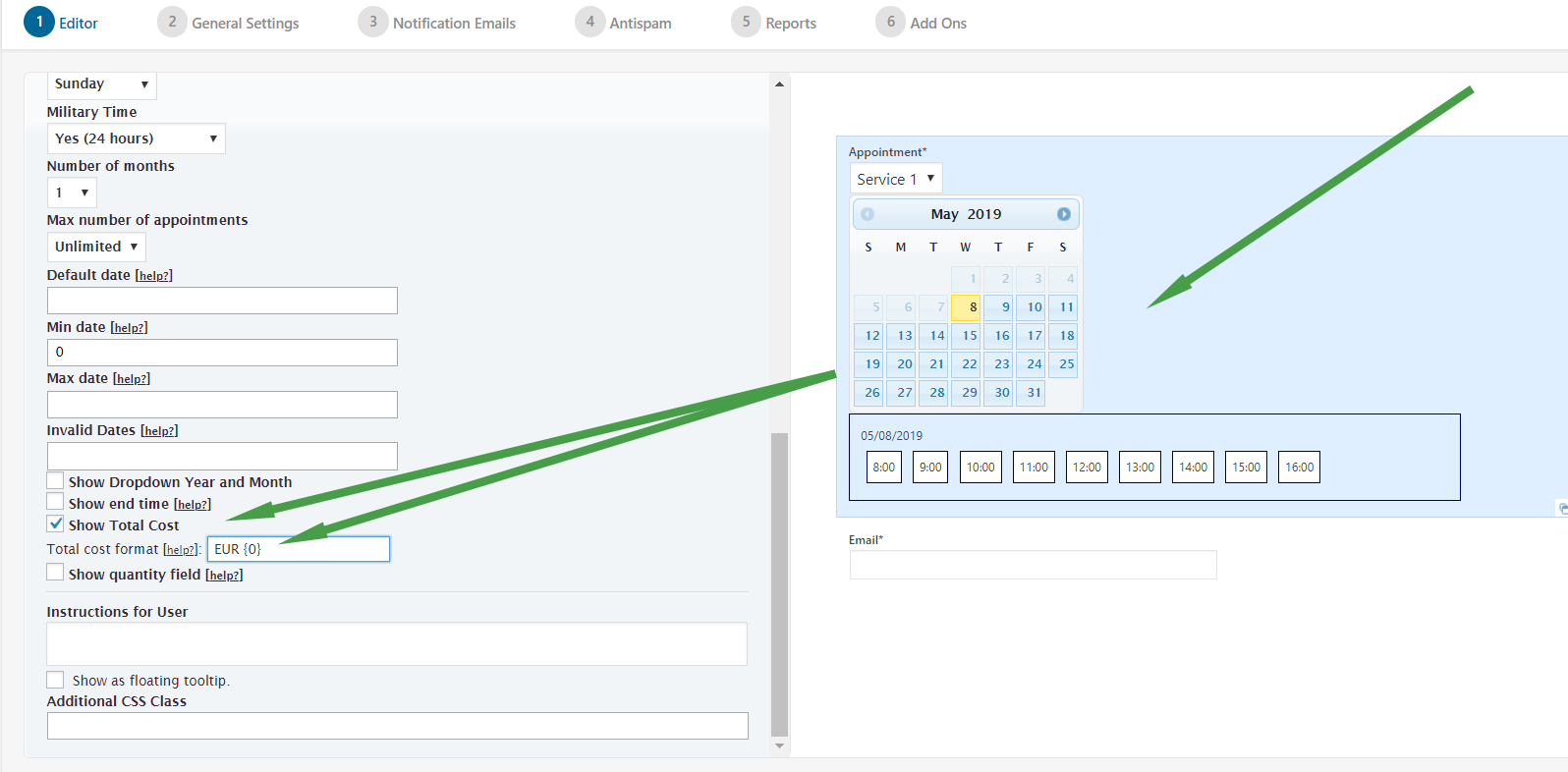
You can change the currency symbol in the following settings area:
https://apphourbooking.dwbooster.com/customdownloads/currency-setting.png
Try with:
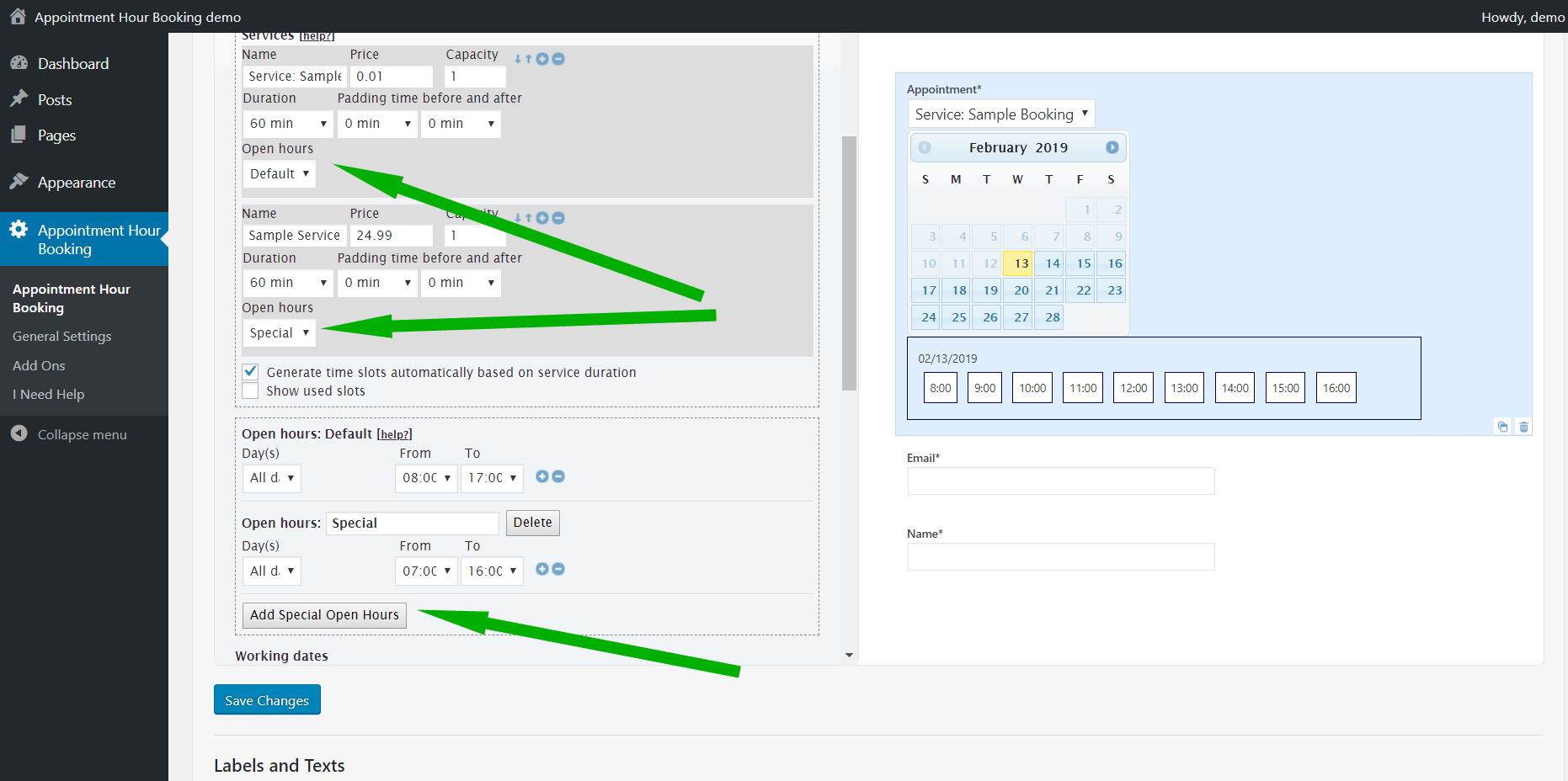
£The prices are set at the service level. You can setup different services with different times/weekdays if you have the following feature available: https://apphourbooking.dwbooster.com/images/articles/special-open-hours.png
Sharing availability between different calendars and integration with the Calculated Fields Form plugin are also available but are commercial features. We’d like to help but we can’t reply about that in this forum. We are not allowed to support any customers in these forums.
For pro or commercial product support please contact us directly on our site. This includes any pre-sales topics as well.
Commercial products are not supported in these forums. We will happily answer this and any other questions you can have on our own site.
Thank you.
Forum: Plugins
In reply to: [Contact Form Email] pop up formHi,
Try changing the “script load method” to “Direct” in the troubleshoot area of the plugin (located below the list of items in the plugin settings).
Thank you for using the plugin!
Forum: Plugins
In reply to: [WP Time Slots Booking Form] Edit booking or rescheduleHi,
That’s currently a commercial feature: https://wptimeslot.dwbooster.com/images/articles/edit-booking.png
We’d like to help but we can’t reply about that in this forum. We are not allowed to support any customers in these forums.
For pro or commercial product support please contact us directly on our site. This includes any pre-sales topics as well.
Commercial products are not supported in these forums. We will happily answer this and any other questions you can have on our own site.
Thank you.
Hello @eberkland ,
Due to the number of days you have not added any posts to the support thread, I assume you have found an answer to your issue. We will proceed to mark your thread as resolved.
Best regards.
Forum: Plugins
In reply to: [Calculated Fields Form] Assigning radio button labels with data-cff-fieldHello @eberkland
I’m sorry, I don’t know who is getVal in your form.
Remember the plugin will replace the fields’ names in the equations with their corresponding values at least you use the |n modifier with them, and you don’t need to enclose them between quotes.
Best regards.
Forum: Plugins
In reply to: [Calculated Fields Form] Assigning radio button labels with data-cff-fieldHello @eberkland
You are referring to the text of the choice. So, it is not an object, it is a string that is an item of the array of choices’ texts.
If you need a custom coding service you should contact us directly through the plugin website,.
Best regards.
Forum: Plugins
In reply to: [Calculated Fields Form] Assigning radio button labels with data-cff-fieldHello @eberkland
No, the syntax is incorrect, you must pass an object to the setChoices method where texts and values are its properties:
getField(6).setChoices({texts:['Text A', 'Text B'], values:[123, 456]});Best regards.