codepeople

Forum Replies Created
-
Forum: Reviews
In reply to: [Calculated Fields Form] Excelente pluginHello @martymcleod
Our yesterday plugin update includes an option in the default settings area (after the forms list) to activate/deactivate the submit button by default. Even you can modify its status in the existing forms.
Best regards.
Forum: Reviews
In reply to: [Music Player for WooCommerce] great and easy to useForum: Plugins
In reply to: [Calculated Fields Form] No emails from form with attachmentsHello @persoonlijkvaardiger
Thank you very much for using our plugin. I’ll try to describe first how the plugin works.
Our plugin does not send the emails itself. It calls the wp_mail WordPress function (https://developer.ww.wp.xz.cn/reference/functions/wp_mail/) and lets WordPress decide how to deliver the emails. If you have installed and configured an SMTP connection plugin on your website, WordPress will try to send the notification emails via the SMTP server or the PHPMailer module in the web server. So, the possible causes of the issue are:
- The emails are sent but you have a rule in the email client application to reject emails with attachments.
- You have installed and configured an SMTP connection plugin, but your SMTP server includes a rule to ignore emails with attachments.
- You have not installed an SMTP connection plugin, but the web server rules do not support sending emails with attachments.
For these cases, you have an alternative. Select the “No” option for the “Include attachments?” attribute in the form settings, and include a link to the file in the notification email. For example, if the “Upload File” on your form is the fieldname123, you can include links to the uploaded files in the notification email by entering the tag:
<%fieldname1_urls in_tag={{img}}%>Learn more about the fields and informative tags supported by the notification emails by visiting the following link:
https://cff.dwbooster.com/documentation#special-tags
Another possible cause of the issue is related to the file type. Our plugin validates and sanitizes all the information received from the browser, including the uploaded files. If you allow uploading files via the form not accepted by WordPress, the plugin will remove them.
If you want force to your website to accept files not accepted by WordPress, you must activate the “Upload addIf you want to force your website to accept files not allowed by WordPress by default, you must activate the “Upload add-on” plugin, distributed with the plugin Platinum version, and configure these extensions in the add-on settings:
https://cff.dwbooster.com/add-ons/upload#begin
Best regards.
Forum: Plugins
In reply to: [Calculated Fields Form] Is it possible for the height to be automatic?Hello @klingbeil,
Thank you very much we will respond to your email from our website. However, it is not a general problem. The main purpose of the plugin is to generate forms for a WordPress based website, not to distribute the form to third party domains.
Best regards.
Forum: Plugins
In reply to: [Calculated Fields Form] Keeps logging users outHello @persoonlijkvaardiger
Thank you very much for letting us know the modification solved the issue on your website.
Our code check if the session was not created previously before creating it. The complete code is:
if ( session_id() == '' && ! headers_sent() ) {
  @session_start();
}
So, I guess another plugin on your website calls the session_start after our plugin, but without checking if the session was started previously.
Best regards.
Forum: Plugins
In reply to: [Calculated Fields Form] Is it possible for the height to be automatic?Hello @klingbeil,
As we described in the previous entry, to embed the form in third-party websites’ domains and adjust the iframe tags dynamically, you must include the iframe tag with an additional script block (not only the iframe). The script block must implement an event listener for the message event that will adjust the iframe height when it receives the height from the form. So, the form must send a “postMessage” to the parent with the form height.
If you need us to implement this code for you, do not hesitate to contact us through the plugin website:
https://cff.dwbooster.com/customization
Bet regards.
Forum: Plugins
In reply to: [Data Source for Contact Form 7] get a list of events, but just next eventsHello @stefanoulivieri,
Please note your query gets posts created today, not the events that will occur today. If there are published posts on your website related to the term with id 352, please remove the
post_date >= CURDATE()component from the query.[cf7-recordset id="post-data" type="database" engine="mysql" query="SELECT post_title, guid FROM {wpdb.posts} LEFT JOIN {wpdb.term_relationships} ON ({wpdb.posts}.ID = {wpdb.term_relationships}.object_id) WHERE post_status='publish' AND post_type='tribe_events' AND {wpdb.term_relationships}.term_taxonomy_id=352 ORDER BY post_date DESC"]Best regards.
Forum: Plugins
In reply to: [Calculated Fields Form] custom price not capturedHi,
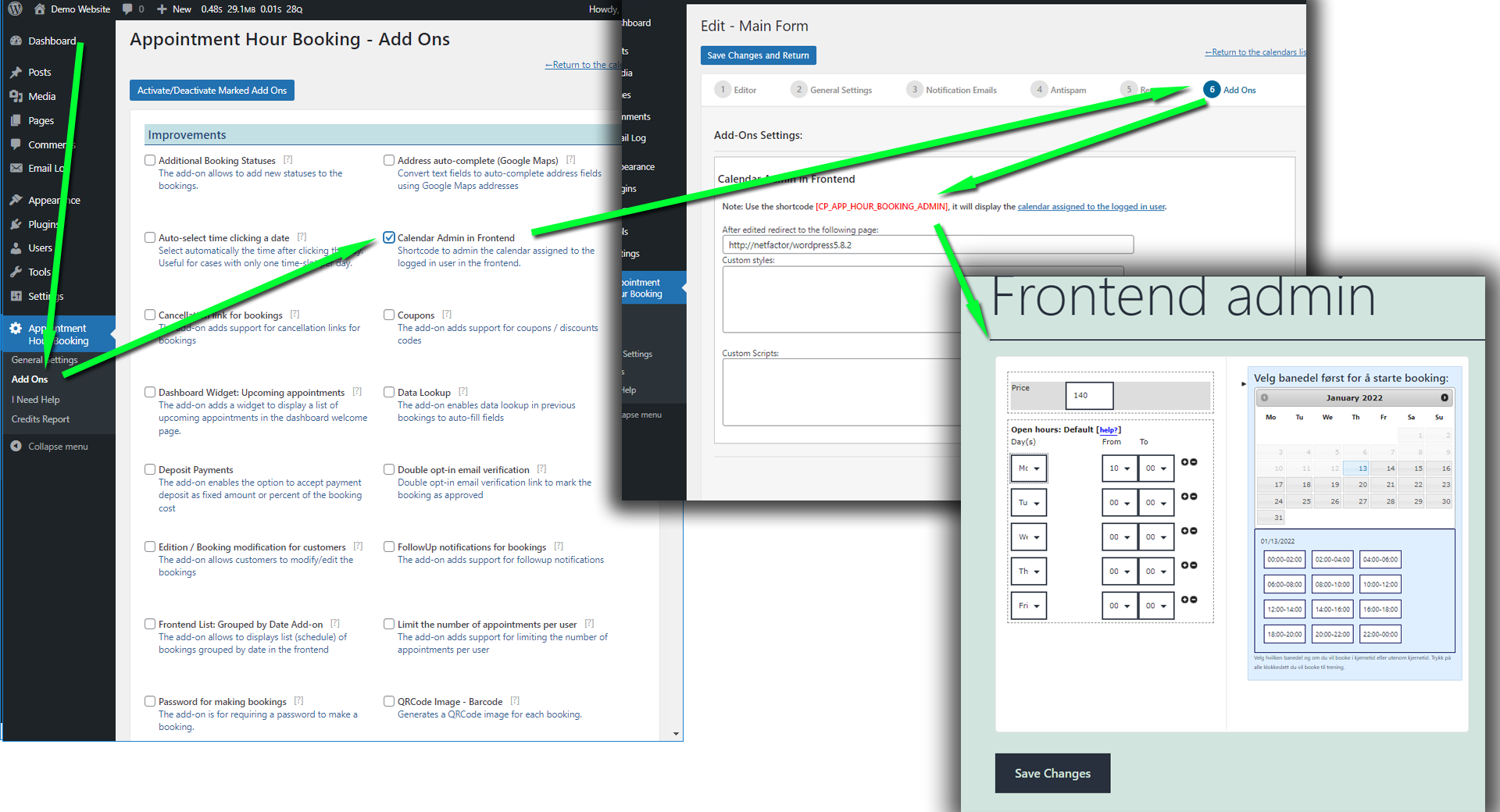
There are solutions for this case of use in the commercial version of the plugin (ex: https://apphourbooking.dwbooster.com/customdownloads/calendar-admin-in-frontend.png). We’d like to help but we can’t reply about this in this forum. We are not allowed to support any customers in these forums.
For pro or commercial product support please contact us directly on our site. This includes any pre-sales topics as well.
Commercial products are not supported in these forums. We will happily answer this and any other questions you can have on our own site.
Thank you.
Forum: Plugins
In reply to: [Data Source for Contact Form 7] get a list of events, but just next eventsHello @stefanoulivieri
The query structure is correct, but you have probably no items that satisfy the filtering conditions.
Your query should return published entries with tribe_events post type, that are associated with a term with ID=352, and were created today (post_date >= CURDATE())
Best regards.
Forum: Plugins
In reply to: [Calculated Fields Form] Keeps logging users outHello @persoonlijkvaardiger
Thank you very much for using our plugin. It is the first time that issue is reported.
Could you please follow the steps below and let me know if the issue persists?
- Open the “/wp-content/plugins/calculated-fields-form/inc/cpcff_session.inc.php” file with the text editor of your choice.
- Go to the snippet of code below:
@session_start();and comment is as follows:
// @session_start();Please let me know if the issue persists.
Best regards.
Forum: Plugins
In reply to: [Calculated Fields Form] Suggestion RequestHello @fibbu
Please note that the main plugin’s purpose is not to embed forms in third-party domains. The feature you request requires other modules, like protecting the forms to allow embedding them only on specific websites. A module like this needs generating, storing, and invalidating API keys. With iframe tags, you can control the access via server rules. We will analyze your recommendation to implement a complementary plugin in the https://cff-bundles.dwbooster.com/ website.
Best regards.
Hi there! I’m sorry. Unfortunately, we can’t assist with your question in this forum. The answer to your question is yes. However, forum rules do not allow supporting customers, and the DS fields are a commercial feature.
For professional or commercial product support, please contact us directly on our website. That also includes any pre-sales topics.
Commercial products are not supported in these forums. We will happily answer this and any other questions you can have on our own site.
Thank you.
Forum: Plugins
In reply to: [Calculated Fields Form] Suggestion RequestHello @fibbu
Thank you very much for using our plugin and the improvement suggestions. However, your affirmation is not entirely true. The iframe tags are supported by every modern browser. You can check the compatibility by visiting the following link:
https://developer.mozilla.org/en-US/docs/Web/HTML/Element/iframe#browser_compatibility
However, you must configure your server to allow your website pages can be embedded into iframe tags from third-party website’s domains.
Best regards.