codepeople

Forum Replies Created
-
Hello @asmaahmedd
Thank you very much for using our plugin.
If the equation result is too long text for the calculate field’s box, you can use it as an auxiliary but display its value in another place.
For example, assuming the calculate field’s name is fieldname123.
Insert an “HTML Content” content field in the form and enter a DIV tag in its content with the
data-cff-fieldattribute indicating the name of the field to use:<div data-cff-field="fieldname123"></div>The
data-cff-fieldattribute tells the plugin, please display the field’s value as this tag’s content (in this hypothetical case, the value of the calculated field fieldname123).Finally, as the calculated field is used as an auxiliary, you can hide it by ticking a checkbox in its settings.
Best regards.
Forum: Reviews
In reply to: [Music Player for WooCommerce] ExcelenteHello @peopleinside
Done !!!!
Forum: Plugins
In reply to: [Calculated Fields Form] Щоб речення було в одному рядкуHello @doradvokat
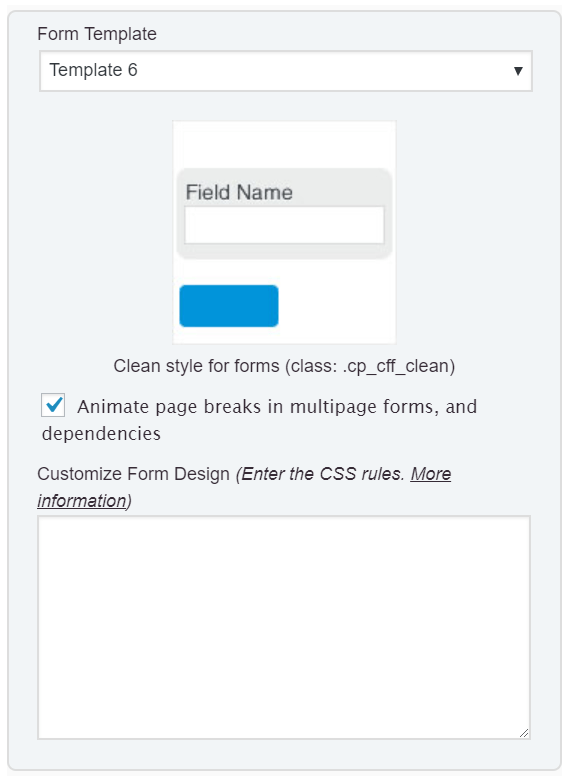
My apologies for the confusion. In this case, you can expand the label area and reduce the area of the input boxes via CSS. Please enter the style definition below through the “Customize Form Design” attribute in the “Form Settings” tab:
@media print, screen and (min-width: 640px) {
#fbuilder .right_aligned .fields:not(.section_breaks)>label:not(:empty), #fbuilder [id*="fieldlist"]:not(.right_aligned) .right_aligned.fields:not(.section_breaks)>label:not(:empty) {
        width: 60% !important;
    }
    #fbuilder .right_aligned .fields label:not(:empty) + .dfield, #fbuilder [id*="fieldlist"]:not(.right_aligned) .right_aligned.fields label:not(:empty) + .dfield {
        width: 40% !important;
    }
}
Best regards.
Forum: Plugins
In reply to: [Calculated Fields Form] Щоб речення було в одному рядкуHello @doradvokat
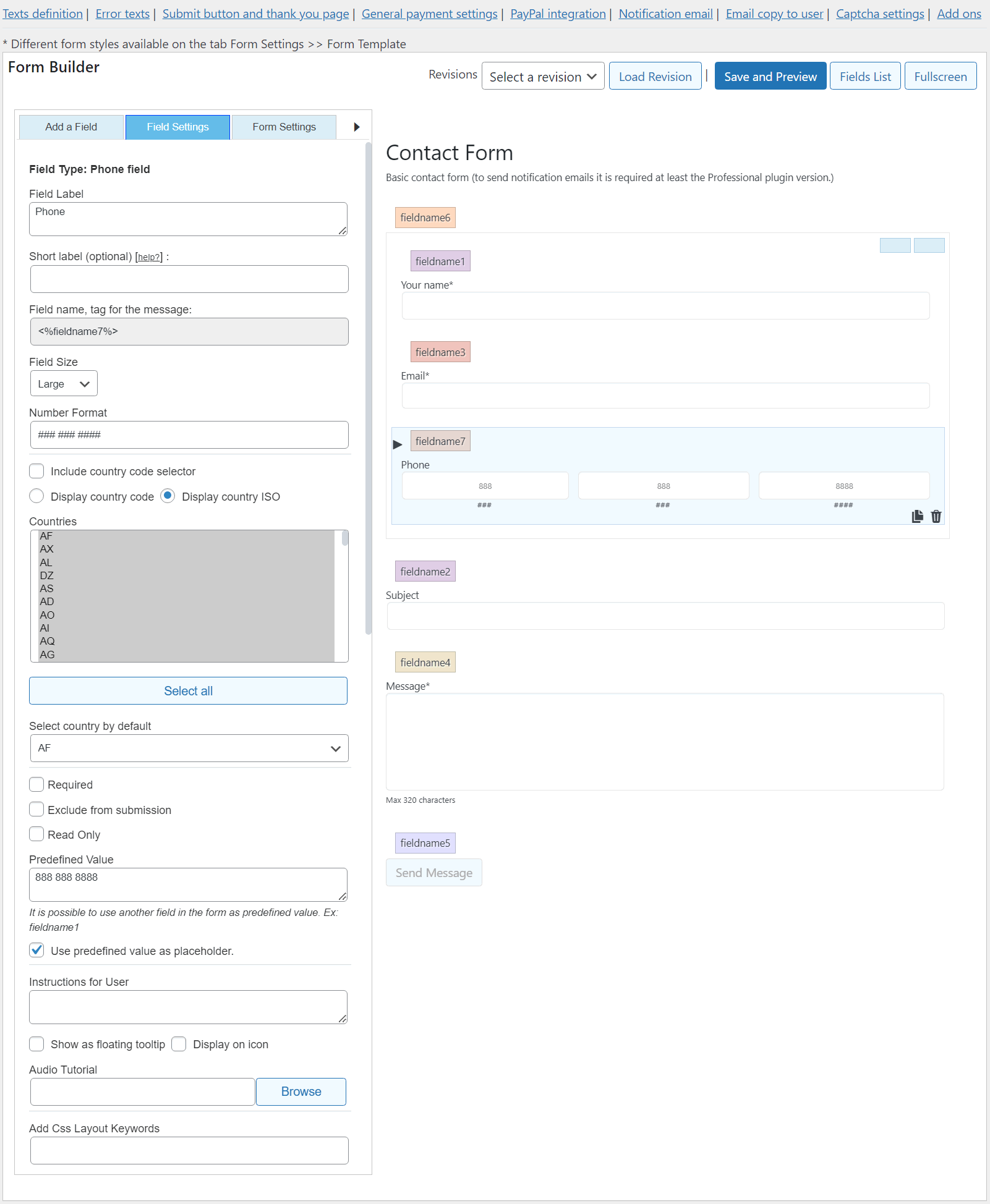
Please select the “Large” option for the “Field size” attribute in the fields settings.
Ex.
Best regards.
Hello @radovand
Yes, the process would be the same for radio buttons, and checkboxes. You need to assign the choices’ values with a piece of code similar to the code I entered in the previous entry through an auxiliary field. It can be a calculated field or an “HTML Content” field.
If you prefer we implement this process in your form, you can contact us through the plugin website.
Best regards.
Hello @nikketrikke
The code you’re referring to is not part of the plugin and requires our plugin to render third-party shortcodes. As we say in the forum thread you mentioned, we can’t guarantee the code blocks generated by third-party shortcodes don’t break the form structure.
If you want to use a WooCommerce product price in your calculations and link the definitive price to the product in the WooCommerce cart and orders, you can enable the “CFF – WooCommerce” add-on. This add-on is included in the Developer and Platinum distributions of the “Calculated Fields Form” plugin.
Learn more about the “CFF – WooCommerce” add-on by reading the following blog post:
https://cff.dwbooster.com/blog/2018/11/26/woocommerce
Best regards.
Forum: Plugins
In reply to: [Calculated Fields Form] Щоб речення було в одному рядкуHello @doradvokat
Could you please provide the link to the page containing the form and indicate the text you mentioned? Our plugin does not split the sentences by a predefined number of words. It adjusts the form’s width to its container.
Best regards.
Forum: Plugins
In reply to: [Calculated Fields Form] Щоб речення було в одному рядкуHello @doradvokat
Thank you very much for using our plugin. What do you mean exactly? Are you referring to the value in a calculated field?
The calculated fields use input tags to display the results. If the equation result is too long for the calculated field, you can use it as an auxiliary field, but display the result in a different place.
If this is the case, and assuming the calculated field’s name is fieldname123, you can insert an “HTML Content” field in the form with a tag in its content to display the result:
<span data-cff-field="fieldname123"></span>And finally, you can hide the calculated field by ticking a checkbox in its settings.
Best regards.
Hi! We’d like to help but we can’t reply about that in this forum. We are not allowed to support any customers in these forums.
For pro or commercial product support please contact us directly on our site. This includes any pre-sales topics as well.
Commercial products are not supported in these forums. We will happily answer this and any other questions you can have on our own site.
Thank you.
Hello @radovand
Thank you very much for using our plugin. The checkbox fields include the setChoices methods. The parameter of the setChoices method is an object with “texts” and “values” properties. So, you can insert a calculated field that contains as part of its equation a piece of code similar to:
getField(fieldname3|n).setChoice({values:[10, 100, 1000]});But replacing the values with the fields’ names.
If you need a custom coding service to implement this feature on your form, you can contact us through the plugin website: Contact Us
Best regards.
Forum: Plugins
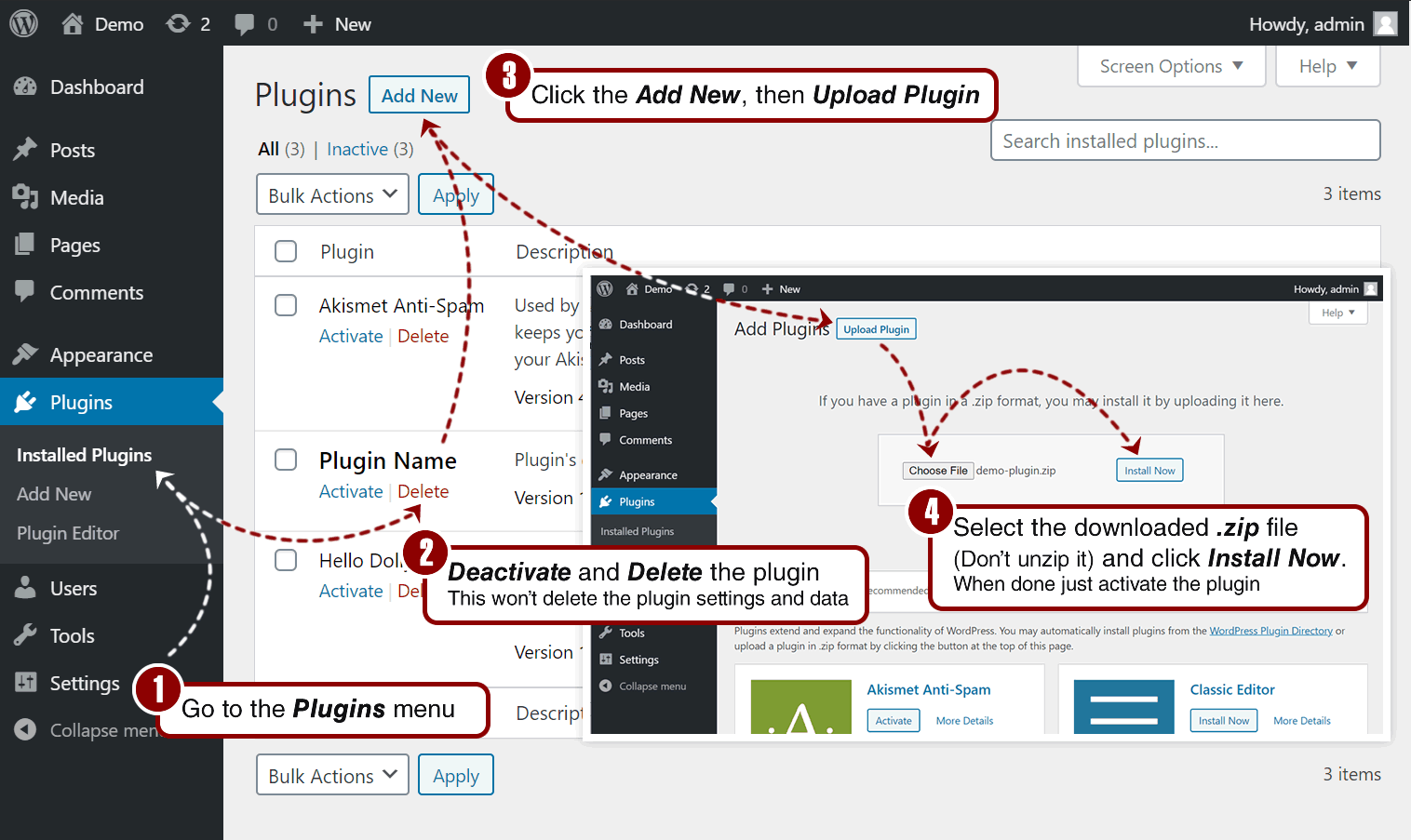
In reply to: [Appointment Hour Booking - Booking Calendar] Upgrade to proHi! Install it this way: https://wordpress.dwbooster.com/help/installation-process.png
We’d like to help more but we can’t reply about that in this forum. We are not allowed to support any customers in these forums.
For pro or commercial product support please contact us directly on our site. This includes any pre-sales topics as well.
Commercial products are not supported in these forums. We will happily answer this and any other questions you can have on our own site.
Thank you.
Hello @peopleinside
My apologies for the delay in responding to your questions. We have released a plugin update that identifies mailto and tel links to exclude the loading screen in those cases. In addition, the new version of the plugin allows you to assign the class name
no-loading-screento those links where you want to deactivate the loading screen on the origin page.Best regards.
Hello @peopleinside
Thank you very much for the feedback. I’ll implement the solution and release a plugin update.
Best regards.
Hi,
That’s a conflict with the theme styles. To correct that add the following CSS:
.availableslot a { color: black !important; font-size: 100% }

#fbuilder a {font-size: 100% !important; }
Add the needed styles through the “Customize Form Design” attribute in the “Form Settings” tab.
Remember to clear the cache after adding the styles to see the result.
Thank you for using the plugin!