codepeople

Forum Replies Created
-
Forum: Plugins
In reply to: [Appointment Hour Booking - Booking Calendar] Can’t see the services dropdownHi,
Go to the following settings area:
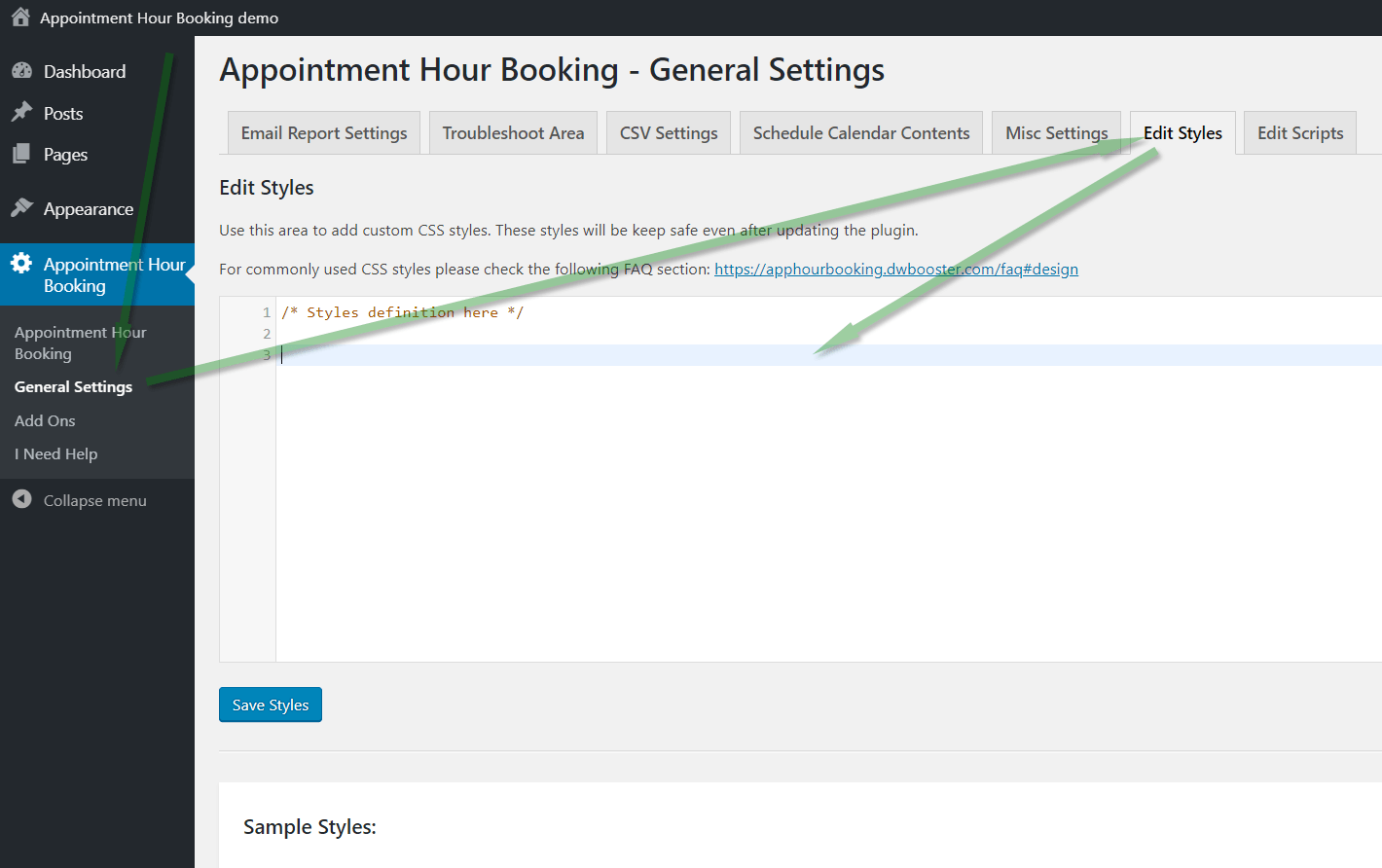
… and remove the line that says:
.ahbfield_service { display: none }Remember to clear the cache after that modification.
Thank you for using the plugin!
Forum: Plugins
In reply to: [Appointment Hour Booking - Booking Calendar] Absage email wird nicht versandHi,
Please check the following solution:
https://apphourbooking.dwbooster.com/blog/2018/12/27/status-update-emails/
Thank you for using the plugin!
Hi,
Check the following settings area:

https://apphourbooking.dwbooster.com/customdownloads/email-settings.png
Check specifically the “Destination email” settings field.
Thank you for using the plugin!
Forum: Plugins
In reply to: [Appointment Hour Booking - Booking Calendar] Missing time slicesHi,
Please read the following information about the configuration affecting that behavior:
https://apphourbooking.dwbooster.com/blog/2019/07/25/book-multiple-services-timeslot/
Thank you for using the plugin!
Thank you very much for the review!
Best regards.
Forum: Plugins
In reply to: [Appointment Hour Booking - Booking Calendar] E-mail contentHi,
You can use conditional code with blocks. For example:
%app_date_2_block% ...content here... %app_date_2_endblock%Blocks are valid for the supported tags and for the field IDs you can locate this way:
https://apphourbooking.dwbooster.com/customdownloads/field-ids-tags-form-builder.png
Thank you for using the plugin!
Forum: Plugins
In reply to: [CP Contact Form with PayPal] CP Contact Form with PayPal – email not sentHi,
That points to an email delivery issue in the email server or to missing SPF / DKIM email authentication.
To confirm this I recommend you to install a free WordPress email log plugin, these type of plugins will register every email sent from WordPress to the email server and you can detect this way on which side the email is being lost.
The result of that test probably will point to an email delivery issue in the email server, the options to deal with this type of issue are (one of the following):
Option 1: Contact the hosting support service indicating which email was lost (you will get this info form the email logs) and asking them why the server didn’t deliver that email.
Option 2: If the hosting support service isn’t helpful you can opt for using an external email delivery service, like a Gmail account connected through a WordPress SMTP plugin.
Please check that and let me know any comments.
Forum: Reviews
In reply to: [Appointment Hour Booking - Booking Calendar] Very UsefulThank you very much for the review!
Best regards.
Hi,
If possible please provide a screenshot showing the exact location where you are inserting the character and displaying also the character.
Note: Changing the charset to UTF-8 in the General Settings >> Troubleshoot area is a solution if the origin of the problem is the database charset/encoding.
Thank you for the feedback!
Hi,
The problem is Chrome is related to the Autoptimize script optimizations. Check with the browser in incognito mode (not logged in the dashboard area) to confirm.
The integration with WooCommerce has to be made this way (required additional add-on available in the commercial version of the plugin):
https://apphourbooking.dwbooster.com/blog/2018/10/30/appointment-form-with-woocommerce/
Thank you for using the plugin!
Forum: Reviews
In reply to: [WP Time Slots Booking Form] Testing for our site: Looks very effective!Thank you very much for the review!
Best regards.
Forum: Plugins
In reply to: [Appointment Hour Booking - Booking Calendar] Block upcoming appointmentsHi,
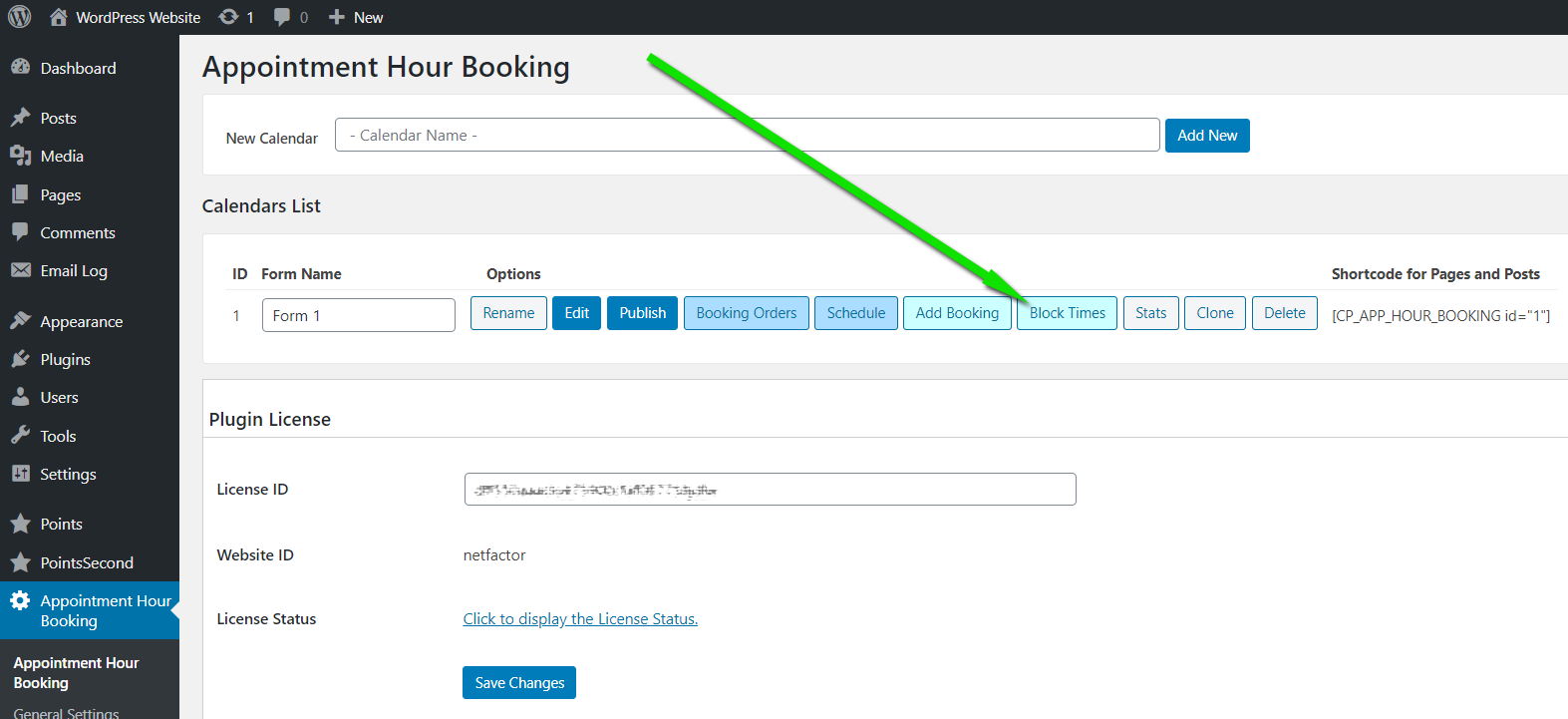
Ways to block dates / times:
For blocking times: https://apphourbooking.dwbooster.com/customdownloads/block-times.png
For blocking whole dates or a range of dates: https://apphourbooking.dwbooster.com/customdownloads/invalid-dates.png
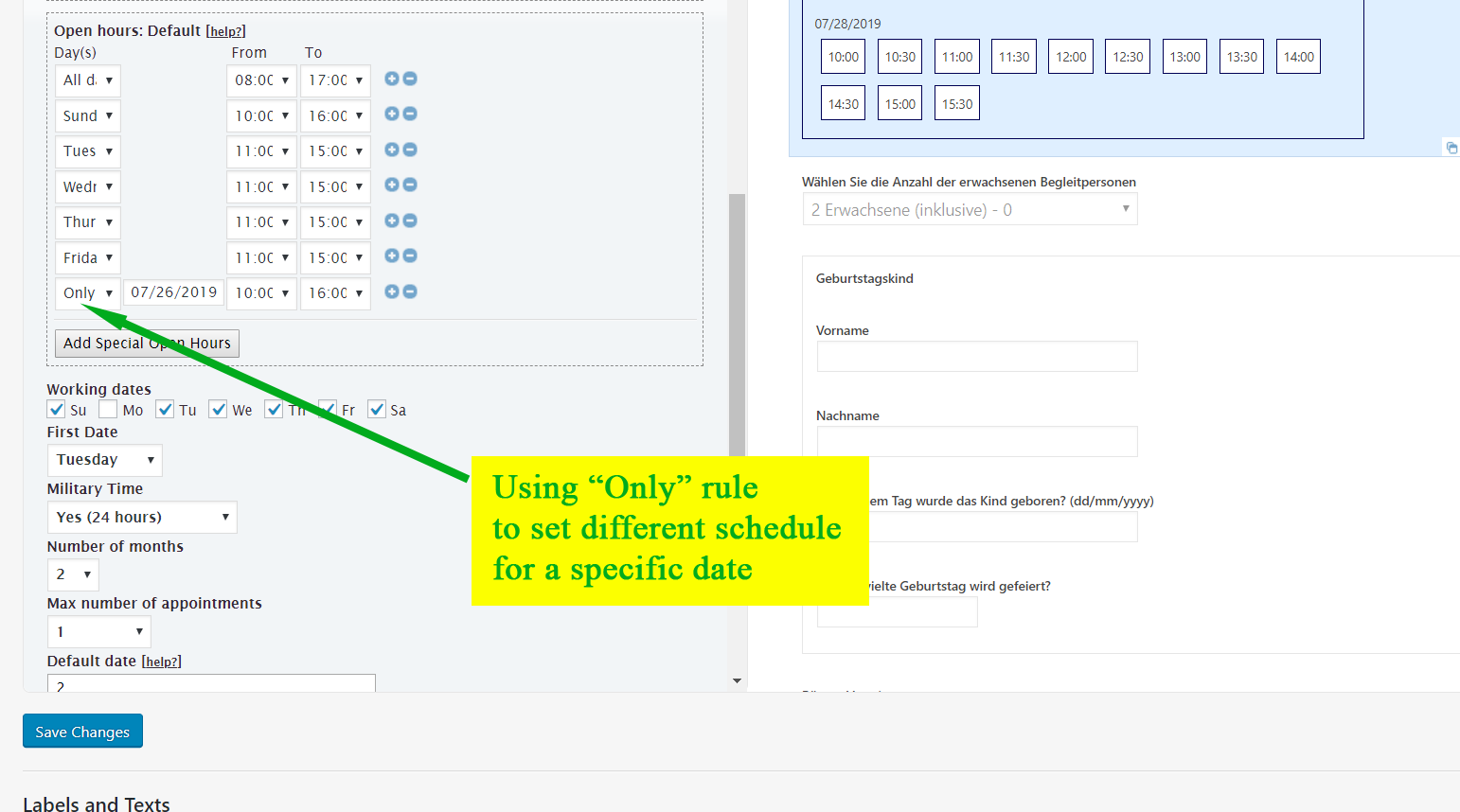
For defining a different schedule for specific dates:
https://apphourbooking.dwbooster.com/customdownloads/only-date-rule.pngThank you for using the plugin!
Forum: Plugins
In reply to: [Appointment Hour Booking - Booking Calendar] E-mail contentHi,
Replace the tag %INFO% with the tags for the specific info you want to include in the email.
Supported tags: https://apphourbooking.dwbooster.com/faq/#q81
Thank you for using the plugin!
Forum: Plugins
In reply to: [Appointment Hour Booking - Booking Calendar] E-mail contentHi,
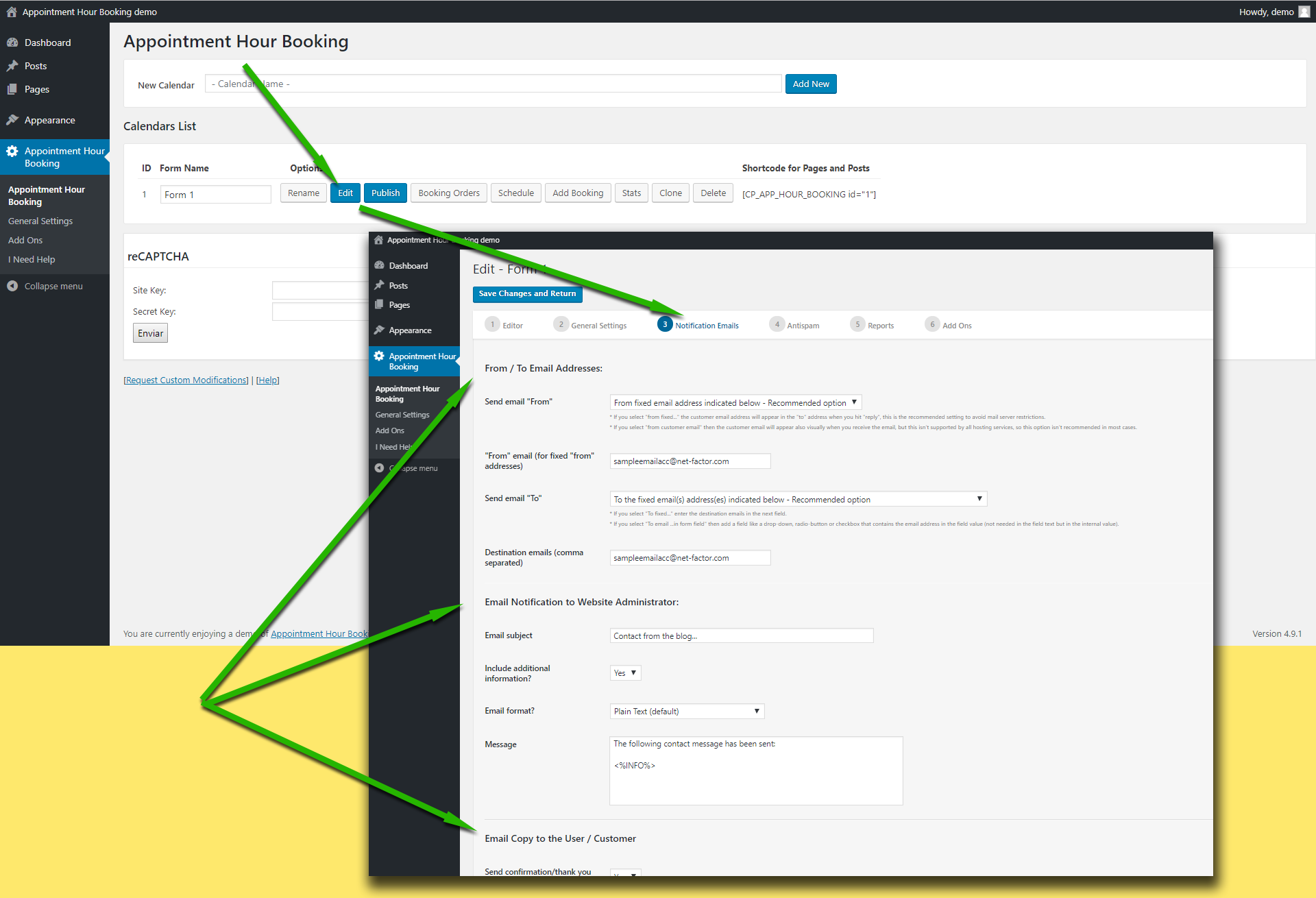
Use the following settings area to edit the email settings, including the email header/contents:
Thank you for using the plugin!
Forum: Plugins
In reply to: [Appointment Hour Booking - Booking Calendar] Blocking Time not workingHi,
If the service has multiple capacity, be sure to block the complete capacity of the time-slot.
Please check that and let me know any comments.
Thank you for using the plugin!