Ross Morsali

Forum Replies Created
-
Forum: Plugins
In reply to: [Search & Filter] No results shown after submitHey Niels
That does seem strange, and the code I gave you with the
exitreally should have prevented a page from loading at all (once you submit the form).. so if it refreshes it does seem wierd.I can login for you if you like and double check the results of the suggestions I made above?
If you’re happy for me to do that send me a message on our contact form with your login details – http://www.designsandcode.com/contact/
I recommend creating a new user to allow me access and then removing it once I’ve finished (as you always should when sending out dev access to other people)…
Thanks 🙂
RossForum: Plugins
In reply to: [Search & Filter] No results shown after submitYeah its a hard one to track down, I still think I’m on to something with that error though, its probably just in your theme…
Try the following steps to see if you can see what the error might be:
In the Search & Filter plugin folder, edit the file
search-filter.php..Head to around line 630 for the
check_posts()function…At the bottom of that function line 1059 there is the line:
wp_redirect((home_url().$this->urlparams));replace this with
exit;Now when you submit the search form you will see a blank page, and any errors if there are any…
Let me know what you see?
Forum: Plugins
In reply to: [Search & Filter] No results shown after submitNo thats fine, the plugin doesn’t try to load any template file – it will display on whatever template is being used by your theme.
The problem is definietely something to do with the redirection after the form is submitted – the url will always change no matter your settings (to include at least a “?s=” to your url)…
Is it possible that the form is enclosed inside another form tag?
Forum: Plugins
In reply to: [Search & Filter] No results shown after submitHey Niels
I’ve seen problems like this before, and its normally to do with a site problem.
Let me try to explain:
When you submit the form, the form is submitted as $_POST, the plugin grabs all the data, makes an appropriate URL and redirects the user.
When there is an error in a site, this can sometimes cause problems with the plugin because errors are displayed before the plugin is allowed to do the redirect (you probably dont see this message) so it just does a refresh of the current URL/page…
I normally use a debugging tool like debug bar, while logged in as an admin, this plugin will help you see any of the errors that are being generated – you must fix those errors and allow the plugin to redirect :/
A link to the debug plugin – https://ww.wp.xz.cn/plugins/debug-bar/
Let me know your findings, and if the errors are still related to the plugin I will of course do some further investigating 🙂
Forum: Plugins
In reply to: [Search & Filter] Filtering without submit button?Yeah you can…
Depends on what you are using
If you are using checkboxes/radio then children are wrapped in a
ULso you would do something like:.searchandfilter ul li ul li { /* these are child list items */ background-color:#cc0000; }If you are using select/multiselect, there are
depthclasses added to each option to determine if an item is a child ,so you should be able to target these (something like “depth-1”, “depth-2” etc, depending on hierarchy structure).Forum: Plugins
In reply to: [Search & Filter] adding class or ID to submit button for stylingHey okiedokeymc, you can’t add a class a class to the button but you can quite easily target it like:
.searchandfilter input[type=submit]
{
    /* styles here */
}
And you can add a class to the search form so you could do
.yourclass input[type=submit]
{

}
Thanks 🙂
Forum: Plugins
In reply to: [Search & Filter] Filtering without submit button?Hey CrioSciento, did you check out the pro version of our plugin yet?
http://demo.designsandcode.com/searchandfilterpro/product-search/
This does exactly what you need…
Also see this forum post, maybe you don’t need Ajax and are happy with a page refresh 🙂
http://ww.wp.xz.cn/support/topic/auto-submit-on-select?replies=4
Forum: Plugins
In reply to: [Search & Filter] Results PageNo problem 🙂
Forum: Plugins
In reply to: [Search & Filter] Results PageHey C8W, this is defined by your blog, in your dashboard go to your settings -> reading -> “Blog pages show at most”
🙂
Forum: Plugins
In reply to: [Search & Filter] Search multiple categories and tagsPS we have just released a pro version if you’re interested 😉 http://www.designsandcode.com/wordpress-plugins/search-filter-pro/
Forum: Plugins
In reply to: [Search & Filter] Search multiple categories and tagsYeah you would have thought I would have thrown in a
strtolowerin there somewhere right? haha..Forum: Plugins
In reply to: [Search & Filter] why my search menu was blank in options?Marking as resolved due to inactivity
Forum: Plugins
In reply to: [Search & Filter] Search multiple categories and tagsOh dear this is so simple it hurts haha!
Operators need to be lowercase…..!!!!
[searchandfilter fields="search,rubriken,ausstattung" types=",checkbox,checkbox" headings=",Kategorien,Ausstattung" operators=",or,or" search_placeholder="Suchbegriff..." submit_label="filtern"]AAArrggghhh
Forum: Plugins
In reply to: [Search & Filter] basic vs pro?Hey threeaz
Just like I listed the pro features on this plugin homepage these are the pro features:
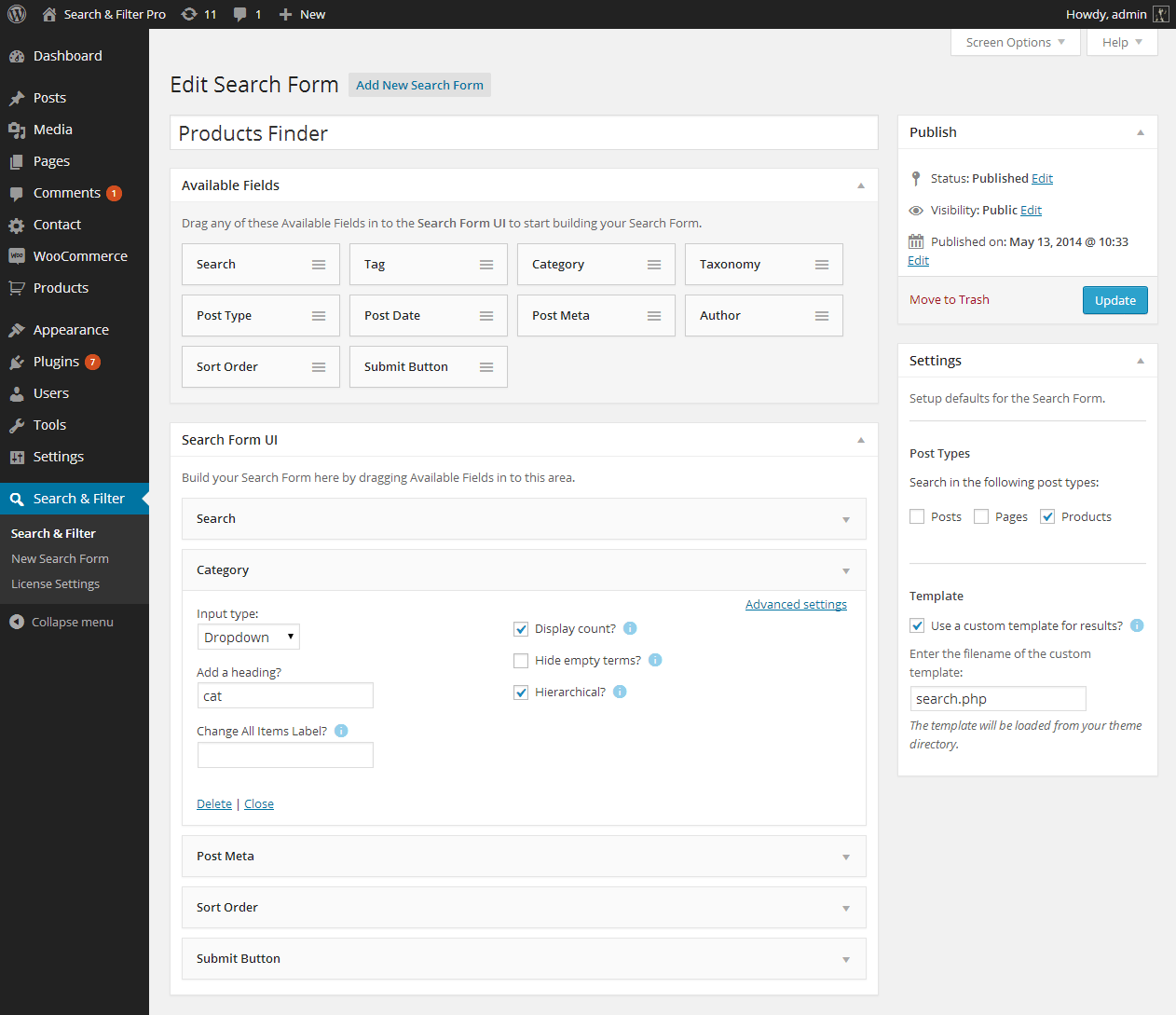
- Search Custom Fields, Post Meta, Authors, Post Dates, Post Types, Taxonomies, Tags, Categories (bold fields are exclusive to pro version or have improved UI elements for display)
- Use AJAX to display results – no more page reloading!
- jQuery range slider & date pickers
- Drag & Drop editor/form builder
Use custom templates for results pages - Use for your online shop – tested and compatible with WooCommerce, WP eCommerce, Easy Digital Downloads
- Place anywhere in your themes and posts using shortcodes and widgets
- Works with WPML
- Extremely easy to use admin UI, fully integrated with WP 3.8+ – looks native
- Dedicated Support
The basic version allows you to:
- Search Post Types, Post Dates, Taxonomies, Tags, Categories
- No drag & drop form builder – everything must be constructed in a shortcode (see docs – http://docs.designsandcode.com/search-filter/)
- No Ajax
- No jQuery date picker/range slider
- Compatibility not guaranteed with WooCommerce & other eCommerce products
- No custom template or URL can be defined for search results
See the link to the pro homepage 🙂 http://www.designsandcode.com/wordpress-plugins/search-filter-pro/
If you have any more questions just let me know! I’m in the process of adding video tutorials to the pro docs so how everything works should become a lot more clear.
Thanks
Forum: Plugins
In reply to: [Search & Filter] Search multiple categories and tagsThanks or the link 😀 Will help, can you paste your whole shortcode here pls?
🙂