dran2013

Forum Replies Created
-
Forum: Themes and Templates
In reply to: [Virtue] Variations not showing on front endand that worked! thank you so much!!
Forum: Themes and Templates
In reply to: [Virtue] Variations not showing on front endHi there,
Thanks for your response!
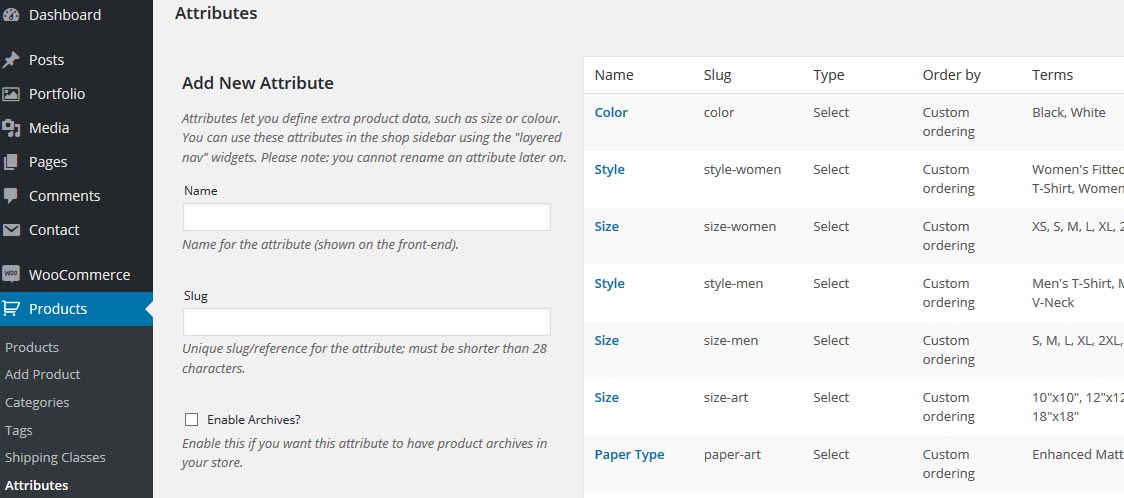
So I have a lot of similar products so I created Attributes here for common attributes:
http://moshfox.com/caps/woo01.jpg
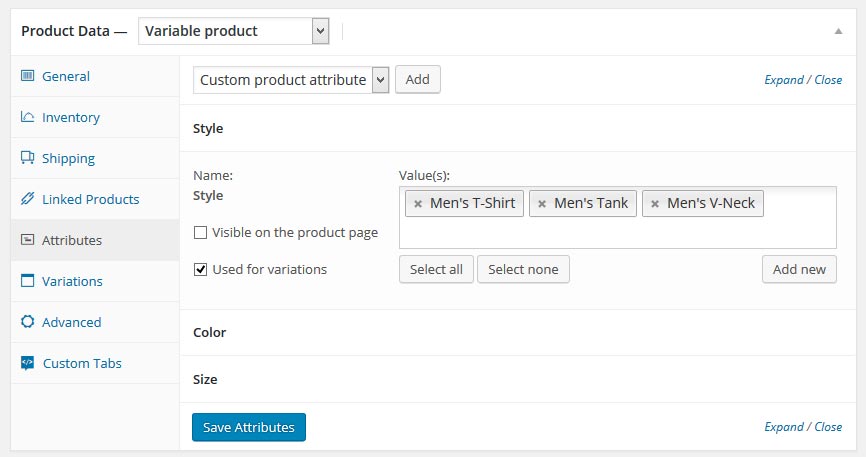
And I pull it into the product data on the product page and it looks like this:
http://moshfox.com/caps/woo01b.jpg
When I do this, it works great on the front end. Here’s an example of a product that is displaying properly:
http://moshfox.com/shop/i-cant-adult-today-mens-t-shirt-3-styles/
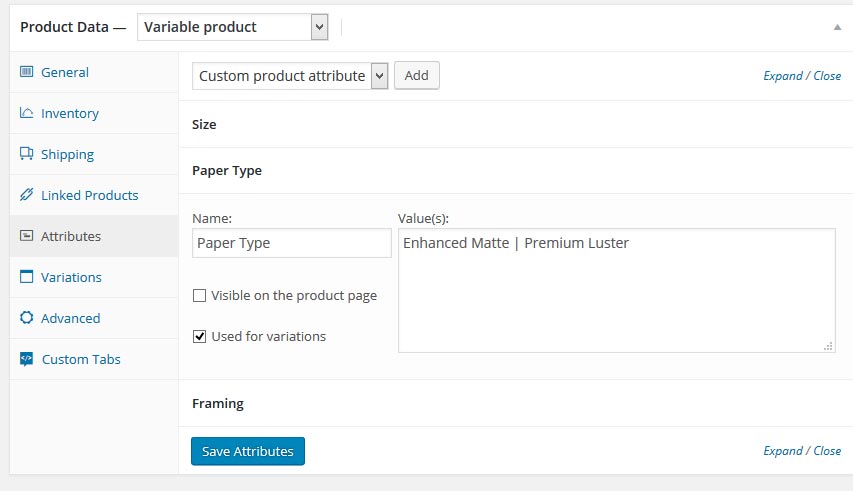
I have a lot of other products that vary too much in attributes, so these I manually added the attributes on the product data of the product page like this:
http://moshfox.com/caps/woo02.jpg
However, all the product pages like this do not show the variations on the front end (prices are added, variations enabled), like this:
http://moshfox.com/shop/strawberry-summer-fun-poster/
I would hate to have to go back and create Attribute records for every product that varies, so was wondering why manual input doesn’t work, and hope there’s a workaround or maybe I’m missing something.
I really love this theme! Had no other issues. Any help is greatly appreciated, thanks again!
Forum: Plugins
In reply to: [BuddyPress Activity Privacy] privacy dropdown scrollingyes and no. I went back to the default size for form boxes and buttons to fit the privacy dropdown because I couldn’t find where in the files to increase the size of the area it is located. Back to default buttons, couldn’t style the buttons how I wanted without the scrolling effect.
Forum: Plugins
In reply to: [BuddyPress Activity Privacy] privacy dropdown scrollingI’m sorry, you are right. When I used the theme it was fine, but I made all the buttons bigger with CSS throughout BuddyPress and now I see that is what caused it to start scrolling. In the thread I linked to above, you made a fix for this area to be wider (already included in the latest version of Activity Privacy), I tried increasing the size in the code even further to allow more space for the bigger buttons but it didn’t work. Where should I try to increase this area to accommodate the larger buttons? I found the original BP buttons to be small and they crowded and overlapped as I added plugins that created buttons for the Members Directory and profile areas, so I also increased the padding and margins. Thank you so much for looking into this and for all your help!
Forum: Plugins
In reply to: [BuddyPress Activity Privacy] privacy dropdown scrollingMesocolumn theme