edwardsmark

Forum Replies Created
-
Forum: Plugins
In reply to: [Simple Shopping Cart] mysterious error just showed upyes, and i am embarrassed to have posted this.
Forum: Plugins
In reply to: [Simple Shopping Cart] mysterious error just showed upscratch all this – one of our users made an innocent change that appears to have caused this.
- This reply was modified 3 months, 2 weeks ago by edwardsmark.
Forum: Plugins
In reply to: [Simple Shopping Cart] 5.2.4 bug: Blank screen after after modified qty@calou82, pls try this again using incognito mode & see if you get the same results.
Forum: Plugins
In reply to: [Payment Plugins for Stripe WooCommerce] suggestion for two-account issueaccording to a post earlier this year referenced in my original post, adding a second stripe account is very complex and something i would not want to try.
however i am thinking my solution might be a good alternative, until the original plugin authors get enough requests to modify the plugin to allow for multiple stripe accounts.
so far i have not detected any plugin conflicts running both of them.
Forum: Plugins
In reply to: [WooCommerce] empty cart redirects to a nonexistent page /shop/note – the only issue i have found with this approach is if somebody orders something, DELETES it, the order still shows a checkmark in the button-box.
the checkmark disappears if the page is refreshed.
in the scheme of things, this is so minor that its not worth much consideration. but oddly enough, the checkmark does not seem to appear in the console. there is prolly a simple css solution but i cant find it.
Forum: Plugins
In reply to: [WooCommerce] empty cart redirects to a nonexistent page /shop/better, just eliminate the buttons entirely, along with the shorcode text and picture (which is surprisingly not a shortcode option):
<!-- BEGIN css style tags for 'wooCommerce shopping cart' -->
<style id='woocommerce-custom-style' type='text/css'> /* 2025-10-09 */

a.ast-loop-product__link:link[href*="//DOMAIN.com/ilp-research-division/"] ,
a.woocommerce-LoopProduct-link:link[href*="//DOMAIN.com/ilp-research-division/"] ,
a.xoo-wsc-ft-btn-continue:link[href*="//DOMAIN.com/ilp-research-division/"] ,
a.xoo-wsc-btn:link[href*="//DOMAIN.com/ilp-research-division/"]
{
    display: none !important;
}

span.ast-woo-product-category
{
    font-weight: bold !important;
}
</style>
<!-- BEGIN css style tags for 'wooCommerce shopping cart' -->
Forum: Plugins
In reply to: [WooCommerce] empty cart redirects to a nonexistent page /shop/hi –
first off, thank you for your assistance thus far. unfortunately there appears to be some sort of conflict between the theme and the plugin at best guess.
so in order to resolve (for now anyway) i have made the following changes:
./wp-content/plugins/side-cart-woocommerce/assets/js/xoo-wsc-main.js
line 322:toggleCart(e){
if (typeof replaceHrefItem === 'function') {
let mySelector= 'a[class="xoo-wsc-ft-btn xoo-wsc-btn xoo-wsc-cart-close xoo-wsc-ft-btn-continue"]' ;
replaceHrefItem(mySelector) ;
}line 542:
toggleBasket(){

    if (typeof replaceHrefItem === 'function') {
        let mySelector = 'a[class="xoo-wsc-btn"';
        replaceHrefItem(mySelector);
    }
And i have created a JS snippit:
function replaceHrefItem(mySelector) {
if (document.querySelector(mySelector)) {
        document.querySelector(mySelector).href = '/ilp-research-division/' ;
}
}any thoughts? (thoughts other than “we dont recommend tampering with source code” that is.
Forum: Plugins
In reply to: [WooCommerce] empty cart redirects to a nonexistent page /shop/hi –
the “Shop” page does now appear, however its not the same “shopping cart” page that we are using.
and oddly, the “continue shopping” button disappeared.
everything is reset now back to “normal”. however, i am getting the impression that overriding the “/shop/” page may not work for us.
Forum: Plugins
In reply to: [WooCommerce] empty cart redirects to a nonexistent page /shop/thank you again for your quick response!
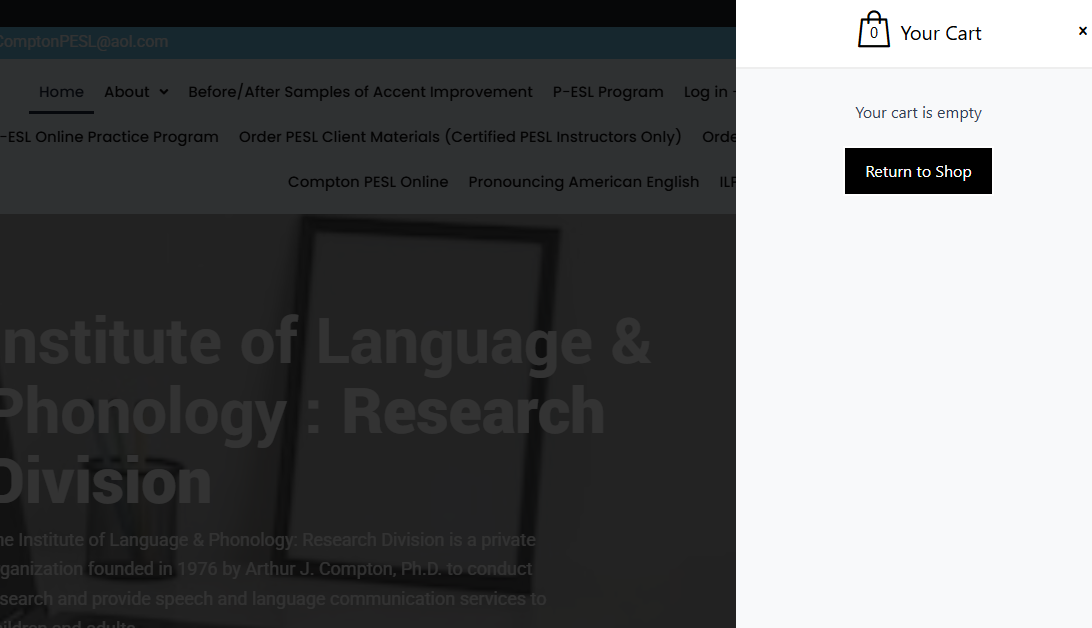
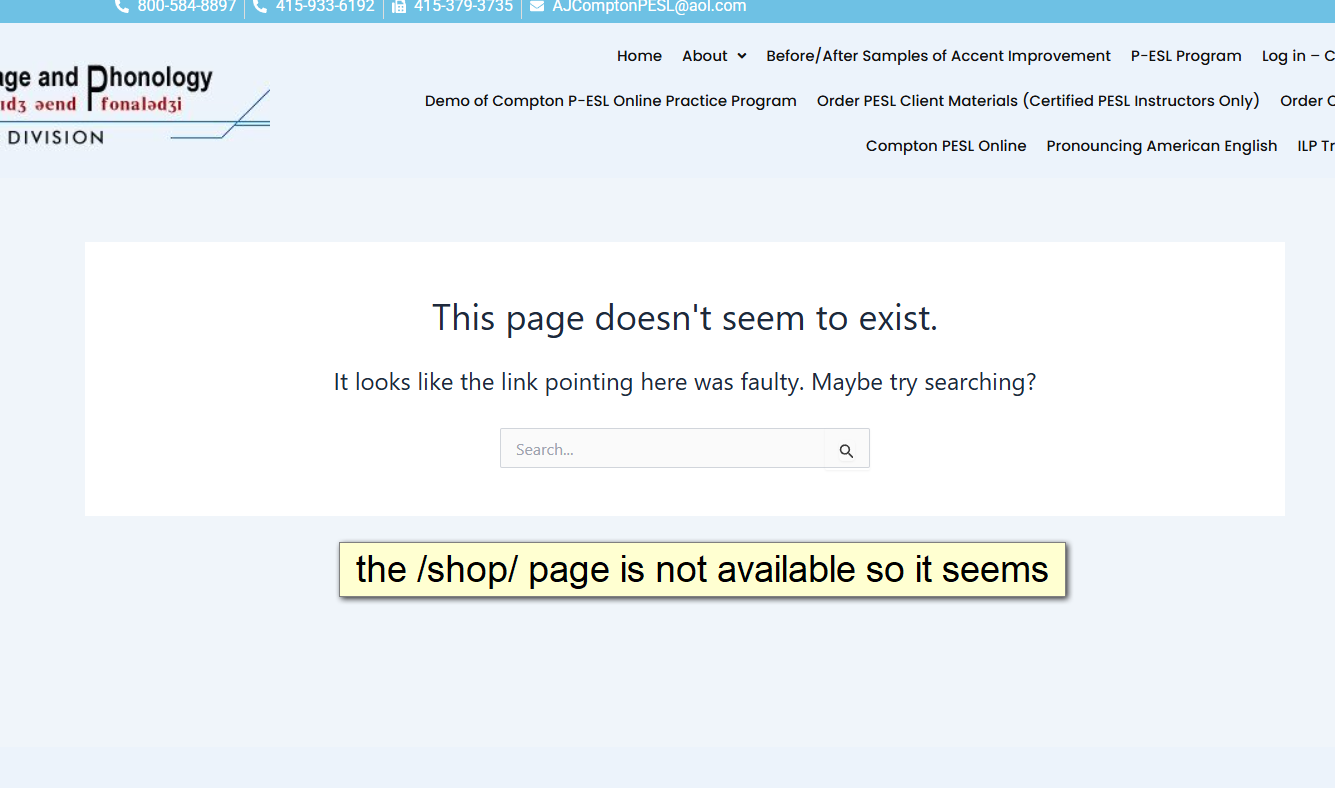
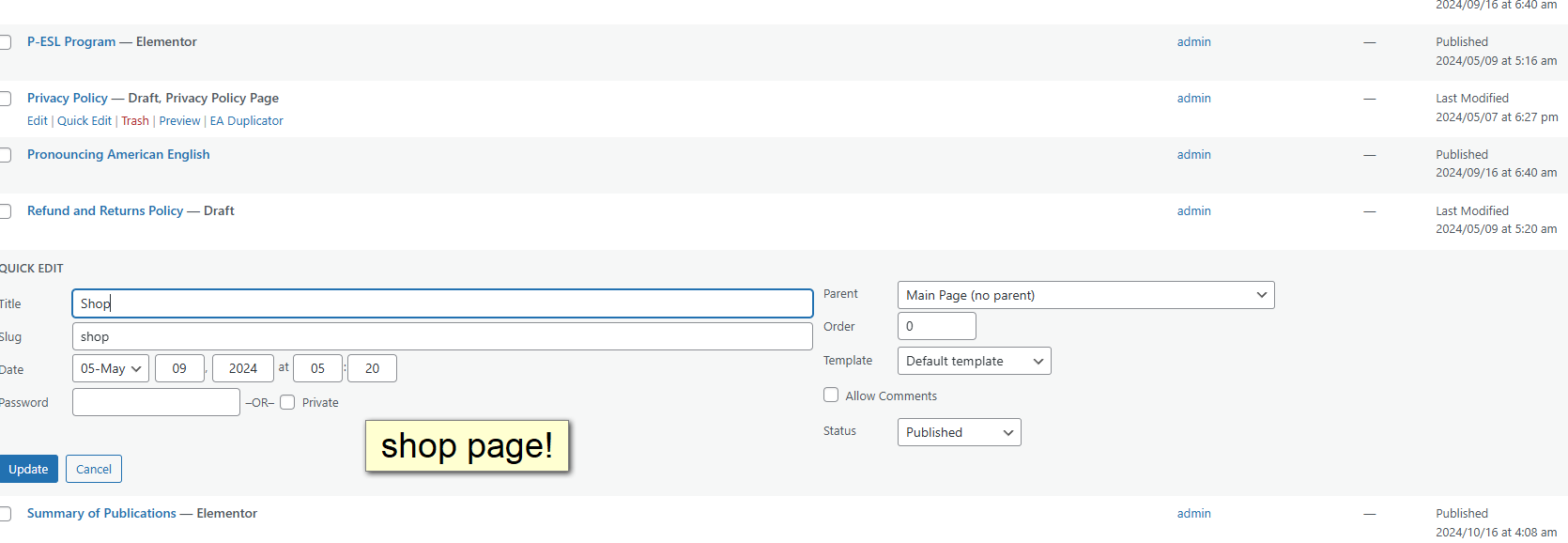
here is what i am seeing:
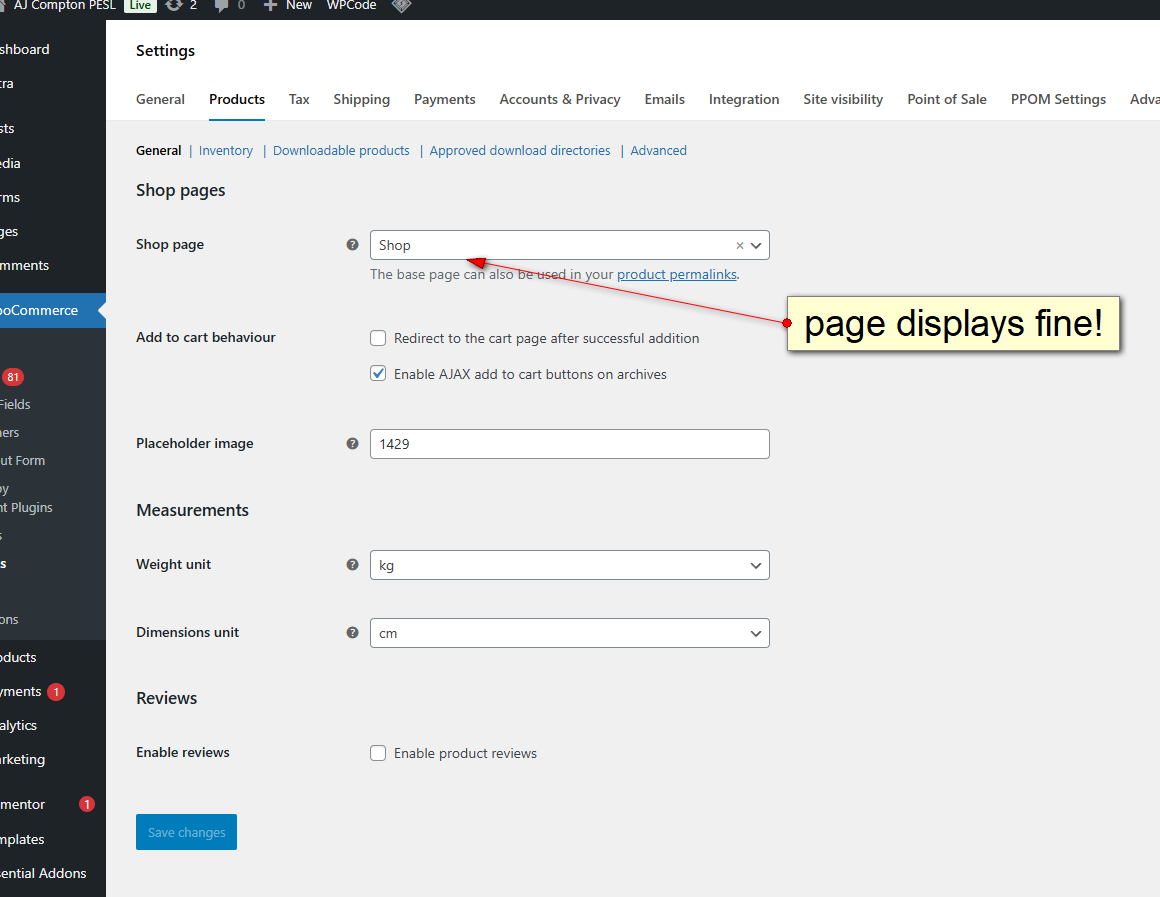
1 – starting out: https://comptonpeslonline.com/tmp/woocommerce/1-page-displays.png
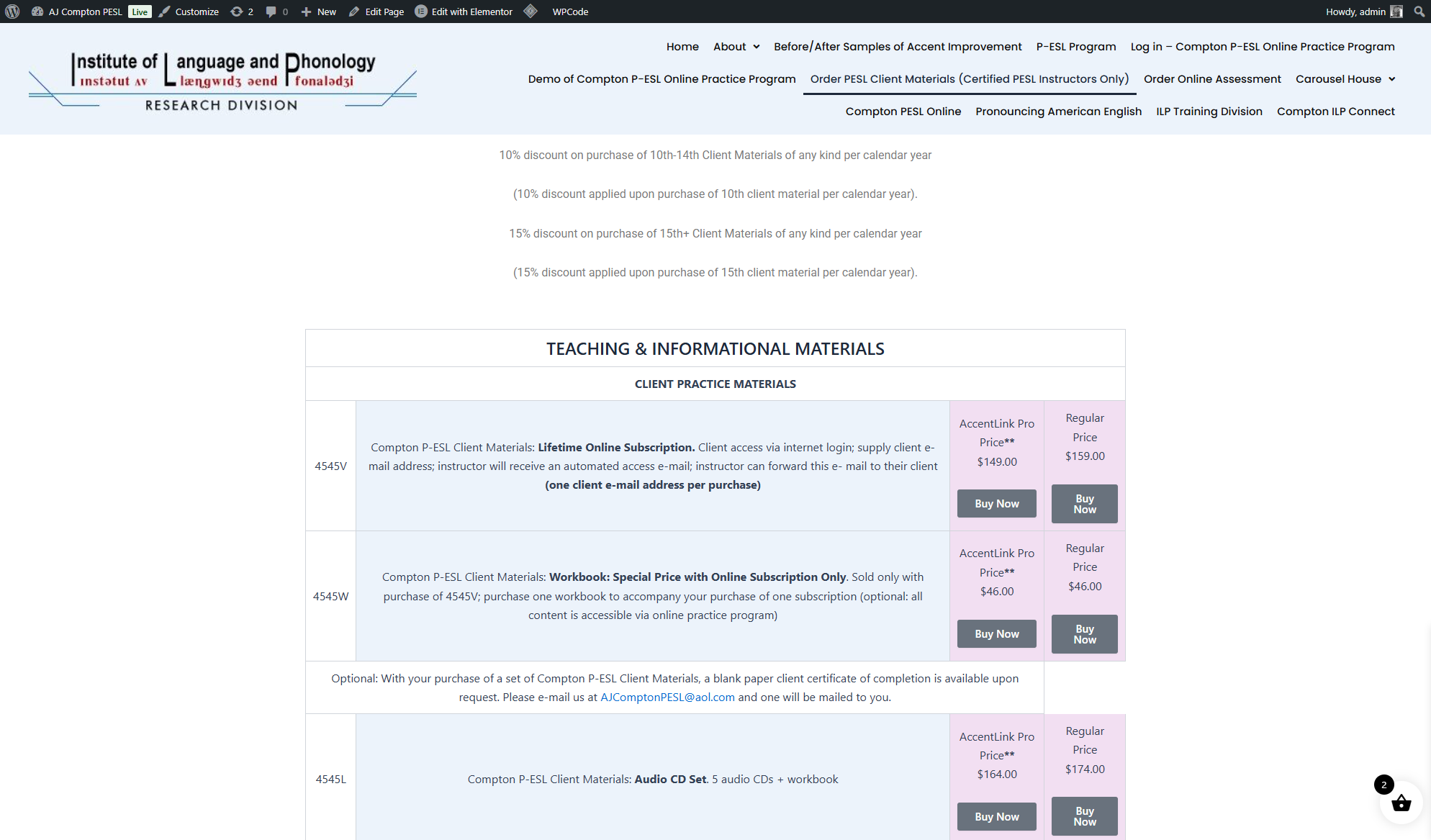
2 – page is good: https://comptonpeslonline.com/tmp/woocommerce/2-good-page.png
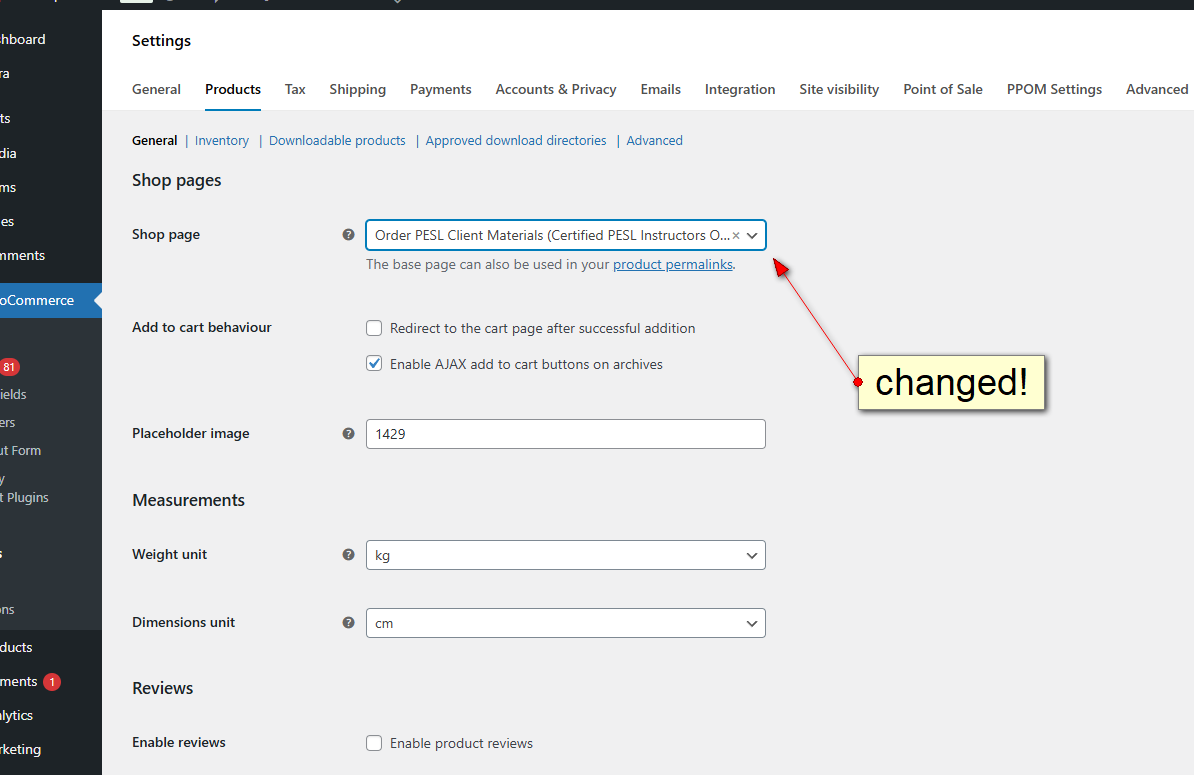
3 – changed the value as youoriginally suggested:
https://comptonpeslonline.com/tmp/woocommerce/3-changed.png
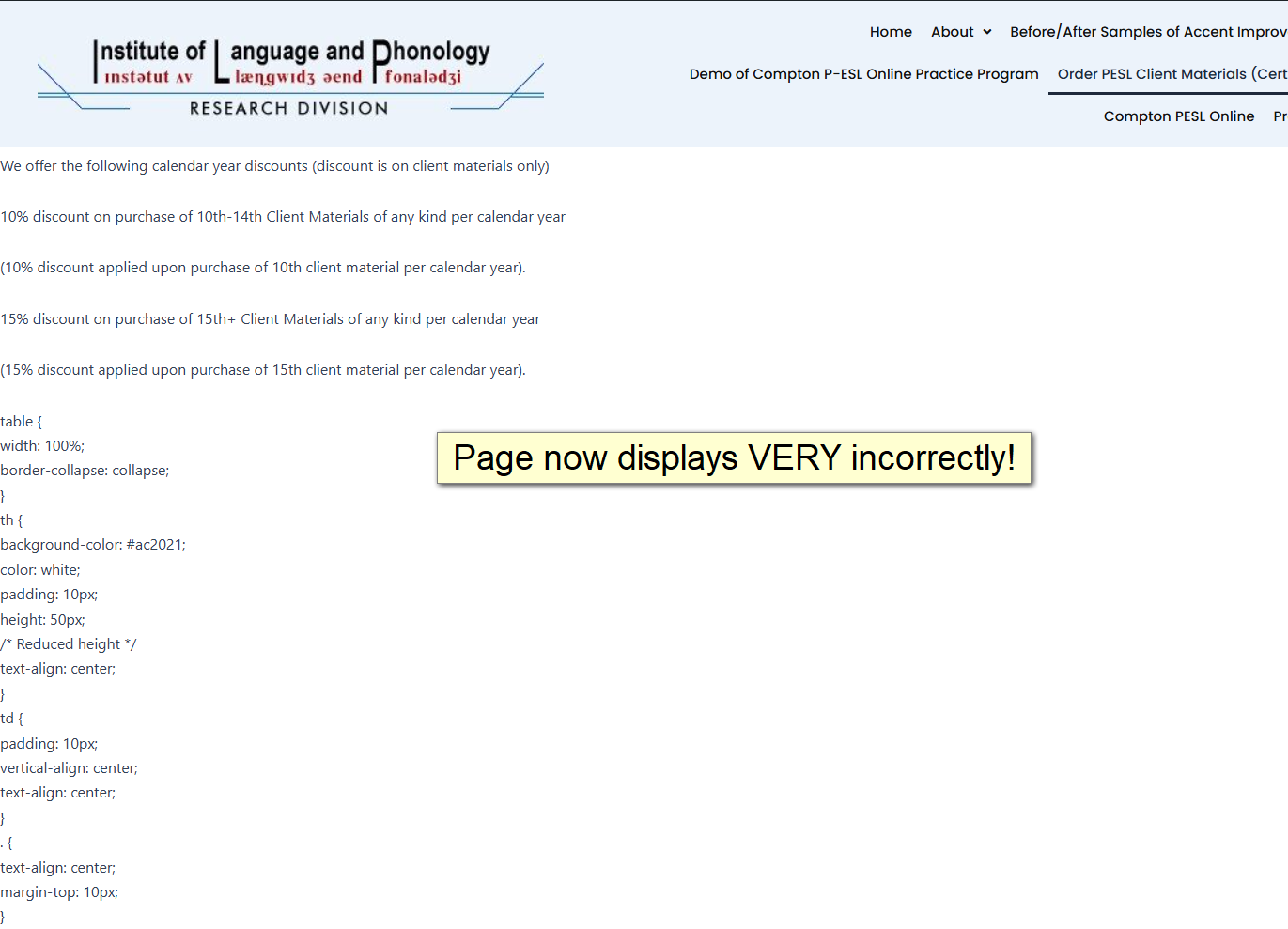
4 – page now displays incorrectly:
https://comptonpeslonline.com/tmp/woocommerce/4-page-bad.pngnow i reset the value back to “shop”:
here is my empty cart: https://comptonpeslonline.com/tmp/woocommerce/5-cart-empty.png
here is what i see for our “shop” page: https://comptonpeslonline.com/tmp/woocommerce/5-missing-shop-page.png
but yet our shop page does exist: https://comptonpeslonline.com/tmp/woocommerce/6-shop-page-edit.png
hopefully this helps you understand our situation.Forum: Plugins
In reply to: [WooCommerce] suppressing the product photo using a shorcodei will take this as you saying “excellent job, Marky!”
- This reply was modified 8 months ago by edwardsmark.
Forum: Plugins
In reply to: [WooCommerce] empty cart redirects to a nonexistent page /shop/THANK YOU for the quick reply!
if i understand your request correctly, i see one page named “checkout” with just one item:[woocommerce_checkout]in my defense, i was not the one who set any of this up. 😊
- This reply was modified 8 months ago by edwardsmark.
Forum: Plugins
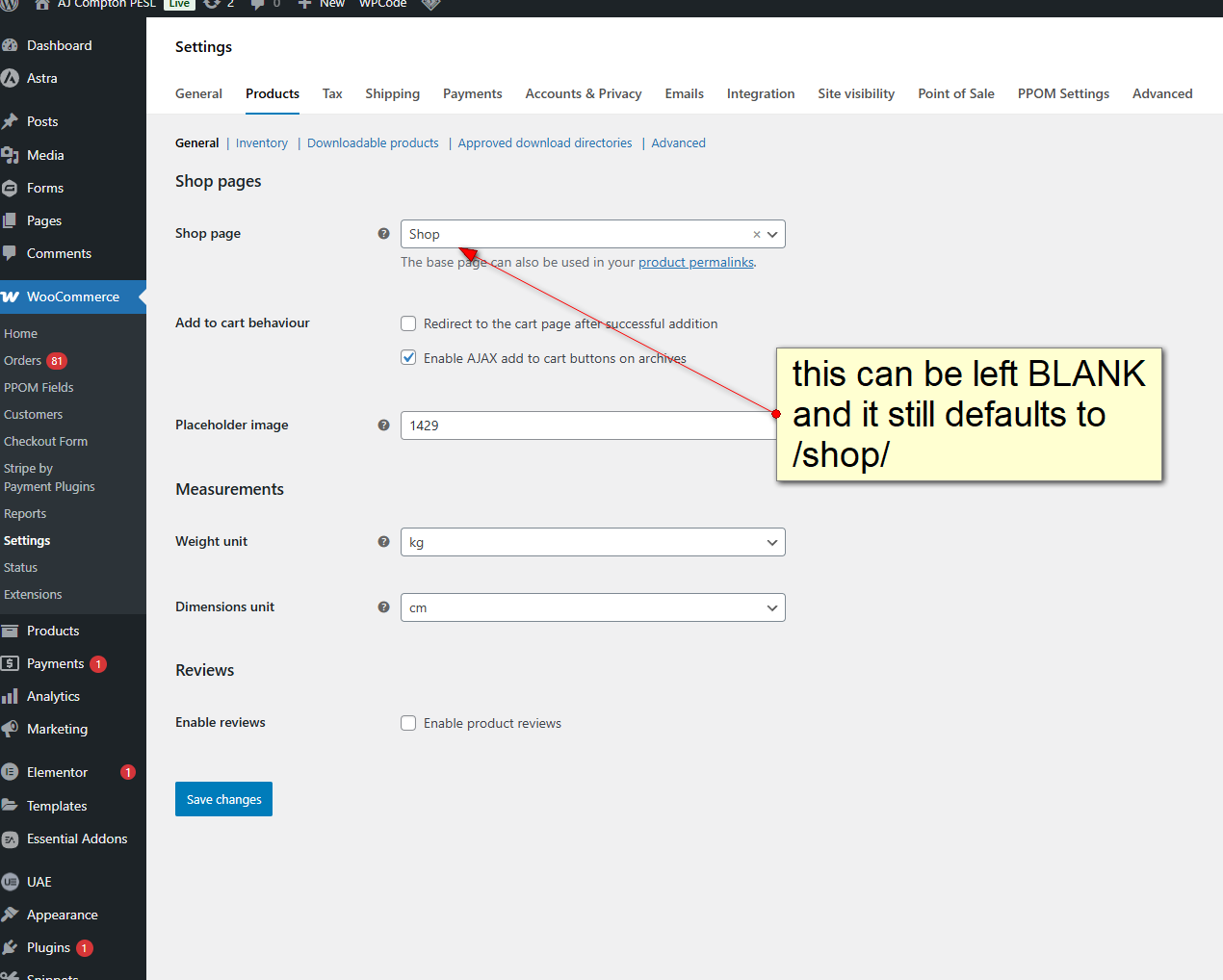
In reply to: [WooCommerce] empty cart redirects to a nonexistent page /shop/Thank you for the update. To assist you better, could you please share the site URL and a screenshot of the settings you have under WooCommerce → Settings → Products → General?
https://comptonpeslonline.com/tmp/settings-products-general.png
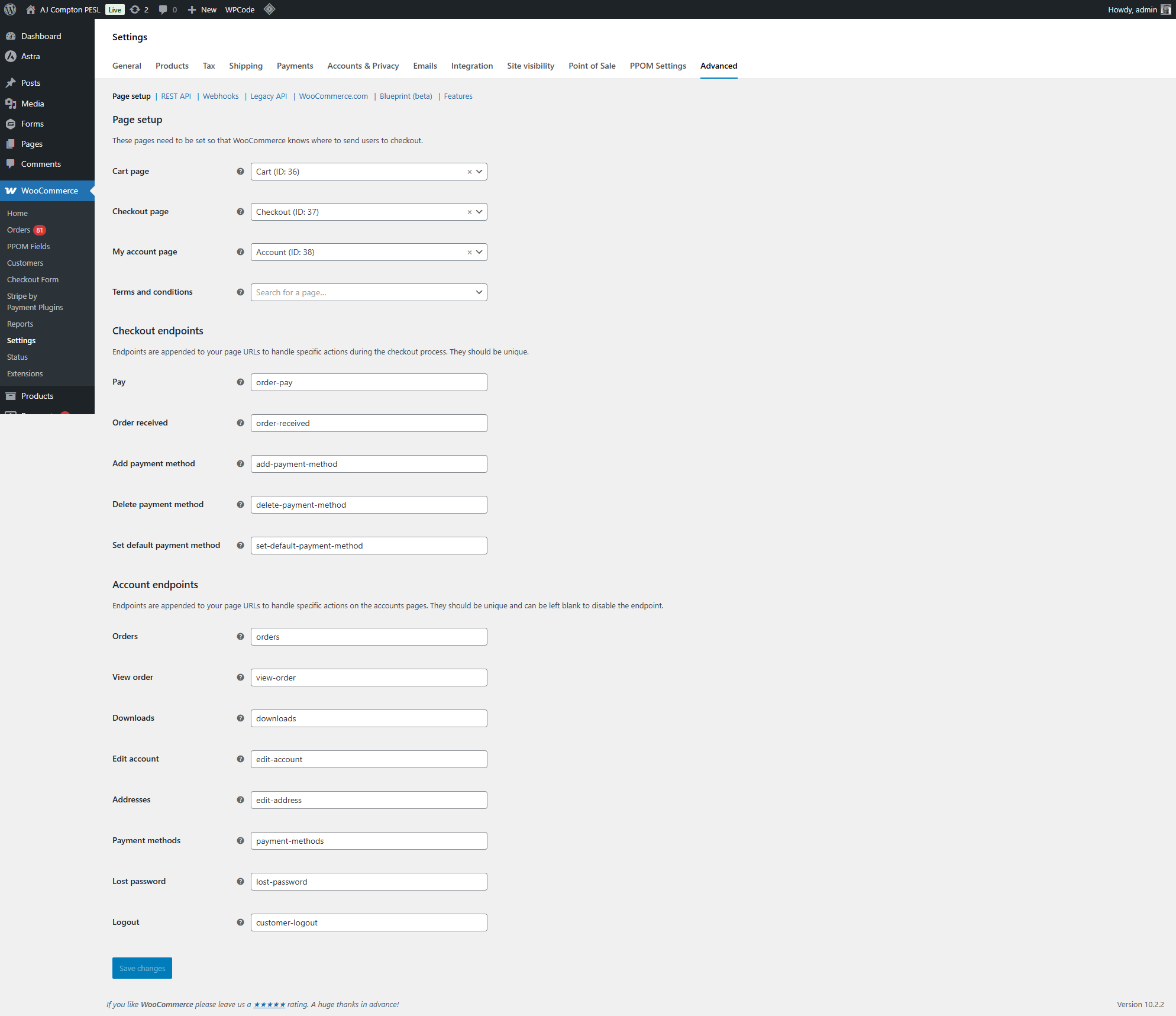
Also, please go to WooCommerce → Settings → Advanced → Page setup and share a screenshot of the settings there as well.
https://comptonpeslonline.com/tmp/settings-advanced-pageSetup.png
Additionally, please share your System Status Report, which you can find under WooCommerce → Status.
https://comptonpeslonline.com/tmp/SystemStatusReport_ajcomptonpesl.com_2025-10-08T15-34-45.txt
–or–
https://gist.github.com/edwardsmarkf/9a88a7fe4fc3f791aa493577eee7c42ethe “continue shopping” button is not working either, strangely. it was working earlier.
- This reply was modified 8 months ago by edwardsmark.
Forum: Plugins
In reply to: [WooCommerce] empty cart redirects to a nonexistent page /shop/well good news, i found the setting just fine, thank you.
the bad news is when i tried to set it to the actual products page, the css seems to be completely ignored and the page loads without any style.
funny thing is we actually do have an empty “Shop” page, which seems odd that WP would claim the page does not exist. and yes its published too.
also it appears no matter what is selected for the “Shop page” setting, it still redirects to /shop/this is a mystery….
Forum: Plugins
In reply to: [WooCommerce] another newbie shortcode questionwhich is why they didn’t work as expected.more like “didn’t work like i hoped and prayed it would”….!
but i am just happy to have something working.Great questionawww shucks, now i am blushing…..!
- This reply was modified 8 months, 1 week ago by edwardsmark.
Forum: Plugins
In reply to: [WooCommerce] shortcodes newbie questionthank you! [product id=1234] worked just fine. i am still surprised that just merely using [product] didn’t display everything…. but a win is a win!