elbybrown

Forum Replies Created
-
Forum: Themes and Templates
In reply to: [Virtue] Woo commerce and virtue not compatibleHey,
Just wondering if anyone had any thoughts?
I can’t log in at the mo to my admin. Gonna have to contact my host again to deactivate Woo commerce.
Thank you in advance. Laura B 🙂Forum: Plugins
In reply to: [WooCommerce] Woo commerce deactivate?Hi there,
Thanks @maykato
Yes my host server already said it was a conflict with woo commerce so I don’t need to test.
The plug in is there but deactivated. I didn’t want to reactivate it as I assume the same thing would happen.
So I was going to delete and download again – you think everything would come back as was? (I guess I have back up if not) eeek.
Kindest,
Laura BForum: Plugins
In reply to: [WooCommerce] Failed Orders – Fake InformationHey,
I have had 3 attempts – the same. Last one 10 hours ago. Just put in the Advanced noCaptcha. A bit worrying for sure.
Laura B@realmag777
Thank you, thank you, thank you!
It was two conflicting – I am not sure how it happened they only just started arguing too but they must have been like that for a bit (*facepalms). I did have a problem with the other one and thought I had deactivated, with a view to deletion but it looks like it is switched to permanently active. Sorry for being such a bonehead, to cause extra work and thank you so much for your help. I really do appreciate it.
Kindest,
Laura BHi there again,
Sorry to persist but I’ve lost over £100 so far – having to chase people and cancel payments. Any thoughts?
Or maybe I should delete the plug in and try another?
Sorry to ask again – I’m not that technical. I’ve just turned multiple currencies to 1 but it’s still showing in dollars.
Really would appreciate any support with this.
Kindest,
Laura BHi,
@mediawebster @realmag777
I have just checked mine was already set to NO in advanced. Any other thoughts?
Its virtue child theme – I don’t know if that is useful or not.
Thank you.
Laura BHi there,
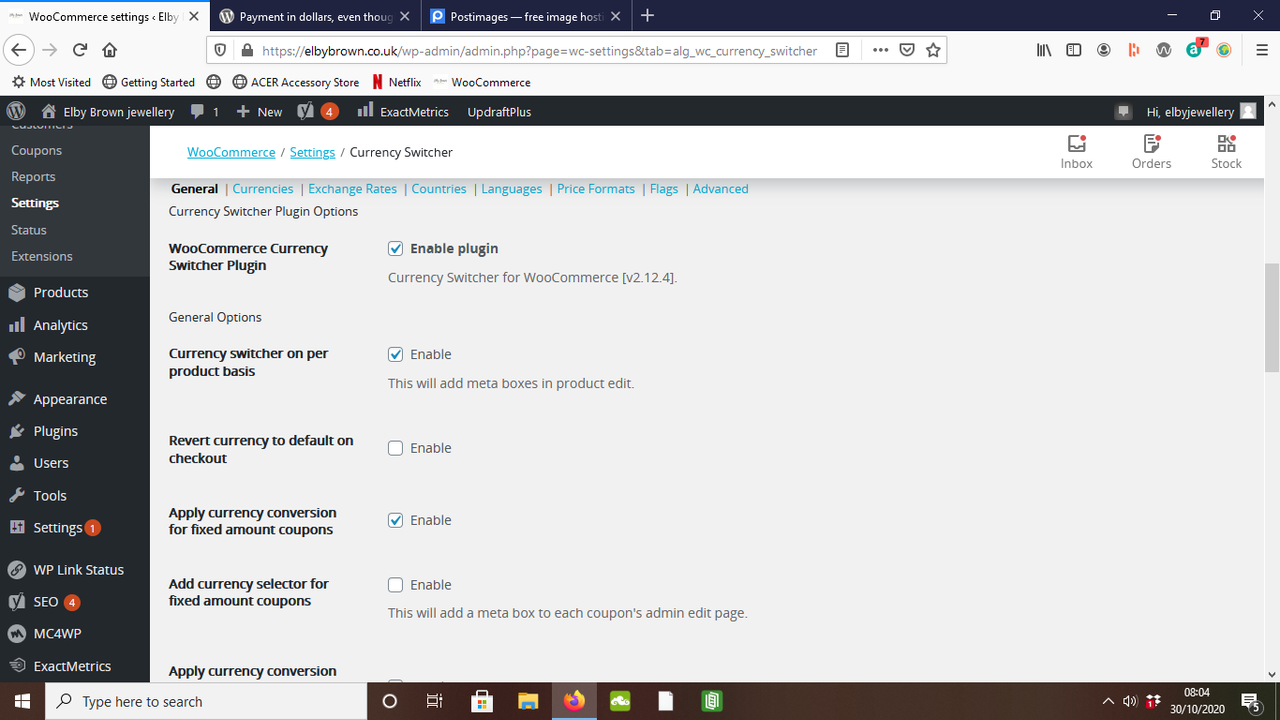
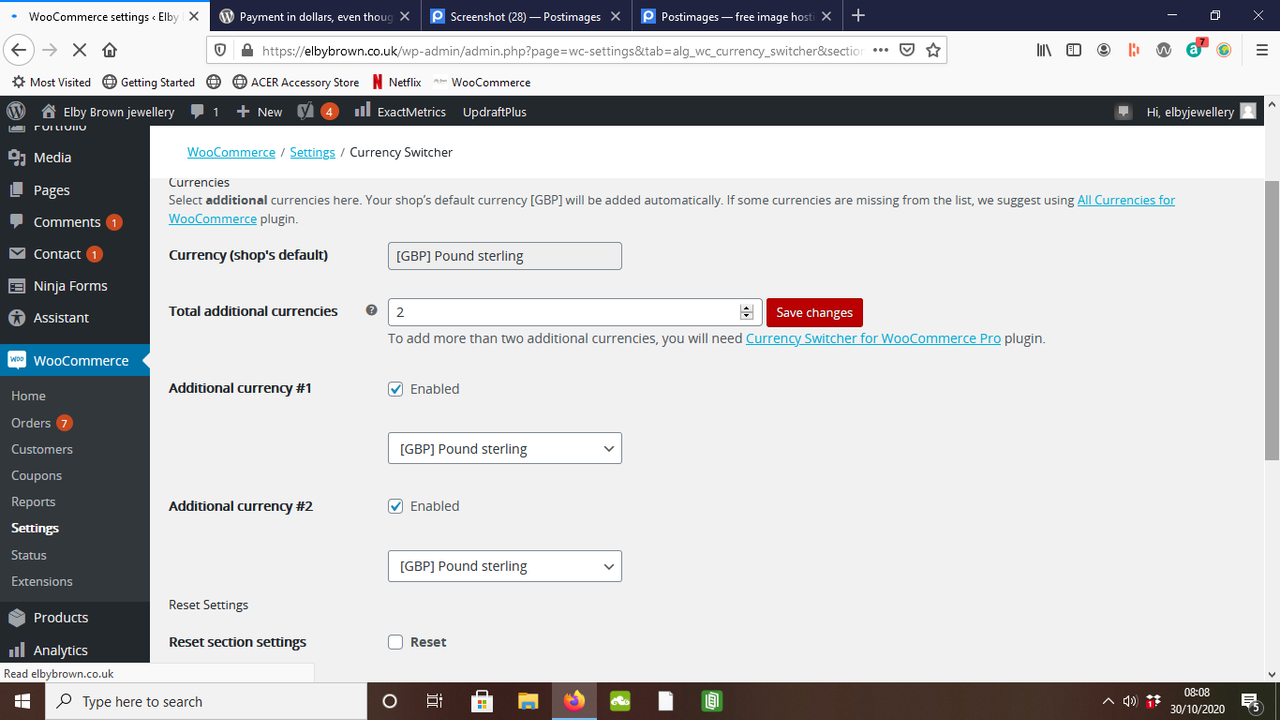
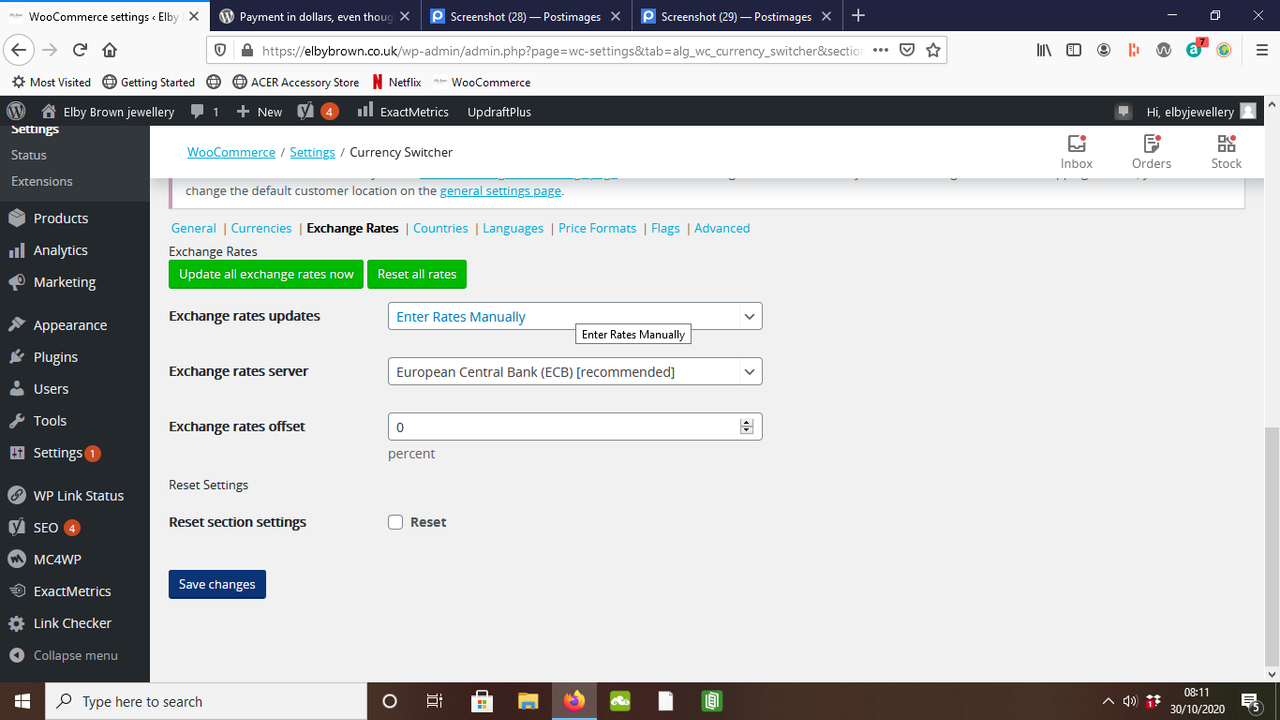
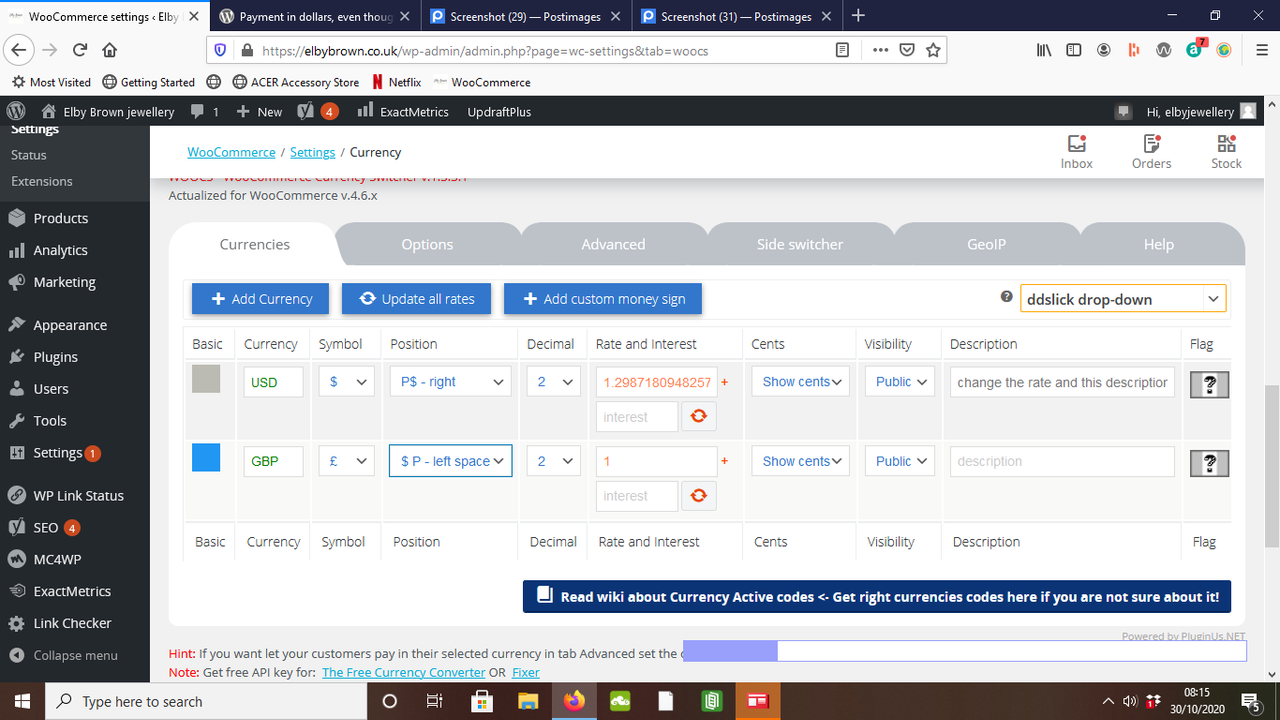
Thank you so much. Here you are. It is also happening in Stripe now. I got a payment in dollars through there this morning.https://i.postimg.cc/K82ChrBN/Screenshot-28.png
https://i.postimg.cc/zG2wFqzg/Screenshot-29.png
https://i.postimg.cc/SxRCsH6N/Screenshot-31.pngAre these the screenshots you wanted to take a look at?
The only thing I did notice this morning was that in woocommerce/settings/currency I have the GBP box clicked but it does say show cents
Please find attached one more screenshot of that.https://i.postimg.cc/MZsGTHdV/Screenshot-32.png
Is it my settings? Confusing to have it working for the last couple of years and then suddenly go off and do its own thing.
Hope you can help
Thanks so much,
Laura BForum: Plugins
In reply to: [WooCommerce] Payment in dollars, even though website set to poundsHi,
Thank you so much for doing that test! That is so brilliant and so very helpful. It looks like a fix update on currency switch was released an hour ago. I am just backing up (cos lesson learned) and just installed and hoping it will fix the problem (fingers crossed). I know its important to keep updated but I am not really prepared tech wise for these issues so its wonderful to have this forum.
I have switched off paypal just for a minute and will head over to the admin plug in as you suggest and see whats happening over there.
Thank you once again, I can’t tell you how much I appreciate it.
Kindest,
Laura BForum: Plugins
In reply to: [WooCommerce] Payment in dollars, even though website set to poundsAlso should I turn off the paypal option? :/ And also wondering if the same will happen in stripe.
Thanks ever so much in advance. Appreciate any help.
Kindest,
Laura BForum: Plugins
In reply to: [Akismet Anti-spam: Spam Protection] Is my website dead?A quick update….
I phoned my website host (as you suggested @cfinke – thank you) and basically they deleted the Akismet plug in and then reinstalled it. Anyhow, Once deleted by web host and reinstalled, all worked fine. Updates were also done. My log in reappeared and I could get back in again thankfully. A bit scary to have a blank page appear with warnings appear where your log in should be and be unable to access.
So website isn’t dead. Hooray.
Thanks for suggestion. xForum: Plugins
In reply to: [Akismet Anti-spam: Spam Protection] Is my website dead?I have a screen shot of the restore I did. I def did not remove any plug ins.
Thanks again for your help.Forum: Plugins
In reply to: [Akismet Anti-spam: Spam Protection] Is my website dead?Sorry I mean I restored my system to last back up. Not to what it was. It said it failed and then I did it again. I used my website the next day and wrote a blog.. this is what is strange.
Is there a way I can post a screenshot here?
Forum: Plugins
In reply to: [Akismet Anti-spam: Spam Protection] Is my website dead?Hi Christopher,
I don’t think I removed any plug ins. Just restored my system to what it was.I am sorry I don’t know what FTP or SSH is. I am just a jewellery maker rather than web developer, because I am a small business I do everything myself – inc website.
Could you explain further (in idiot terms)?
Thanks so much
Laura BForum: Fixing WordPress
In reply to: Home page in Greek! (I think)Carike,
Thank you so much for your help.
I actually had a bit of a (rare) lightbulb moment – I thought maybe I should try to switch fonts and have a look. It worked. Now my pics don’t show (Typical!) only on edge browser I think/hope. I have put this in the forum you linked to so am hoping for a reply.
Thanks again, I do appreciate it.
xForum: Themes and Templates
In reply to: [Virtue] Homepage making no senseHey – okay so I had the thought that if I changed the font that might work. Well, it did. Can it really be that simple? I thought I was using georgia or helvetica but it was symbol – Clue is in the name really isn’t it… *facepalms*
But another problem is now my pics aren’t showing up either on Edge… Please can anyone help?
Thanks again,
Laura B